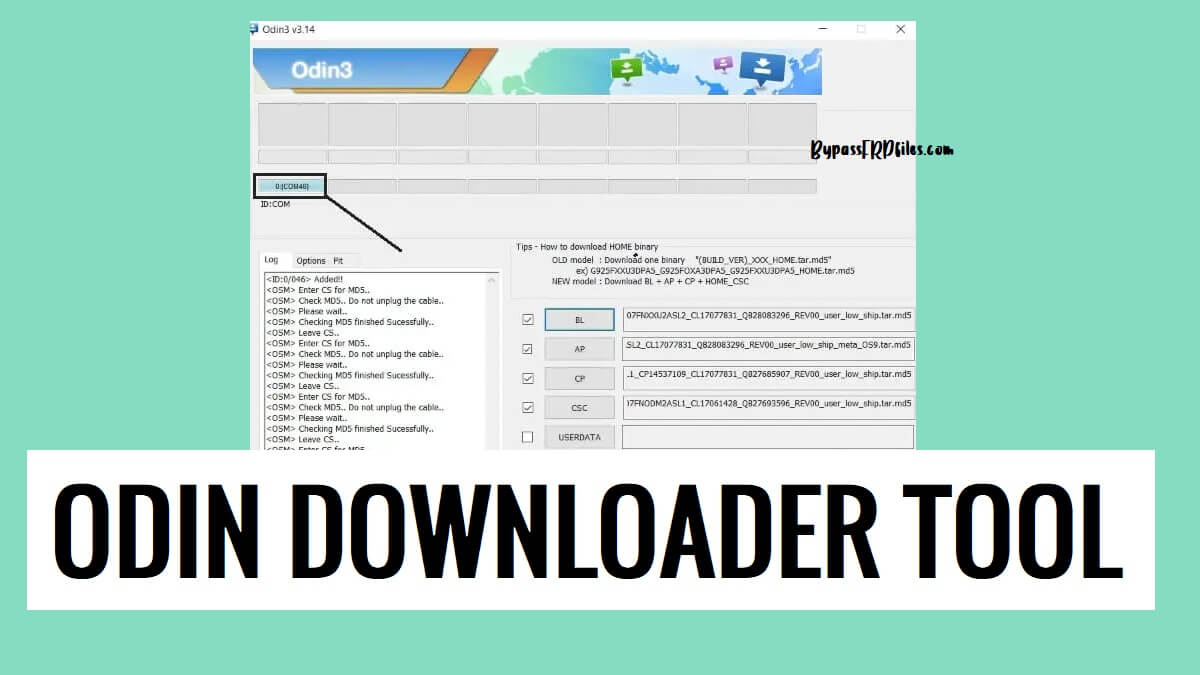
Odin Flash Tool is a Windows software specially crafted by Samsung to flash stock firmware files on Samsung Galaxy Android devices. Also, It allows you to upgrade or downgrade, remove screen lock, repair stuck on device logo, etc.
In the following topics, We have given the link to download Odin Downloader V3.14.4 Latest All version Setup 2023 with proper instructions to use on a computer easily.
What is Odin Downloader?
Odin Downloader is a flash tool for Samsung that helps you to flash stock firmware (.tar and .md5), troubleshoot, FRP Bypass, Factory Reset, and enhance the capabilities, or customize the device by flashing custom files and recoveries on any Samsung device. The best thing, it is a lightweight and straightforward portable program can be used on any Windows computer.
Nowadays, Most Android users facing problems like Stuck at bootlogo, DRL errors, Slowness, forgotten Pattern Password, and FRP lock with Android smartphones. This happens due to negligence and trying to customize the phones by rooting or flashing custom files & recoveries.

The Factory Reset can fix it temporarily but this is not a permanent solution for this. So, flashing is the only solution to fix the issues permanently.
The Odin Flash Tool is an after-sales flashing utility primarily designed for use in the service centers and the assembly units to flash and activate the device. Samsung’s official stock firmware ROM comes with the .tar and .md5 formats including BL, AP, CP, and CSC.
The procedure for install the firmware is pretty simple, just run the tool to your PC, then select the stock firmware & Click the Start button, Next, Power Off your phone and Put it into the download mode and connect to the computer, that’s it.
Key Features
- Supported all Samsung Phones: The flash tool supports all Samsung Galaxy smartphones and tablets. All you have to do is install the Samsung Driver on the computer & then launch the flash tool to flash Firmware onto the device.
- Unbrick Samsung Phones: Also, You can use the tool to unbrick your Samsung Galaxy phone by flashing the particular official firmware flash file.
- Unlock Samsung Phones: If you want to unlock forgotten screen lock from your phone, then you can use the Odin tool to flash the phone to format the particular partition & unlock the phone.
- Simple UI: It comes with a simple UI (User Interface). So that’s why anyone can use this tool easily there is no need to be an expert to use the application to flash the firmware.
More: Download Xiaomi Mi Flash Tool Latest Official All Version Setup Free
Download Odin Flash Tool V3.14.4 Latest Version
Download Samsung Odin Downloader Tool latest version along with all versions for your Windows computer to flash or unlock the Samsung Galaxy Android phone easily without activating the Knox Security for free.
Software Name: SamsungTool
Version: V3.14.4
Formats: *.bin *.md5
Compatibility: Win 7, 8, 10, 11 (X32 & 64-bit)
| File Name | Link |
|---|---|
| Odin_v3.06 | Download |
| Odin_v3.07 | Download |
| Odin_v3.09 | Download |
| Odin_v3.10.0 | Download |
| Odin_v3.10.5 | Download |
| Odin_v3.10.6 | Download |
| Odin_v3.10.7 | Download |
| Odin_v3.11.1 | Download |
| Odin_v3.11.2 | Download |
| Odin_v3.12.3 | Download |
| Odin_v3.12.4 | Download |
| Odin_v3.12.5 | Download |
| Odin_v3.12.7 | Download |
| Odin_v3.12.10 | Download |
| Odin_v3.13.1 | Download |
| Odin_v3.13.3 | Download |
| Odin_v3.14.1 | Download |
| Odin_v3.14.4 (Latest) | Download |
What’s New:
- Updated to the latest V3.14.4
- Flash .tar file
- Flash .MD5 File
- Unlock Any Samsung Galaxy phone
- Added latest Samsung devices
- Improvements
- Bug fixes
There are two types of firmware available for Samsung devices, it totally depends on the device’s model and Android versions. So, first download the Samsung stock Rom by visiting: www.samsungfirmwares.info and then extract it to the PC. Then follow the flashing process from below as per the firmware type.
How to use
- Download & extract Odin Flash Tool to your computer.
- Open the Flash tool folder

- Run the Odin.exe as Admin
- Visit: Samsungfirmwares.info
- Download the stock firmware file for your device
- Extract the firmware using winrar or 7zip

- Go back to the Odin Tool
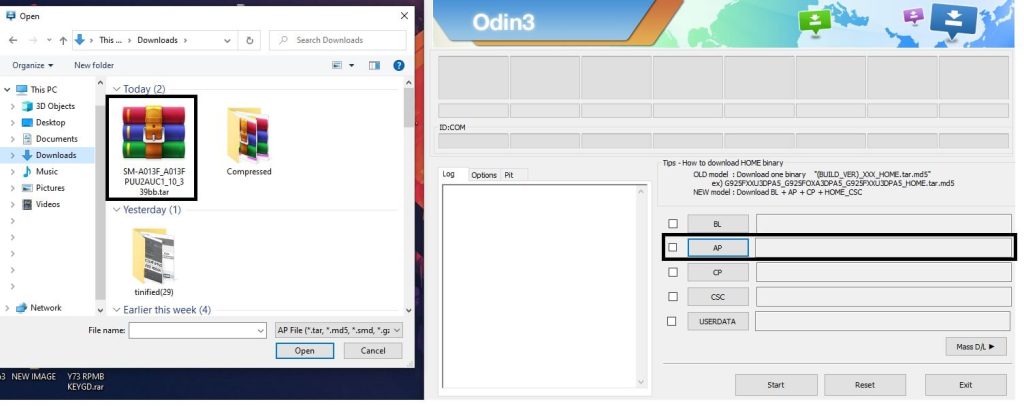
- Select the flash files in the Flash Tool
- If the firmware has 4file then select the firmware according to the below image
- AP file in the “AP” tab
- BL file in the “BL” tab
- CP File in the “CP” tab
- CSC file in the “CSC” tab
- If it has only 1file then select the flash file in the AP tab of the Flash tool
- AP file in the “AP” tab
- Now Put your phone into the Download Mode.
- Power Off your Samsung Android phone,
- New Phones: Hold Volume Down + Power Key and connect your phone to the PC.
- Old phones: Press and hold Volume Down + Home + Power Key together
- You will see a warning logo. To enter download mode, press vol up.
- Go back to the Odin tool,
- You can see ID:COM Added message on the Odin Tool

- Press Start

- Now the Flashing process will be started, it take 7-8 minutes to complete.

- Then disconnect and Power On the phone.
- It will boot up with Android 10 version.

- If it stuck at Recovery mode
- Select Factory data Reset => Factory data Reset
- Power on your Samsung phone
- Setup all initial steps
- That’s it.
Read More: Download SP Flash Tool (Smartphone Flash Tool) V6, V5, V3, Latest All Version Free
