![Download Qualcomm USB Driver [Latest Version] Auto Installer for Windows](https://bypassfrpfiles.com/wp-content/uploads/2020/01/Qualcomm-USB.jpg)
Qualcomm Auto Installer USB Driver helps you to established a connection between Qualcomm-powered phones and Microsoft Windows computer easily. Basically, It is a simple USB host controllers that mainly creates a bridge between PC and phone which enables users to flash firmware, update, upgrade, and transfer personal files from any Qualcomm-powered phone.
In this page, you will find links to download Qualcomm Driver for Windows. These drivers are fully compatible with all versions of Microsoft Windows 7, Windows 8, Windows 10, Windows 11 version (32 & 64bit).
Download Qualcomm USB Driver Latest (All Version)
QCOM Driver Auto Installer make it possible to recognize the Qualcomm-powered Smartphones and Tablets to the PC without even installing the PC Suite application on Windows PC’s. We have recommend using the latest USB Driver.
| File Name | QUALCOMM_DRIVERS.ZIP |
| Views | 50000 |
| Size | 14MB |
| Type | Zip file |
| Architecture | 32 & 64 bit |
| Supported OS | Windows 7, 8, 8.1, 10, 11 |
| Driver 32Bit | Download |
| Driver 64Bit | Download |
| Manual Driver | Download |
Also, It can helps to fix issues including soft or hard brick, stuck on boot logo, or data transfer issues easily. Once you have installed it on your PC, It becomes easier to flash stock firmware files or any other custom files using ADB & Fastboot Tools like, QPST Flash Tool, QFil Tool, Qualcomm FRP Tool, EFT Tool, UAT Tool, UnlockTool, FRP Bypass Tool, Miracle Box, MRT Tool, CM2 Tool & UMT Tool.
Compatibility
The drivers are fully compatible with all Windows versions easily. Below, you have provided compatible Windows versions you can checkout.
| Windows 11 | Windows 10 |
| Windows 8 | Windows 8.1 |
| Windows 7 | Windows Vista |
| Windows XP |
How to Install Qualcomm USB Driver
Here we share with you three different methods to install Qualcomm Android Drivers on any Windows 32 and 64bit PC. The first method we share here is an automatic method by simply using the setup wizard. This is the safest way to Install Qualcomm Drivers on your PC.
Automatic Installation
- Download Qualcomm Auto drivers according to your PC’s OS architecture (32-bit or 64-bit).
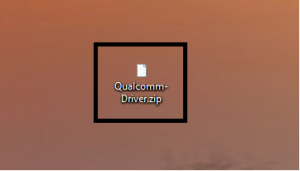
- Then extract the downloaded file.
- Open the extracted folder and double click to run the setup.exe.
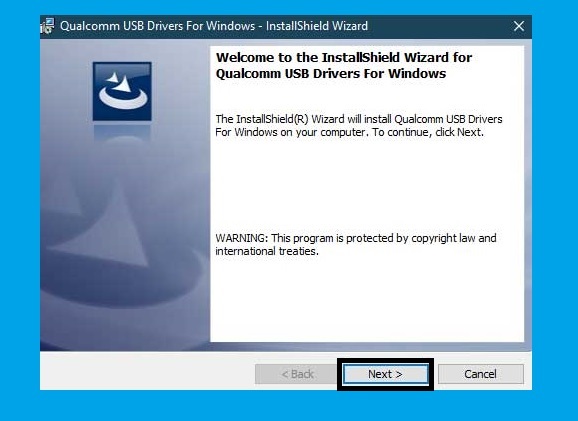
- Now install the tool
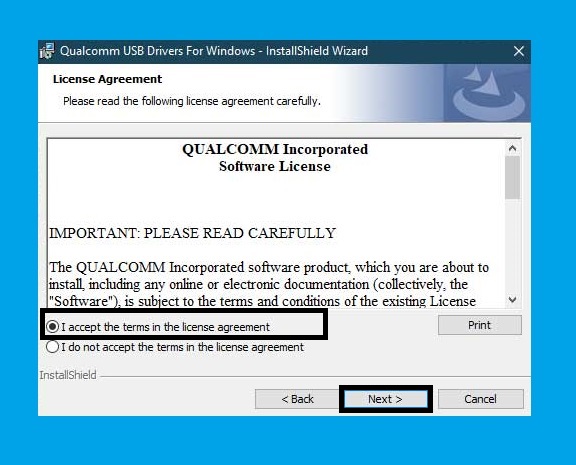
- Then Accept the Terms in the license agreement by clicking on I Accept the terms in the license agreement option.
- Click Next.
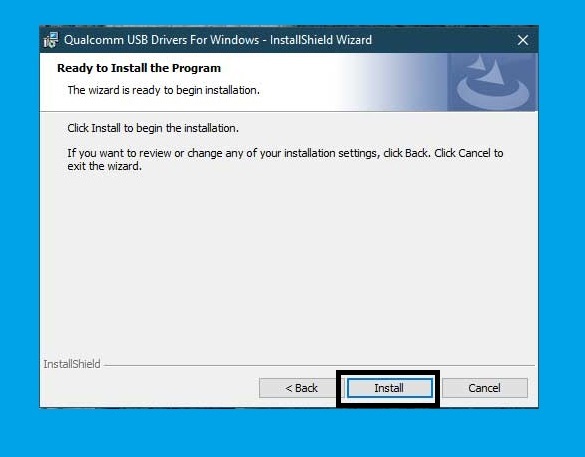
- Click the “Install“.

- Wait for a few seconds to complete the Installation.
- Done.
Manually Install
- First of all, download your required files on your PC.
- Then extract the files.
- Now connect your device into EDL Mode by following the below process.
- Open the installation directory folder.
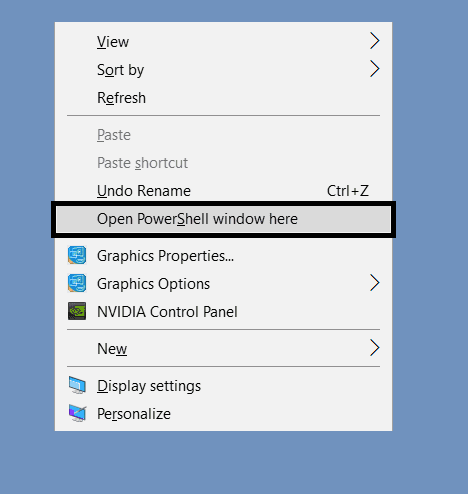
- Press Shift & Right click there and select Window Power Shell.
- Then type the following code in the Power Shell to boot your device into the EDL Mode.
adb reboot edl
- Then go to the Control Panel ==>> Device Manager.
- After that, check under the Port or Other Devices tab there you will see your device detected as a “QHUSB_BULK” long with a yellow exclamation mark. This means the PC is unable to recognize your device.
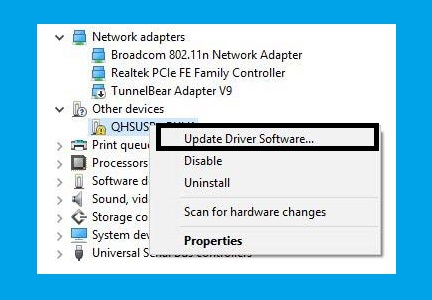
- Right-click on it and select “Update Driver software “.
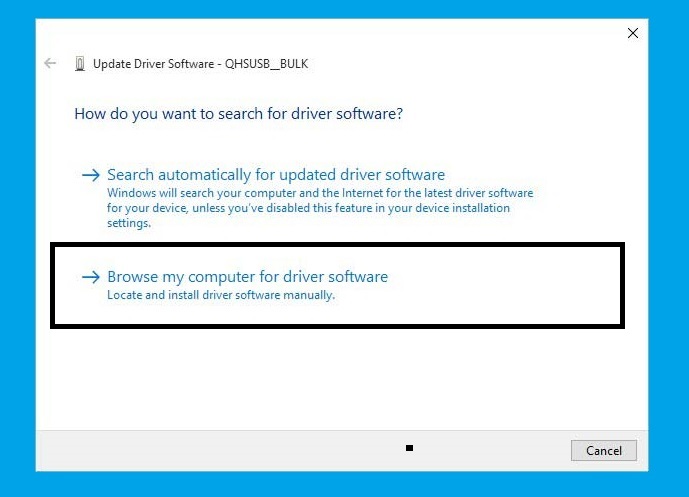
- Click on “Browse My Computer for Driver Software” and give the file path folder of the driver.
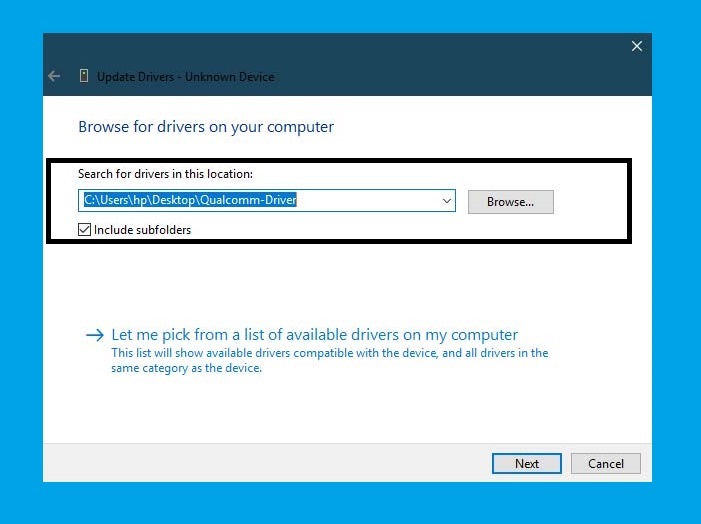
- Once the USB driver is selected then click on the Next button.
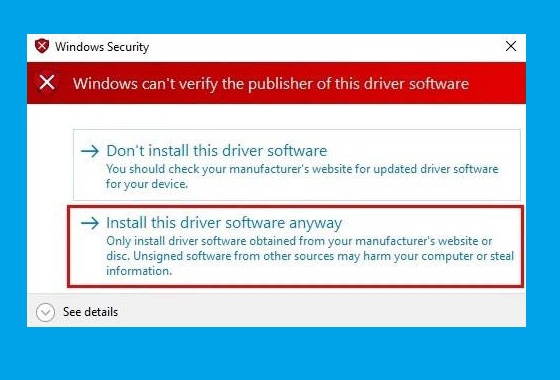
- Just click on the “Install this driver software anyway” on your PC.
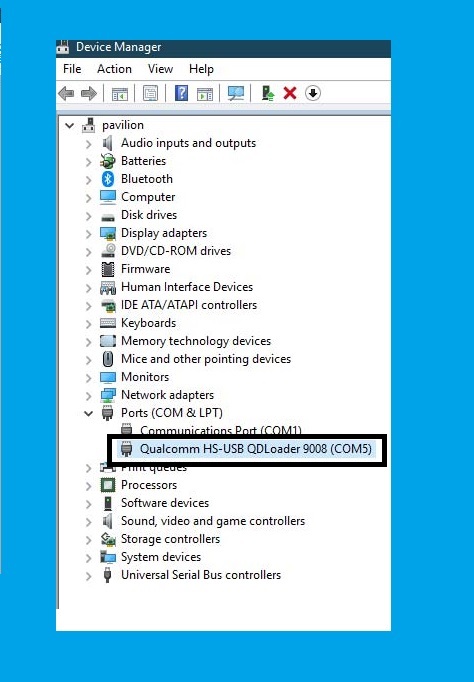
- Done.
Also Check:
- Oppo Preloader Driver For All Oppo MTK Devices
- Vivo Y81i Pattern Unlock
- Download FRP Bypass Tool
- Android Multi-Tool
- Download Qualcomm HS-USB QDloader 9008 Driver
Read Me:
[*] Take Backup: If you need to use the USB driver for flashing stock Rom on your Qualcomm phone, then it is highly recommended you to take a complete backup of your phone.
[*] Qualcomm Flash Tool: If you looking USB Driver for flashing or unlocking the phone, then hjead over our Flash tool page to flash your Qualcomm-powered devices. i.e., QFIL Tool, QPST Tool, and Qualcomm FRP Tool.
[*] Other Drivers: Also, Here we have provides the other USB drivers for all Android devices and chipsets, Head over to our USB driver section. i.e., MTK USB Driver, SPD USB Driver, and Qualcomm HS-USB QDLoader 9008 Driver.
[*] Credit: The driver we are shared here are provided by Qualcomm Technologies, Inc. So, special thanks to the official developers for sharing such useful USB Driver for free.
I think all you found the article of use. If you still stuck in some steps or could not understand anything relating to this topic, you can let us know in the comment section below. I will help you as soon as possible. if you have any queries or suggestions or want me to write on something.
