![Download Spreadturm SPD USB Driver for Windows [Latest Version]](https://bypassfrpfiles.com/wp-content/uploads/2020/01/SPD-1.jpg)
SPD USB Driver helps you to enable a connection between the Spreadturm smartphones to the Windows computer and enables users to flash, unlock, and repair the device with SPD Research Tool.
The Spreadtrum SPD driver is a USB host controller program specially developed for SPD-based Android phones that enables to flash, update, upgrade, and transfer personal files from SPD-based phone to PC.
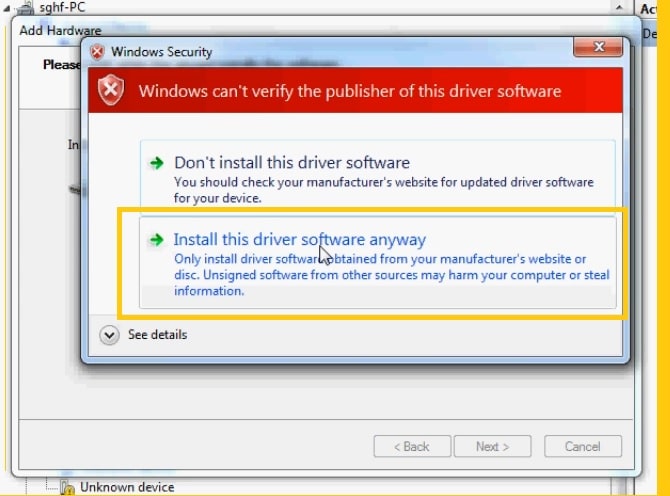
If your phone has UniSOC (Spreadtrum) based chipset and want to perform flash or unlock forgotten password, pin, pattern or Frp lock on your SPD phone, then this can be helpful. In such situation you have to install USB driver to established a connection between PC & Spreadturm phone for flash, unlock or file transfers.
More: MTK USB Driver Free Download Latest All Version for Windows
Download SpreadTurm SPD USB Driver for Windows Latest
Below we have listed all links to download the latest SPD drivers. All the files come with compressed format, You have to extract them before installing on your Windows.
Smartphones and Tablets
| File Name | Download |
| SPD_Driver_R4.20.4201.zip –Latest | Click Here |
| SPRD_NPI_USB_Driver_v1.4.zip | Click Here |
| SPD_Driver_R4.20.0201.zip | Click Here |
Auto-Installer
| File Name | Download |
| SPD_Driver_v1.4.zip | Click Here |
Complete Package
| File Name | Download |
| spd SCI-android-usb-driver-jungo-v4 | Click Here |
| sci_android_usb_driver_jungo_internal | Click Here |
| sci_usb_2_serial_v1.5.0.1.zip | Click Here |
Feature Phones
| File Name | Download |
| Spreadtrum_Jungo_USB2Serial.zip | Click Here |
| Spreadtrum_SCI_USB2Serial.zip | Click Here |
Supported Platforms
Once you have installed it on your PC, It becomes easier to flash stock firmware files or any other custom files using any repairing tools like, SPD Flash Tool, SPD Research Download Tool, SPD FRP Tool, EFT Tool, UAT Tool, UnlockTool, FRP Bypass Tool, Miracle Box, MRT Tool, CM2 Tool & UMT Tool.
List of all the Windows platforms the latest SPD USB Drivers compatible with:
- Windows 11 (64-bit)
- Windows 10 (32 and 64-bit)
- Windows 8.1 (32 and 64-bit)
- Windows 8 (32 and 64-bit)
- Windows 7 (32 and 64-bit)
- Windows XP(32 and 64-bit)
How to Install SPD USB Driver
Through this step-by-step guide, we share with you complete methods to install Spreadtrum Android USB Drivers on any Windows 32 and 64-bit PC. The following steps will help you to install the driver by manual & automatic installation process on your Windows PC.
Automatic Installation
- Download & extract the Spreadturm drivers according to your PC’s OS (32-bit or 64-bit).
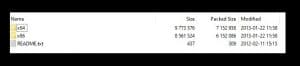
- Run the SPD_driver.exe
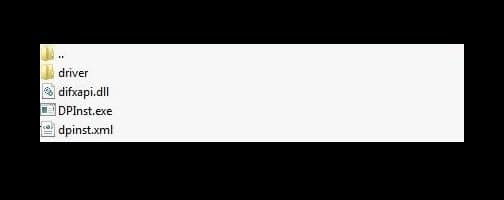
- On the Installation Wizard Setup click Next->> Next.
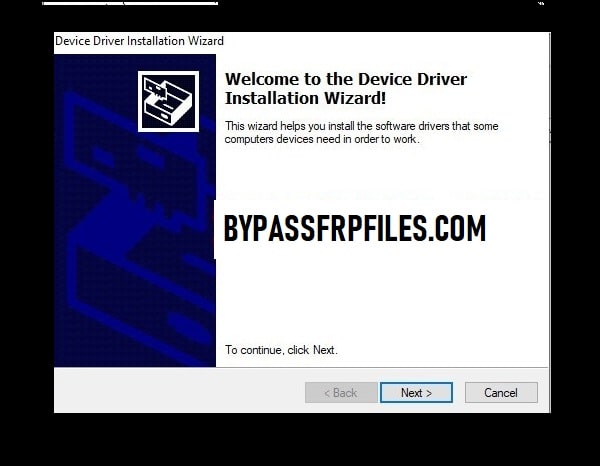
- Accept the Terms in the license agreement by clicking on I Accept the terms in the license agreement option.
- Tap on Next =>> Install to install Spreadturm driver automatically on your PC.
Manually Install Driver on Windows
- Open Control Panel > Device Manager.
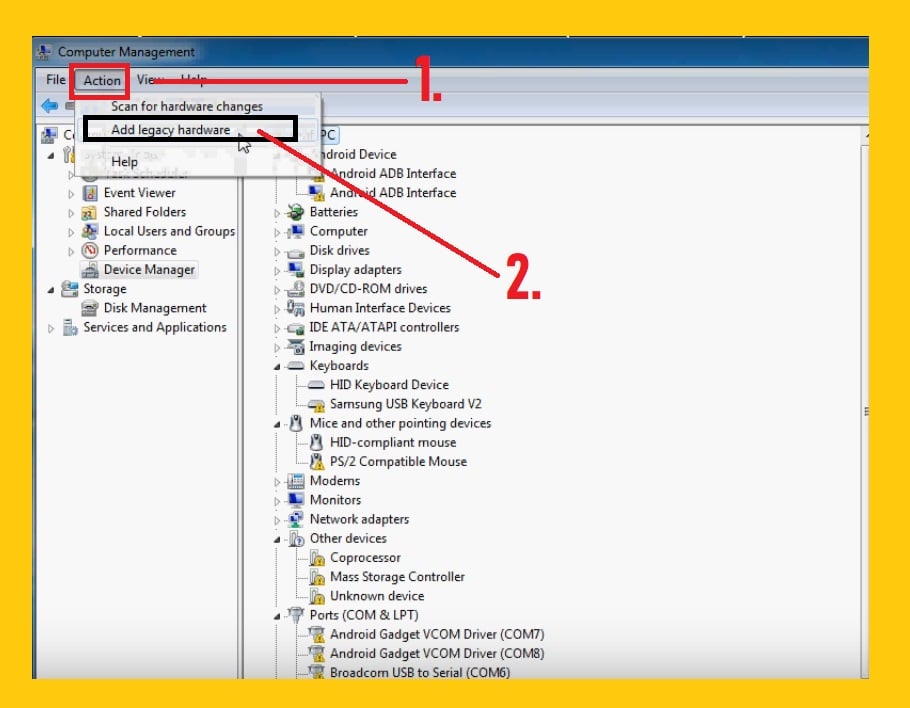
- Click on Action =>> Add legacy hardware.
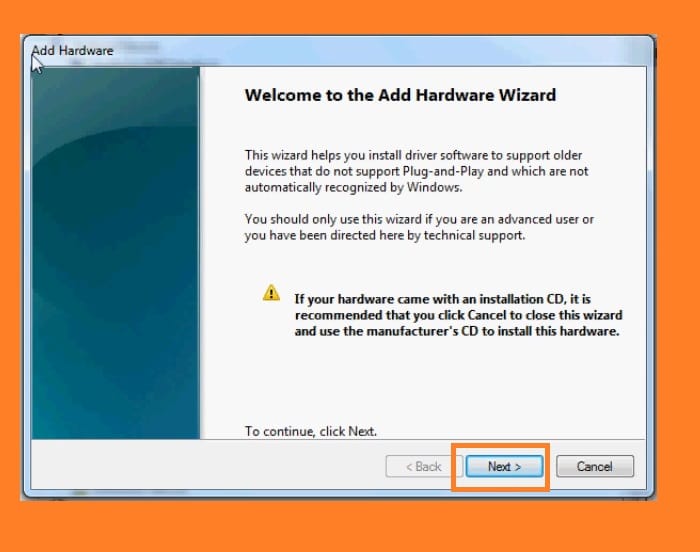
- A new popup will be opened, click on “Next“.
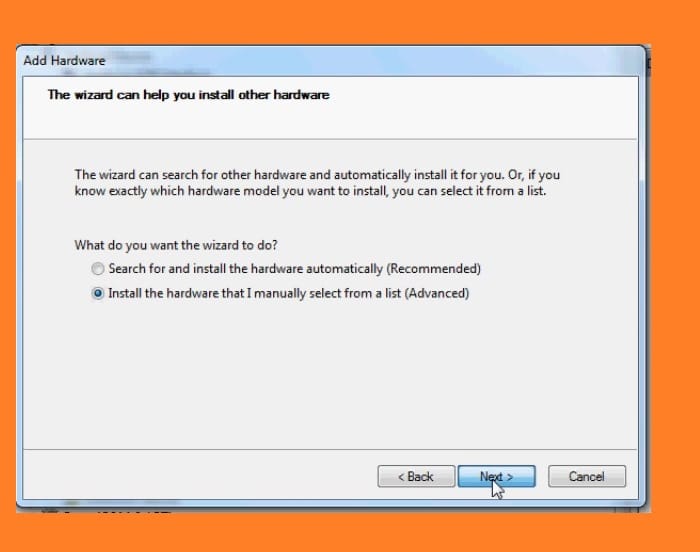
- Select the “Install the hardware that I have manually select from a list (Advanced)” and click Next.
- Now select “Show All Devices” and then click on Next.
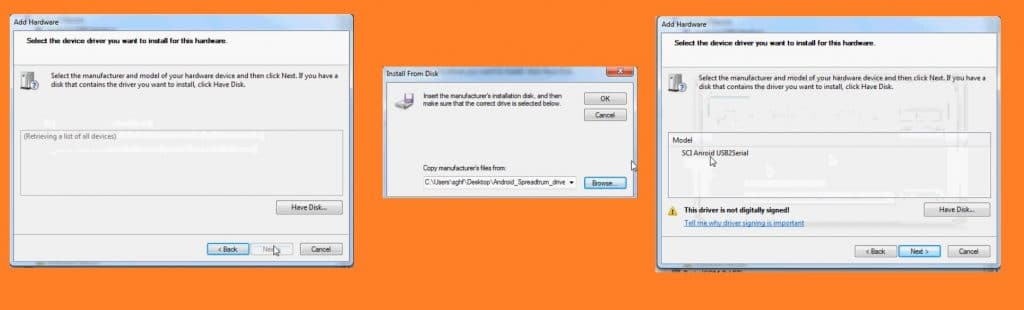
- Click on Browse & give the file path of SPD .inf manually installation driver package folder.
- Click “OK“.
- Again you will be going back to the Add Hardware popup.
- Again click Next and wait for a few seconds.
- That’s it.
Also Check:
- Oppo Preloader Driver For All Oppo MTK Devices
- Vivo Y81i Pattern Unlock
- Download FRP Bypass Tool
- Android Multi-Tool
- Download Qualcomm HS-USB QDloader 9008 Driver
- MTK USB Driver Free Download Latest All Version
Read Me
I hope we cleared all your regards SPD Drivers for Windows 2023. Here we have covered all installation steps to connect any Spreadtrum smartphone, tablet, or feature phone for doing all sorts of data transfer, flash, or unlock data, and more.
If you are still stuck in some steps or could not understand anything relating to this topic, you can let me know in the comment section below. Thanks for visiting.
