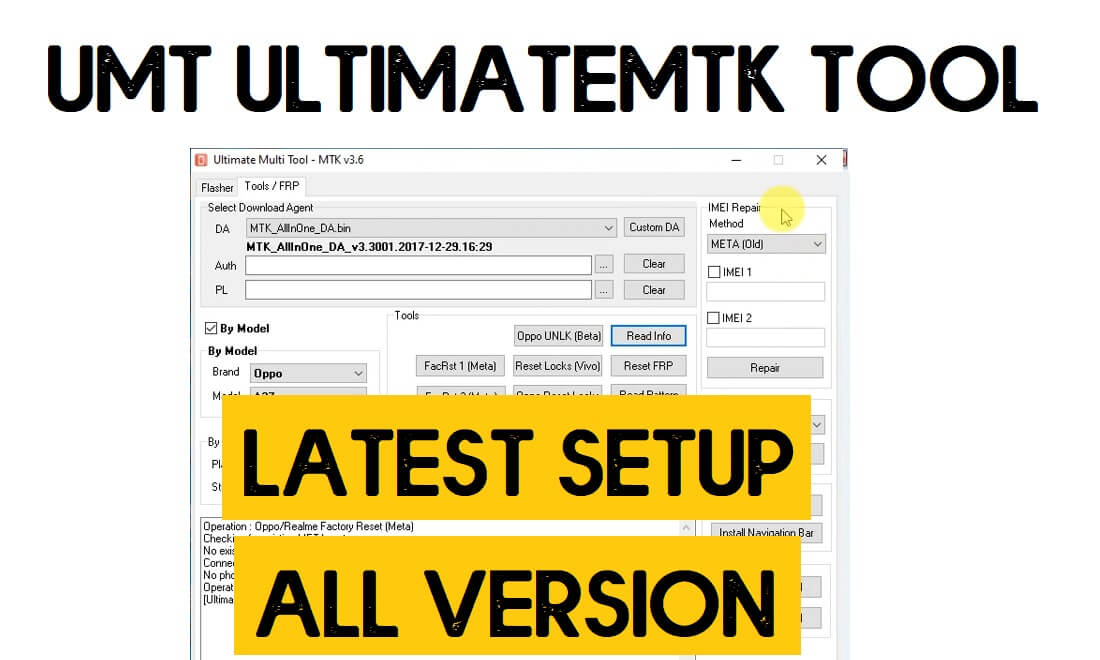
UMT UltimateMTK Tool is a one-click repair program specially developed to simpler the repairing process of any MediaTek MTK-powered Android Smartphone & tablet. You can use it to flash firmware, Remove Pattern, Password, Pin, and FRP from any kind of Android device including Xiaomi, Huawei, Oppo, Vivo, Meizu, Meitu, Oppo, Realme, etc. So, follow these simple steps & download UMT MTK latest setup Version V1.2 to use it on your PC.
The UMTv2 Pro MTK is dongle-based premium software that needs UMT Dongle to use with a computer. It allows users to fix various issues such as: Read information, Fix Baseband, Remove Screen Lock, Enable Diag, Enable Meta Mode, Unlock FRP, Read and Flash Firmware, IMEI Repair, unlock Network, MI account Unlock, remove screen lock, Auth bypass, QCN Read/Write, etc.
![UMT UltimateMTK Tool Latest Setup – [New v0.6 Version] 2023 One Click MTK (FRP/Flash/Remove Locks) Tool](https://bypassfrpfiles.com/wp-content/uploads/2023/07/UMT-1.jpg)
What is UMT MTK Tool?
UMT UltimateMTK Setup (UMT MTK Setup) is a complete package for repair any MediaTek-Powered Android phone in a quick and sophisticated manner. It doesn’t only help you to flash firmware also helps to Repair Boot, Read Information, Reset Locks, Format FS, Read Pattern, Enable Diag, Root Android, Reset FRP, Custom DA, Flash QRI, Disable Screen locks, Reset QCN, Repair IMEI, Meta Factory and FRP Reset and many more.
The procedure is also quite simple, All you have to do is run UMT UltimateMTK Tool to your computer and select the function & connect the device by following the log screen information to the PC, Now the tool will detect the phone and start the unlocking process, that’s it.
In the following topics, We will demonstrate How to install & Activate UMT MTK Tool V1.2, along with the step-by-step process to unlock the MTK phone easily.
Key Features
- It’s a complete package solution to repair any Qualcomm Android phone.
- Simple easy UI makes perfect for every new and old user.
- Don’t have to be an expert or professional to learn and use the tool.
- It Supports any MTK MediaTek Chipset version easily.
- Specially developed only for MediaTek phones.
- It Supports Flashing Stock Firmware on Qualcomm-powered smartphones and tablets.
- You can Disable/Remove Patterns, Passwords, Pin locks.
- Also, it supports devices for deactivating the FRP Google Account Verification lock from Android.
- You can directly download the latest Update Setup file from UMT Support Access for free.
UMT UltimateMTK2 Tool V1.2 now comes with a lot of newly added features and supported more than 160+ new Android devices. It is compatible with Windows XP, Windows 7, Windows 8, Windows 8.1, Windows 10 (32 bit & 64 bit).
Install UMT Support Access to Register your Hardware Dongle and the Ultimate Multi Tool setup version to your computer. If you need to download the UMT Dongle Tool (Ultimate Multi Tool) all separate versions you can download from here.
Read More: Magelang Flasher FRP Apk Download – Android Unlock Direct Free (One Click)
Download UMT UltimateMTK Tool Setup Latest Setup V1.2 Version
Before downloading please check the software version of your UMT UltimateMTK Setup Tool, because UMT Tool MTK coming with an auto Update option with user permissions.
If you are using an old version of this tool then download the latest updated version from below. the Download Links we updated on 01-01-2023.
| UMT MTK SETUP | DOWNLOAD |
|---|---|
| UMTv2 MTK2 v1.2 (Latest) | Download | G-Drive |
| UMTv2_MTK2_v1.1 | Download |
| UMTv2_MTK2_v1.0 | Download |
| UMTv2_UltimateMTK_v0.9 | Download |
| UMTv2_UltimateMTK_v0.8 | Download |
| UMTv2_UltimateMTK_v0.7 | Download | Mirror |
| UMTv2_UltimateMTK_0.6 | Download | Mirror |
| UMTv2_UltimateMTK_0.5 | Download | Mirror |
| UMTv2_UltimateMTK_0.4 | Download |
| UMTv2_UltimateMTK_0.3 | Download |
| UMTv2_UMTPro_UltimateMTK_0.2 | Download |
| UMTv2_UMTPro_UltimateMTK_0.1 | Download |
| UMTv2_UMTPro_UltimateMTK_5.1.zip | Download |
| UMTv2_UMTPro_UltimateMTK_5.0.zip | Download |
| UMTv2_UMTPro_UltimateMTK_4.9.zip | Download |
| UMTv2_UMTPro_UltimateMTK_4.8.zip | Download |
| UMTv2_UMTPro_UltimateMTK_4.7.zip | Download |
| UMTv2_UMTPro_UltimateMTK_4.6.zip | Download |
| UMTv2_UMTPro_UltimateMTK_4.5.zip | Download |
| UMTv2_UMTPro_UltimateMTK_4.4.zip | Download |
| UMTv2_UMTPro_UltimateMTK_4.3.zip | Download |
| UMTv2_UMTPro_UltimateMTK_4.1.zip | Download |
| UMTv2_UMTPro_UltimateMTK_4.0.zip | Download |
| UMTv2_UMTPro_UltimateMTK_3.9.zip | Download |
| (New) UMT USB Driver | Download |
| UMTv2_UMTPro_UltimateMTK_3.8.zip | Download |
| UMTv2_UMTPro_UltimateMTK_3.7.zip | Download |
| UMTv2_UMTPro_UltimateMTK_3.6.zip | Download |
| LibUSB Filter MTK Driver | Download |
| UMT Support Access.zip | Download |
More: UMT QCfire Tool Download
What’s New
- Updated to the latest Mtk2 V1.2 version
- Added Vivo Demo Reset
- Added Samsung Unbrick and TAR Flashing
- Added Read & Write Dump
- Fixed “Lost in background” issue on Confirmation Dialog at Startup
- Improved Format Functions
- Improved Write Flash Function
- Minor UI Changes
- Improvements
- Bugs fixes
Supported CPU:

- MT2601
- MT6261
- MT6572
- MT6580
- MT6582
- MT6592
- MT6595
- MT6735
- MT6737
- MT6739
- MT6753
- MT6755
- MT6757
- MT6758
- MT6761
- MT6763
- MT6765
- MT6768
- MT6771
- MT6779
- MT6781
- MT6785
- MT6795
- MT6797
- MT6799
- MT6833
- MT6853
- MT6873
- MT6877
- MT6885
- MT6893
- MT8127
- MT8163
- MT8167
- MT8173
- MT8512
- MT8590
- MT8695

Added Xiaomi and Oppo IMEI Repair
- Both IMEI is supported
- Please unlock bootloader first
- Incase bootloop after BL unlock, just wipe data from recovery
- Tested SoCs:
- MT6765
- MT6761
- MT6771
- MT6779
- Should work on others also except 5G chipsets
Steps to Install UMT MTK Latest Setup
- Download UMT Drivers and UMT MTK Tool to your computer.
- Extract the driver’s files, open the folder, and install the instDrv_StdRK200.exe for your 32bit OS & insrDrv_stdRK200_64bit.exe for a 64bit OS system.
- When the installation process over, then open the setup folder and install the Umt MTK.
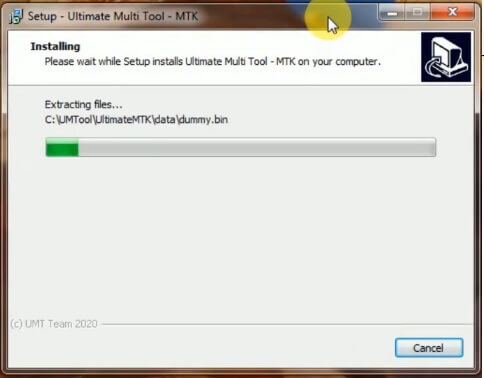
- Double click to run the UMTMTK setup.exe.
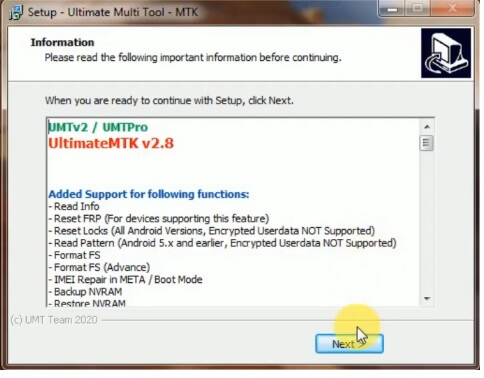
- Then a new window will be open, click Next-> Next-> Agree ->finish to complete the installation process of UMT MTK Setup.
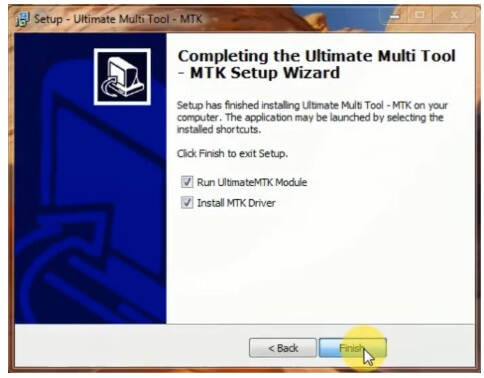
- In case, If you still facing the error then you can read the below note or watch the installation video.
Do Check: Download MRT Dongle Latest Setup | MRT KEY Tool Update Free Setup
How to Use UMT UltimateMTK Setup Tool V1.2
- Open the Ultimate UMT MTK V1.2.exe tool
- Now you can use the tool for the below functions.
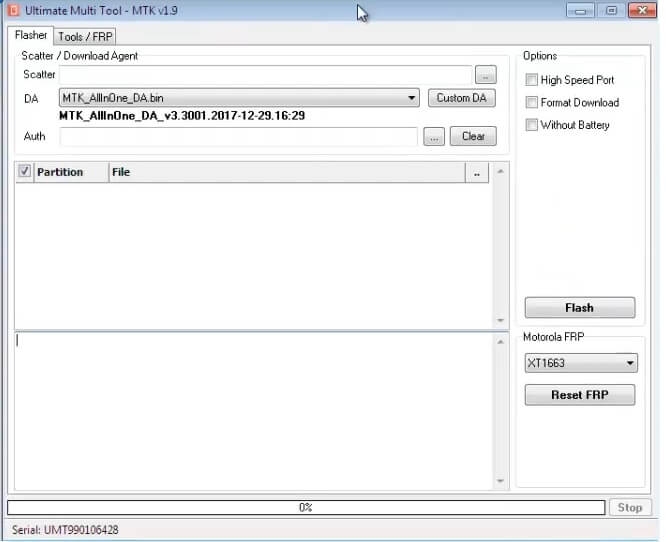
- Flasher:
- Select MTK Scatter file in Scatter File tab
- Select DA file & AUTH File
- Now Turn Off the Phone, hold Vol up + Vol Down and insert USB cable.
- Some Phones may need Special Boot Cable or Test point for Download mode.
- Options:
- High Speed Port
- Format Download
- Without Battery
- Flash
- Motorola FRP
- Select Motorola Device Model
- Power Off and Connect your phone to the computer
- Click Reset FRP
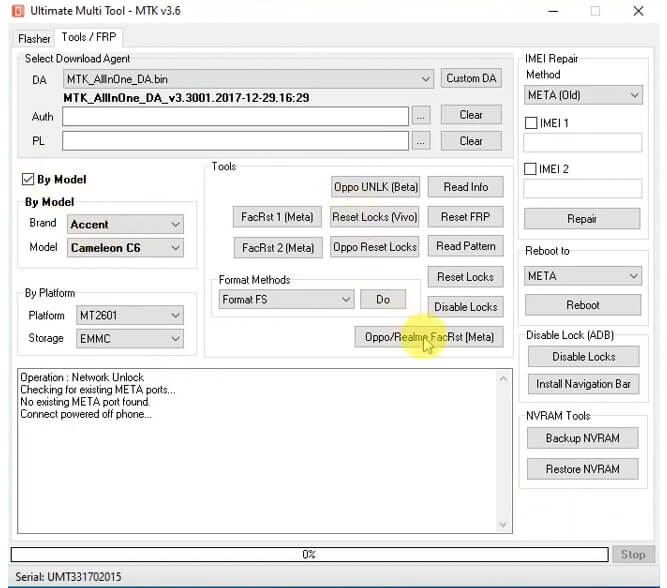
- TOOLS/FRP
- Select Download Agent
- Select DA & Custom DA
- Auth
- PL
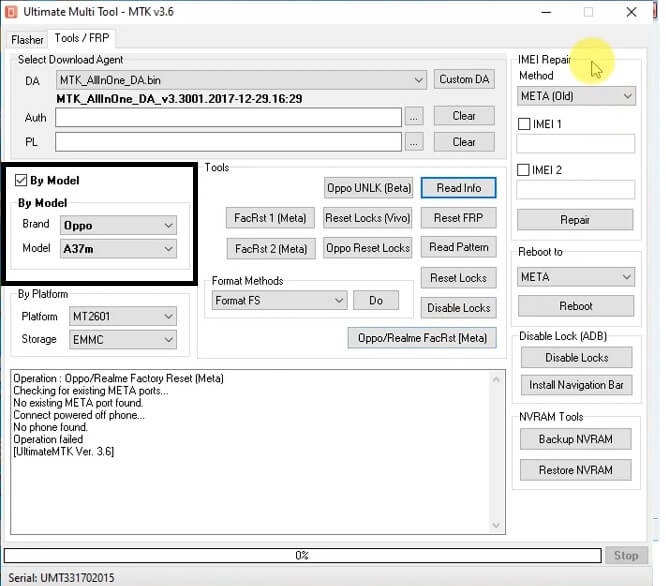
- By Model:
- Select Brand
- Select Model
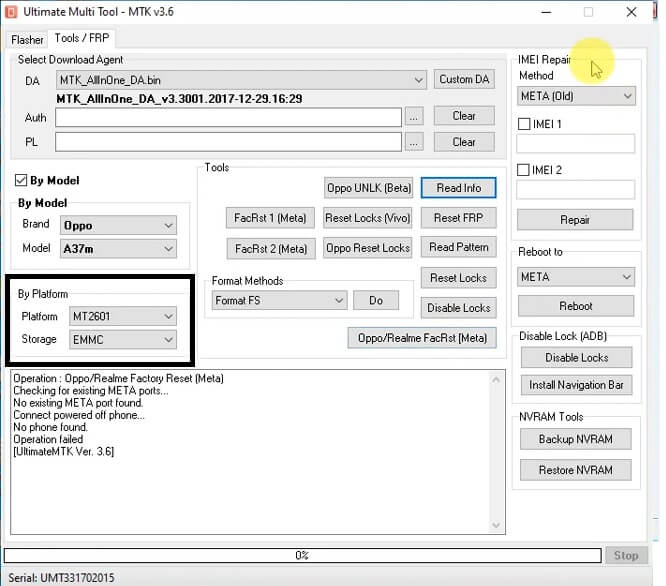
- By Platform:
- Platform: MTK Chipset
- Select Storage Type
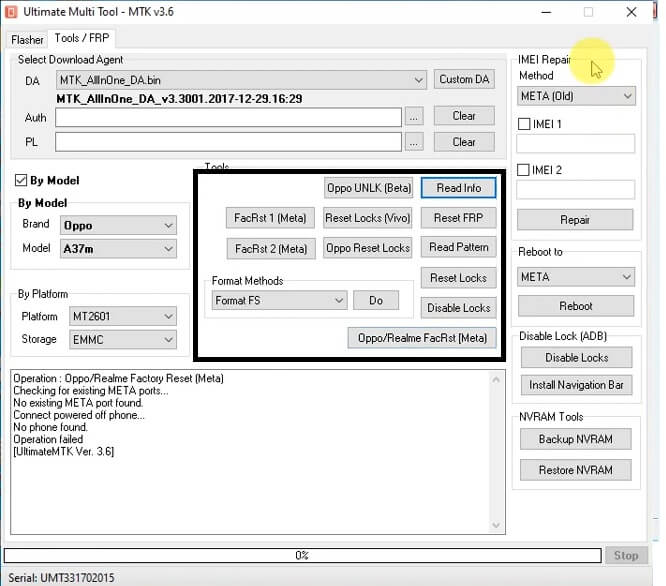
- TOOLS:
- Select the Function you want to use
- Now Turn Off the Phone,
- Connect your device to PC in EDL/Testpoint/Fastboot/ mode.
- Read Info
- Reset FRP
- Read pattern
- Reset Locks
- Disable Locks
- Oppo Unlock (Beta)
- Reset Locks (Vivo)
- Oppo Reset Locks
- FacRst 1 (Meta)
- FacRst 2 (Meta)
- Oppo/Realme Factory Reset (Meta)
- Format Methods:
- Format (FS) =>> Do
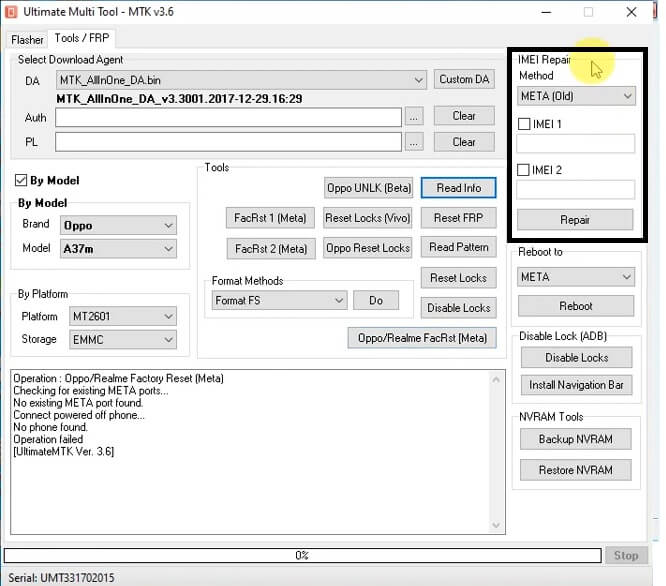
- IMEI Repair:
- Method: Meta (Old) Meta (New)
- Repair
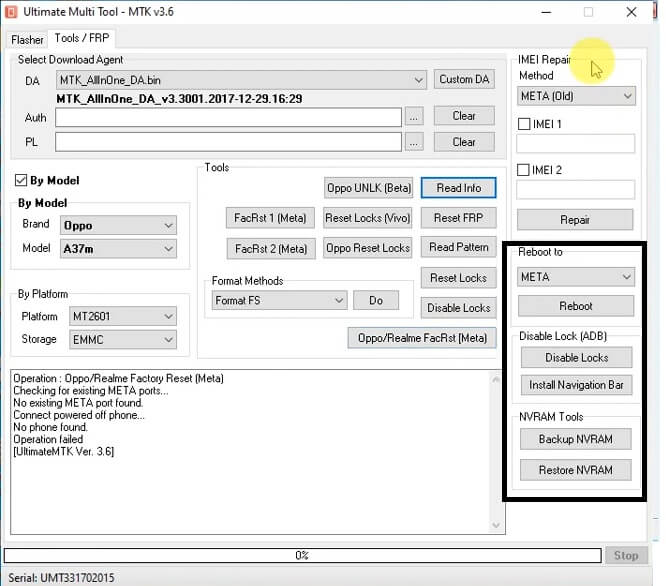
- Reboot: Meta/Recovery/Fastboot/ADB
- Disable Locks (ADB):
- Disable Locks
- Install Navigation Bar
- NVRAM Tools:
- Backup NVRAM
- Restore NVRAM
- That’s it.
Read More: Miracle Box Latest Setup | All Miracle Thunder Update Version New Free Pack Download

