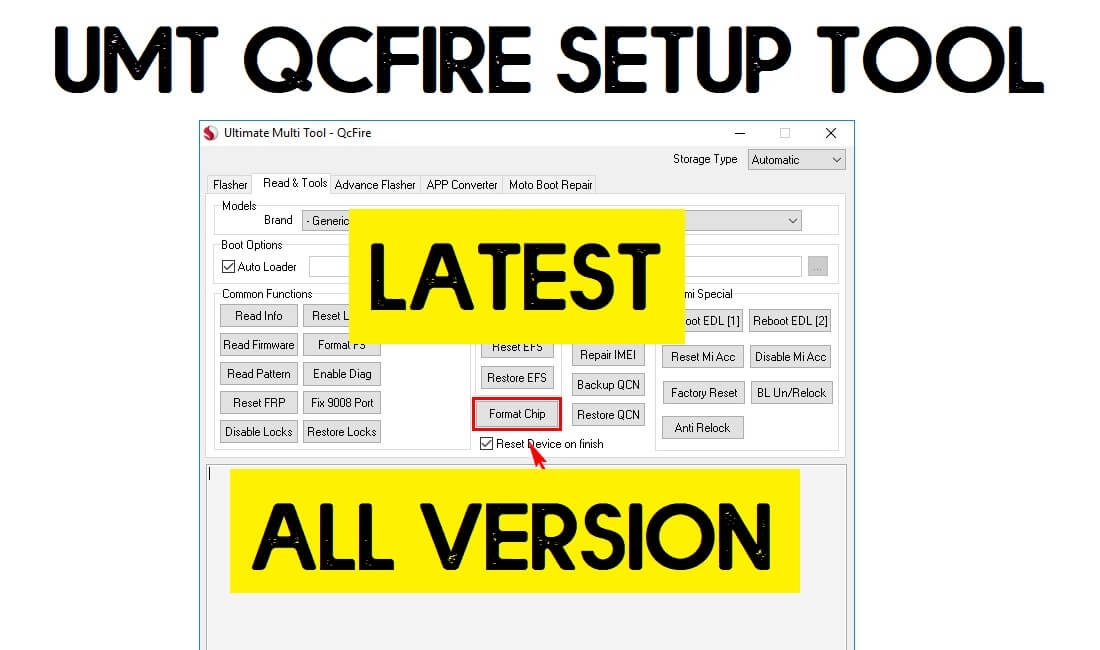
UMT QCFire Tool is a hardware dongle-based one-click repair program specially developed to simpler the repairing, unlocking, and flashing process of any Qualcomm-powered Android smartphone & tablet. It is a premium program that takes a little amount of money to activate and use on a computer. So, If you want a quick and cost-effective solution to unlock any Android phone then download UMT QCFire v9.5 latest version setup & follow these instructions to activate it on your PC.
The UMTv2/UMTPro QcFire v9.5 has plenty options that lets users fix any Qualcomm based Android phone including Xiaomi, Huawei, Oppo, Vivo, Meizu, Meitu, Oppo, and Realme and allows to fix Stuck on device logo, Flash firmware, Read information, Fix Baseband, Remove Screen Lock, Enable Diag, Enable Meta Mode, Unlock FRP, Remove pattern password pin lock, IMEI Repair, unlock Network, MI account Unlock, remove screen lock, Auth bypass, QCN Read/Write, etc.
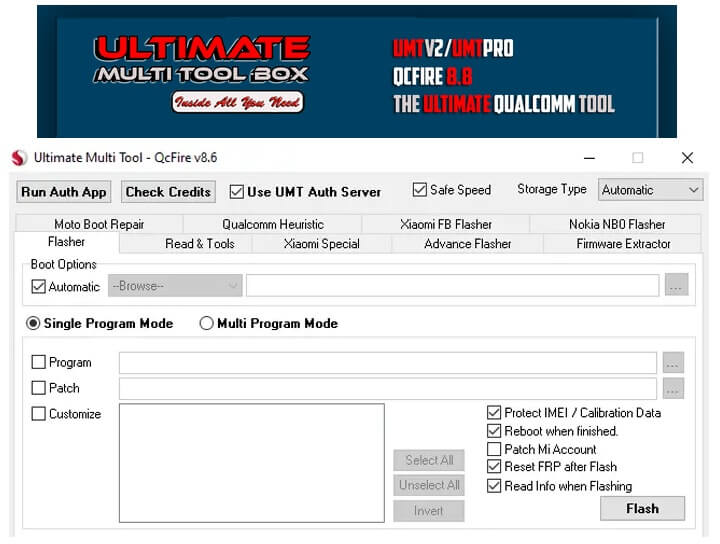
The Procedure for using the QCfire tool is quite simple, All you have to do is download Latest Setup to your computer & connect the hardware dongle, then Install UMT Support Access to Register your Hardware Dongle and the UMTv2 pro Qcfire setup. That’s it.
Download All UMT Dongle Tool (Ultimate Multi Tool latest version
What is UMT Qcfire Tool?
UMT Qcfire Setup is a complete package for repair any Qualcomm Android phone in a quick and sophisticated manner. It doesn’t only help you to flash firmware also helps to Repair Boot, Read Information, Reset Locks, Format FS, Read Pattern, Enable Diag, Root Android, Reset FRP, Fix 9008 Port, Flash QRI, Disable Screen locks, Reset QCN, Repair IMEI, and many more.
- It’s a complete package solution to repair any Qualcomm Android phone.
- Simple easy UI makes perfect for every new and old user.
- Don’t have to be an expert or professional to learn and use the tool.
- It Supports any Qualcomm Chipsets version easily.
- Specially developed only for Qualcomm phones.
- It Supports Flashing Stock Firmware on Qualcomm-powered smartphones and tablets.
- You can Disable/Remove Patterns, Passwords, Pin locks.
- Also, it supports devices for deactivating the FRP Google Account Verification lock from Android.
- You can directly download the latest Update Setup file from UMT Support Access for free.
UMT QCFire Tool v9.5 now comes with a lot of newly added features and supported more than 160+ new Android devices. It is compatible with Windows XP, Windows 7, Windows 8, Windows 8.1, Windows 10, Windows 11 (32 bit & 64 bit).
More: UMT Support Access 2.0 Download Latest Official Version Update 2023
Download UMT QCFire Tool Latest Setup v9.5 [All Versions]
Download UMT QCFire v9.5 Latest version setup to your computer for free. So, If you are using an old version of this tool then download the latest updated version from below. the Download Links we updated on 25-04-2024.
Before downloading please check the software version of your UMT QCFire Setup Tool, because UMT coming with an auto Update option with user permissions.
What’s New
- Updated to latest version 9.5.
- Added Samsung, LT Mobile, Sunmi, Vivo, ZTE, LYF, Lenovo, Motorola, TCL new models.
- Added Samsung KG Bypass.
- Updated Motorola Single Image Extraction.
- Updated Internal Database for Auto-Detection.
- Some Minor Cosmetic Changes in GUI.
Added Devices:
| Asus | Huawei |
| ROG Phone 5s (ZS676KS) | Honor 50 Lite |
| ROG Phone 6 (AI2201_C) | Huawei Nova (CAN-L11) |
| ZenFone V (V500KL) | Honor 5x (KIW-L21) (KIW-L24) |
| ZenPad 7.0 (Z370KL) | Honor 4A (SCL-CL00) |
| Y6 (SCC-U21) |
| Smartisan | LG |
| M1L | V20 (LG-F800S) (LG-LS997) (LG-H910) |
| U2 Pro | V20 (LG-F800L) |
| U1 | G6 (LG-H870) |
| V50 ThinQ 5G | |
| LeEco | Gionee |
| S11 Lite | Le Max 2 (X820) |
| General Mobile | LT Mobile |
| S11 Lite | W2S (LT610) |
| LYF | Meizu |
| LF-2406 LS-5014 LS-5018 | 16Xs M8c |
| Nokia | Samsung |
| 4.2 (TA-1152) 6.1 (TA-1089) 6.1 Plus (TA-1083) 8.3 5G (TA-1243) 8.3 5G (TA-1251) X2 (RM-1013) | Galaxy A11 (SM-A115A) Galaxy S10 (SM-G973U) Galaxy S10 Plus (SM-G975) |
| RED | Sonimtech |
| Hydrogen One (H1A1000) | XP8 (XP8800) |
| ZTE | |
| Nubia M2 (NX551J) Nubia Red Magic 5G (NX659J) Nubia Red Magic 5G Lite (NX651J) Red Magic 6 Pro (NX669J-P) |
Xiaomi Supported Devices
| Mi 10 5G (umi) | Redmi K30 4G (phoenix) |
| Mi 9 (cepheus) | Redmi 10C (fog) |
| Redmi K30 Pro (lmi) | Redmi 10C NFC (rain) |
| Redmi K30 Pro Zoom (lmi) | Redmi K20 (davinci) |
| Redmi K30 Zoom (lmi) | Redmi K20 Pro (raphael) |
| Redmi K30 Zoom (lmi) | Redmi K30S (apollo) |
| Redmi K40 (alioth) | Redmi K40 Pro (haydn) |
| Redmi K40 Pro+ (haydn) | Redmi K40s (munch) |
| Redmi K50 Gaming (ingres) | Redmi Note 10 (mojito) |
| Redmi Note 10 (sunny) | Redmi Note 10 Pro (sweet) |
| Redmi Note 10 Pro Max (sweetin) | Redmi Note 11 NFC (spesn) |
| Redmi Note 11 Pro 5G (veux) | Redmi Note 8 (ginkgo) |
| Redmi Note 9 (merlin) | Redmi Note 9 4G (lime) |
| Xiaomi 11T Pro (vili) | Xiaomi 12 Pro (zeux) |
| BlackShark 2 (SKW-A0) | BlackShark 2 (SKW-H0) |
How to Install
- Download UMT Qcfire Tool setup & UMT Drivers to your PC.
- Go to downloads, Extract the driver’s files.
- Then install the instDrv_StdRK200.exe for your 32bit OS & insrDrv_stdRK200_64bit.exe for a 64bit OS system.
- When the installation process over, then open the setup folder and install the Umt.

- Double click to run the setup.exe.
- Then a new window will be open, click Next-> Next-> Agree ->finish to complete the installation process of UMT Setup.

- In case, If you still facing the error then you can read the below note or watch the installation video.
Do Check: Download MRT Dongle Latest Setup | MRT KEY Tool Update Free Setup
How to Use UMT QCFire Tool Latest Setup v9.5
- Open the Ultimate UMT QCfire v9.5 tool.
- Now you can use the tool for the below functions.
- Flasher:
- Select Qualcomm QCN and Patch.xml file in Progam and Patch tab.
- Now Turn Off the Phone, hold Vol up + Vol Down and insert USB cable.
- Some Phones may need Special Boot Cable or Test point for EDL mode.
- Moto Boot Repair:
- Choose the Boot repair file.
- Click Repair.
- Now Turn Off the Phone, hold Vol Down and insert USB cable.
- Read & Tools
- Select Device Model and Brand.

- Common Functions:
- Select the Common Function you want to use.
- Now Turn Off the Phone.
- Connect your device to PC in EDL/Testpoint/Fastboot/ mode.

- EFS Functions (BackUP/Restore EFS):
- Now Turn Off the Phone, hold Vol up + Vol Down and insert USB cable.
- Some Phones may need Special Boot Cable or Test point for EDL mode.

- Security: (Repair IMEI/ Backup/Restore QCN).
- Select the Function you want to use.
- Power On your phone, insert USB cable.
- Select Diag port.
- Repair IMEI or Backup QCN.
- Xiaomi Special:
- Select the Functions.
- Now Turn Off the Phone.
- Connect your device to PC in EDL/Testpoint/Fastboot/ mode.
Read More: Miracle Box Latest Setup V3.44 | All Miracle Thunder Update Version

