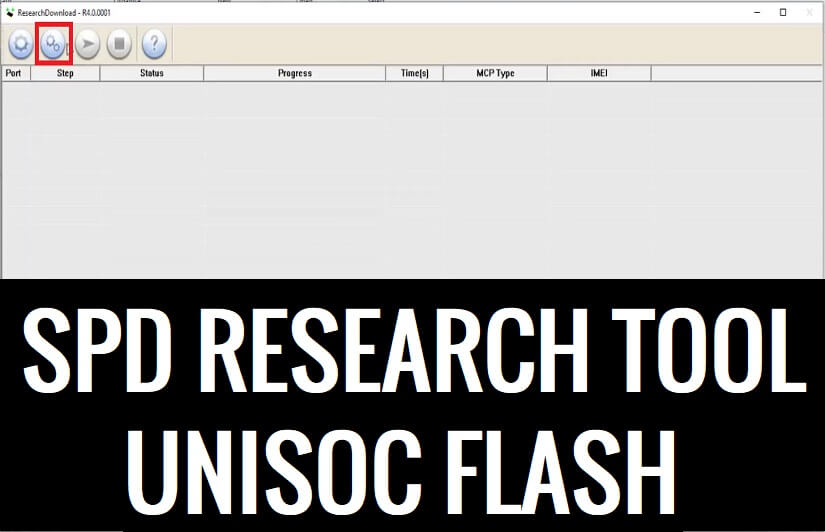
SPD Research Tool is a specialized Windows software that lets users flash stock firmware files on any Spreadturm (UniSOC)-powered Android & Featured phone. Additionally, It also helps to remove screen locks, repair stuck at device logo, upgrade or downgrade OS, and Frp bypass in just one click. In the following topics, we have given the link to download UniSOC Flash Tool Latest All version Setup with proper instructions to use on any computer easily.
If you want a hassle-free solution to restore a hard or soft-bricked, stuck at boot logo (Doesn’t boot up), flash, unlock, repair, or upgrade & downgrade the OS of your SPD Powered Android phone then the UniSOC Flash tool can be helpful for you.
Why SPD Research Tool is useful?
Nowadays, Most Android users facing problems like Stuck at bootlogo, DRL errors, Slowness, forgotten Pattern Password, and FRP lock with Android smartphones. This happens due to negligence and trying to customize the phones by rooting or flashing custom files & recoveries.
The Factory Reset can fix it temporarily but this is not a permanent solution for this. So, flashing is the only solution to fix the issues permanently. But, SPD stock firmware ROM comes with the Pac formats so, how do you flash it?
The SPD Research Download Tool is an after-sales stock firmware flash program for UniSOC (Spreadturm) devices that supports Pac files and flashes the phone to fix within a few minutes easily.
The procedure of using the Flash tool with the flash file is pretty simple, just run the tool to your PC, then select the stock firmware, Then Click on the Start button, Now Power Off your phone and Put it into the download mode then connect to the computer, that’s it.
More: Download Xiaomi Mi Flash Tool Latest Official All Version Setup Free
Download SPD Research Tool R24.0.0003 Latest All Version Setup
Download SPD Research Tool (UniSOC Flash) latest version along with all versions for your Windows computer to flash or unlock the Android phone easily for free.
SPD_Research_Tool_R24.0.0003 Download [Latest]
Research_Tool_R23.19.5101 Download [Latest]
Research_Tool_R23.19.3301 Download
Research_Tool_R23.0.0001 Download
Research_Tool_R21.0.0001 Download [Best]
Research_Tool_R19.0.0001 Download
Research_Tool_R17.0.0001 Download
SPD_Research_Tool_R8.0.0001 Download
SPD_Research_Tool_R7.0.0001 Download
Research_Tool_R6.0.0001 Download
SPD_Research_Tool_R4.0.0001.zip Download
Research_Tool_R3.15.4901 Download
Research_Tool_R3.0.900 Download
SPD_Research_Tool_R3.0.0001 Download
SPD_Research_Tool_R2.10.1003 Download
Research_Tool_R2.10.1001 Download
SPD_Research_Tool_R2.9.9017 Download
Research_Tool_R2.9.9016 Download
SPD_Research_Tool_R2.9.9015 Download
SPD_Research_Tool_R2.9.9009 Download
Research_Tool_R2.9.9008 Download
SPD_Research_Tool_R2.9.9005 Download
Research_Tool_R2.9.9001 Download
SPD_Research_Tool_R2.9.8005 Download
Research_Tool_R2.9.8004 Download
SPD_Research_Tool_R2.9.7017 Download
Research_Tool_R2.9.7009 Download
SPD_Research_Tool_R2.9.7008 Download
Research_Tool_R2.9.7007 Download
SPD_Research_Tool_R2.9.7006 Download
Research_Tool_R2.9.7003 Download
SPD_Research_Tool_R2.9.7002 Download
Research_Tool_R2.9.7001 Download
SPD_Research_Tool_R2.9.6011 Download
Also Check out: SPD Flash Tool Download Spreadtrum SPD Upgrade Tool Latest – All version
How to Use UniSOC Flash Tool
- Download & extract SPD research tool to your PC
- Now power off your phone.
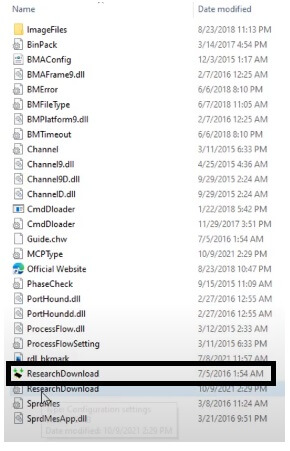
- Open the Flash tool folder and run research_download_tool.exe.
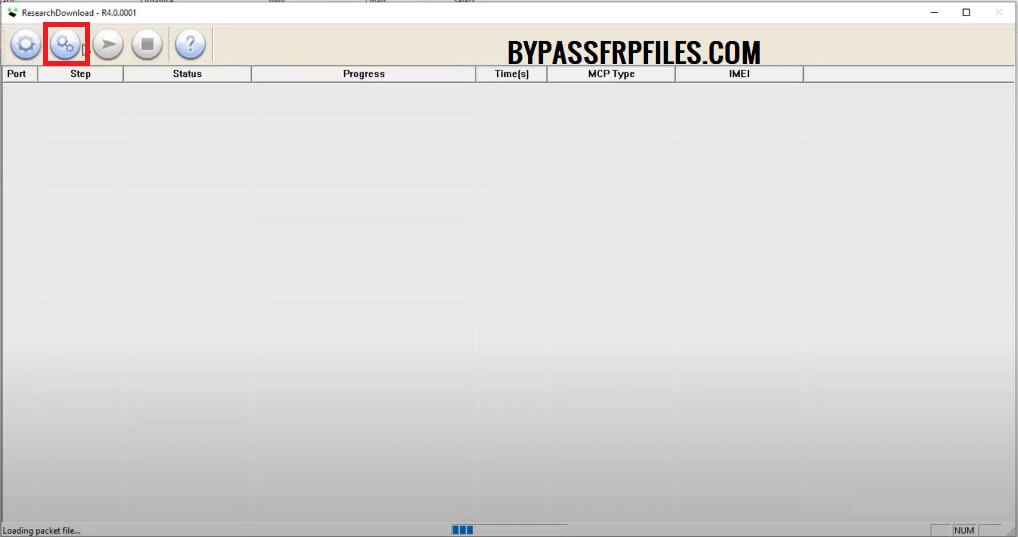
- Click Gear icon & Browse
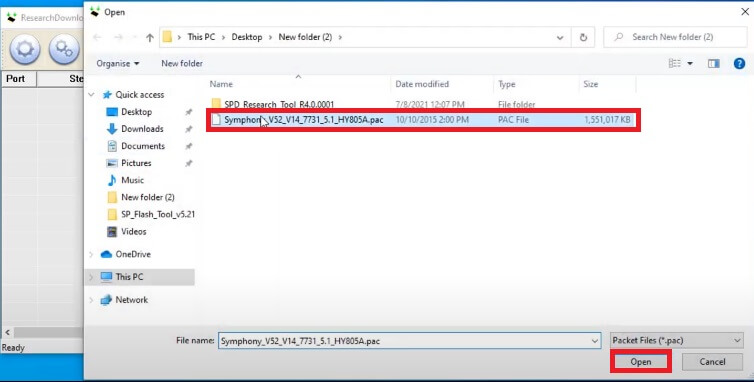
- Then select the .pac file from the extracted firmware folder
- Make Sure, Install SPD USB driver, (Skip this if you are already have done).
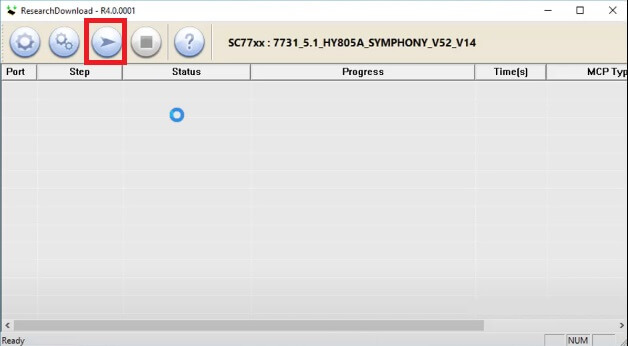
- Click Start to begin the Flashing process.
- Press and hold Volume down and connect your Phone to the computer.
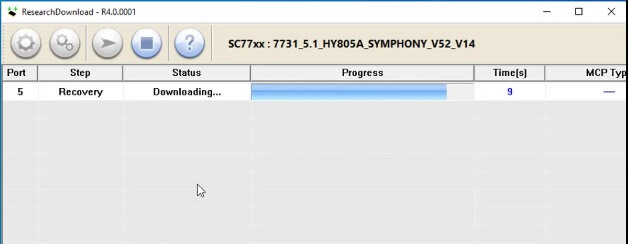
- Wait for the finish.
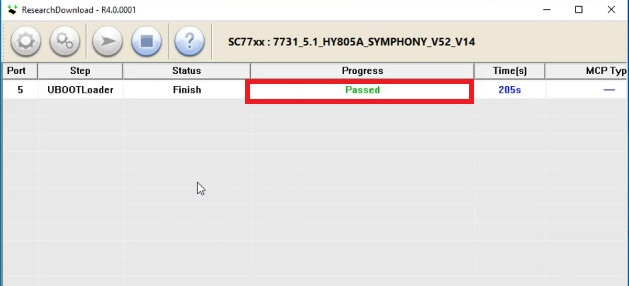
- Once finish, you will get the Passed message on the tool
- Then disconnect and power on your SPD (UniSOC) powered phone.
- That’s it.
More: Tecno Flash Tool Download Latest Setup Free (All Version)

