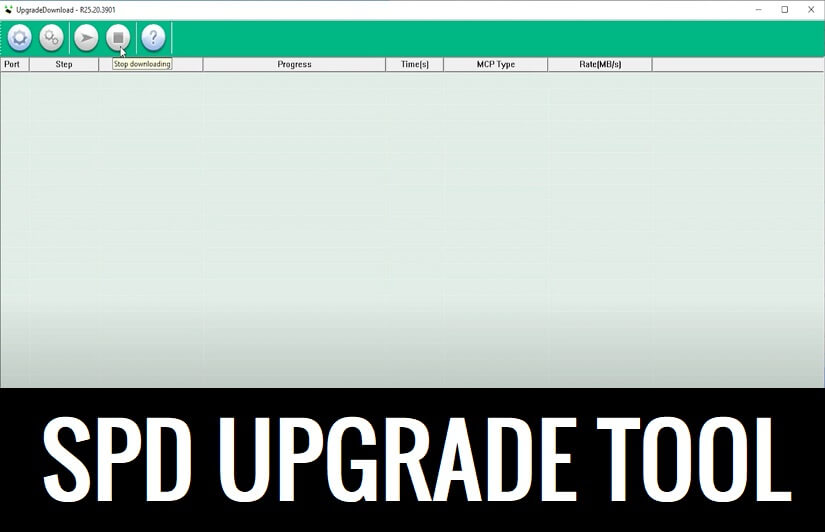
SPD Flash Tool is a simple and official Windows software especially designed to flash Pac or p5c stock firmware files on Spreadturm-based Android devices. Also, it allows to fix boot loops or downgrade, update, upgrade, remove screen lock, repair stuck-on device logo, etc.
If you want to flash stock ROM or upgrade or downgrade your Spreadtrum-powered Android phone, then you can use the SPD Flash Tool R26.21 latest version setup to fix your phone.
What is SPD Flash Tool
The SPD Flash tool also known as Spreadtrum Upgrade program developed by UniSOC to flash .pac and .P5c-based stock ROM firmware onto SPD devices. It is fully compatible with Windows 11, Windows 10, Windows 7, Windows XP, and Windows 8/8.1 and (32& 64 bit) versions.
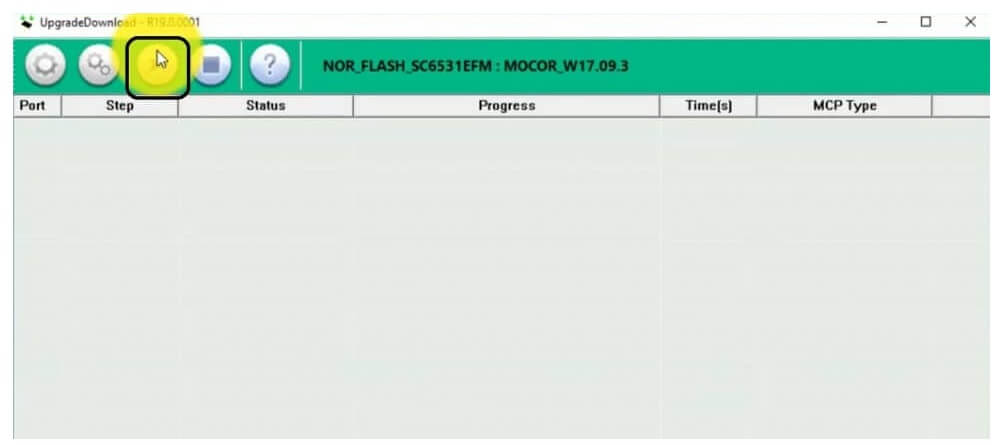
However, if this tool shows you Bin packet error while loading the PAC firmware. To fix this you can use SPD Research Tool which is an alternative to the Sreadtrum Upgrade Flash Tool. Keep in mind, don’t forget to install install Spreadtrum USB Drivers on your Windows before using the tool.
Features
Here, we discuss some best features that make this better than all other premium flash tools available on the internet.
Supported All SPD Phones:
The flash tool supports all SPD-powered smartphones and tablets. All you have to do is install the SPD Driver on the computer & then launch the flash tool to flash Firmware onto the device.
Unbrick SPD Phones:
Also, You can use the tool to unbrick your UniSOC-based phone by flashing the particular official firmware flash file.
Unlock Spreadtrum Phones:
If you want to unlock forgotten screen lock from your phone, then you can use the SPD tool partition manager to format the particular partition & unlock the phone.
Simple UI:
It comes with a simple UI (User Interface). Anyone can use this tool easily, there is no need to be an expert to use the application to flash the firmware.
Flash PAC or P5C Firmware:
This Flash tool allows you to install .Pac or . P5c-based stock firmware on Spreadtrum smartphones and tablets. Run the tool, and connect your device in USB mode. Then, Click Browse to load the PAC-based firmware, and click Start to initiate the flashing process.
Read More: Download SP Flash Tool (Smartphone Flash Tool) V6, V5, V3, Latest All Version Free
Download SPD Flash Tool Latest
| File Name | Links |
| SPD_Tool_R26.21.2801.zip – Latest | Download |
| SPD_Tool_R25.20.3901.zip | Download |
| SPD_Tool_R23.19.4001.zip | Download |
| SPD_Tool_R23.0.0001.zip | Download |
| SPD_Tool_R22.0.0001.zip | Download |
| SPD Flash Tool_R21.0.0001 | Download |
| SPD_Tool_R19.0.0001 | Download |
| SPD_Tool_R17.0.0001 | Download |
| SPD_R4.0.0001 | Download |
| SPD_R3.0.0001 | Download |
| SPD_R2.9.9015 | Download |
| SPD_R2.9.9009 | Download |
| SPD_R2.9.9008 | Download |
| SPD_R2.9.9001 | Download |
| SPD_R2.9.7008 | Download |
| SPD_R2.9.7007 | Download |
| SPD_R2.9.7006 | Download |
| SPD_R2.9.7003 | Download |
| SPD_R2.9.7001 | Download |
| SPD_R2.9.6004 | Download |
Download the latest SPD Flash Tool along with all version for your Windows computer to flash or unlock Spreadturm Powered Android phone easily for free.
If you got confused between the SP Flash tool and SPD flash tool. Then SP flash tool made only for Mediatek chipsets and the SPD flash tool work only with Spreadturm chipsets. So whenever you want to use these flash tools please choose the right one for your device.
How to use Spreadtrum SPD Upgrade tool
- Download & extract the SPD Upgrade Flash Tool to your PC
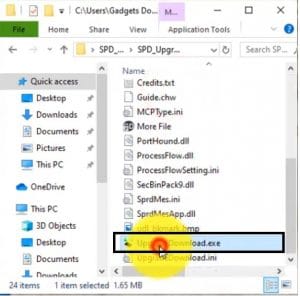
- Them Open the extracted folder, run Spreadturmdownload.exe
- Then power off your Android device and connect your device to PC using a USB cable.
- Make Sure: you have already download your device model PAC/ P5C flash file on your PC.
- Extract the firmware flash file.
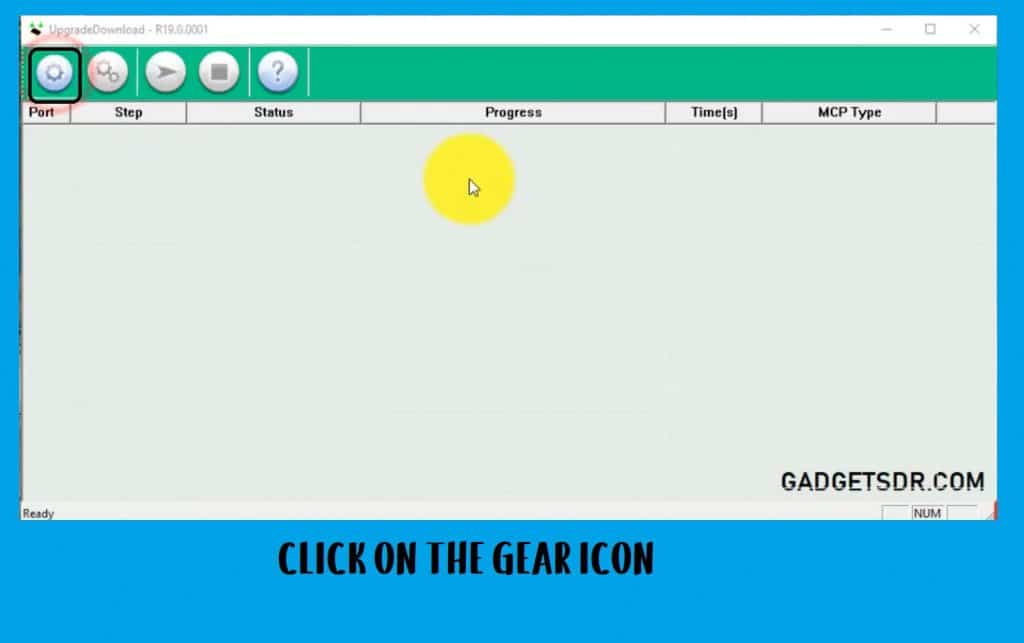
- Go back to the tool, click on the Loader Packet (gear) icon
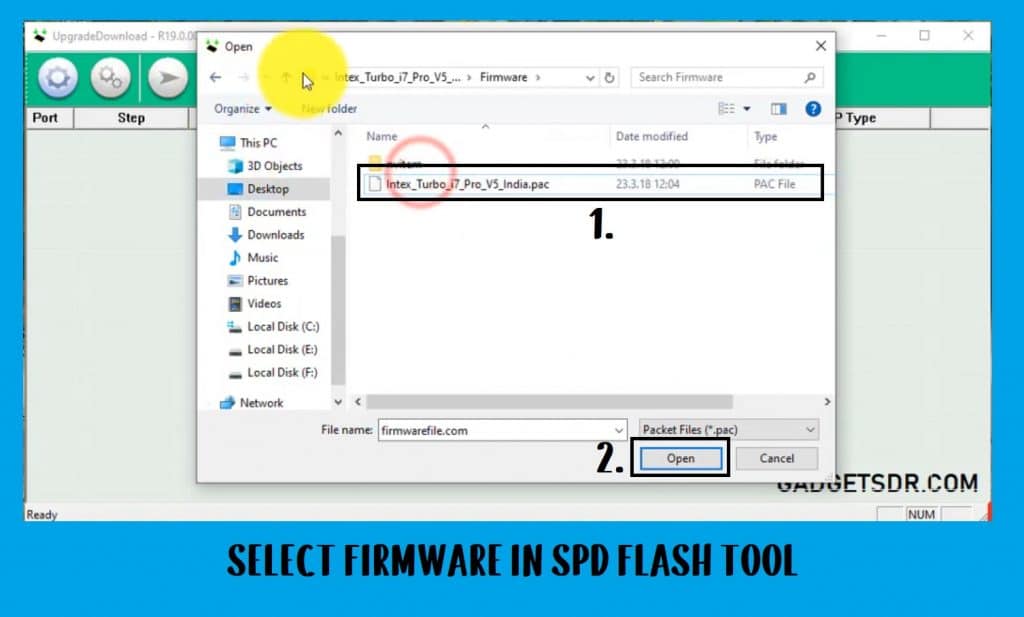
- Select the .pac firmware file and then press the open button.
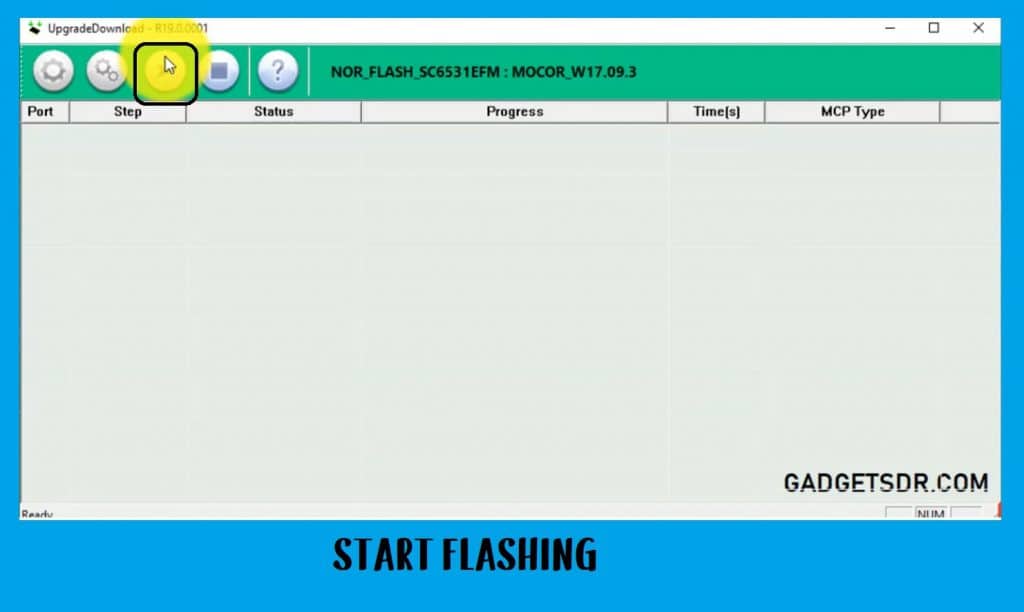
- Then click on the Start Downloading button to start flashing.
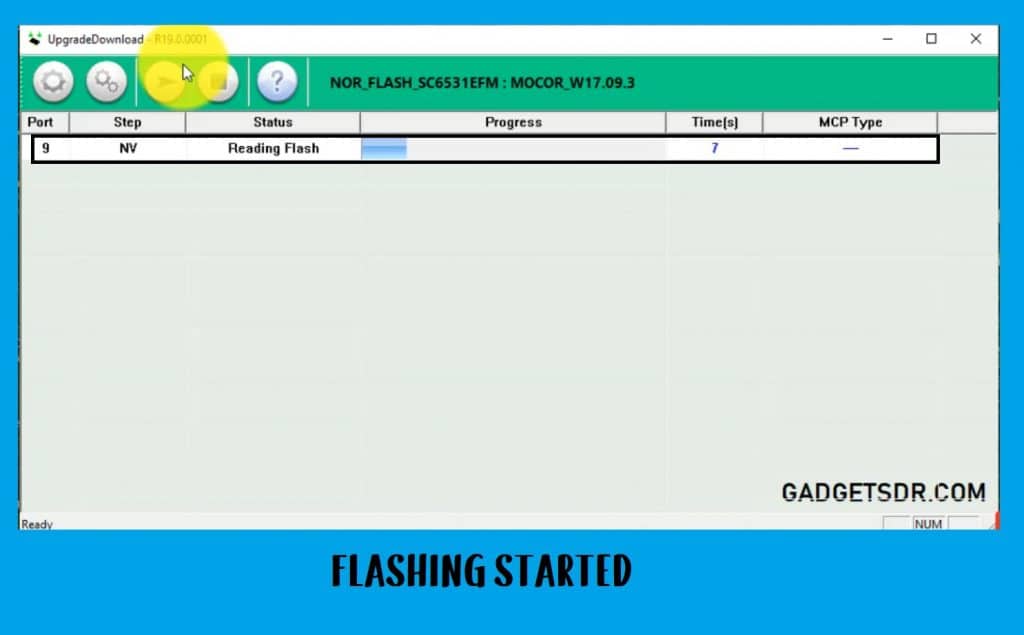
- Wait for a few times to complete flashing.
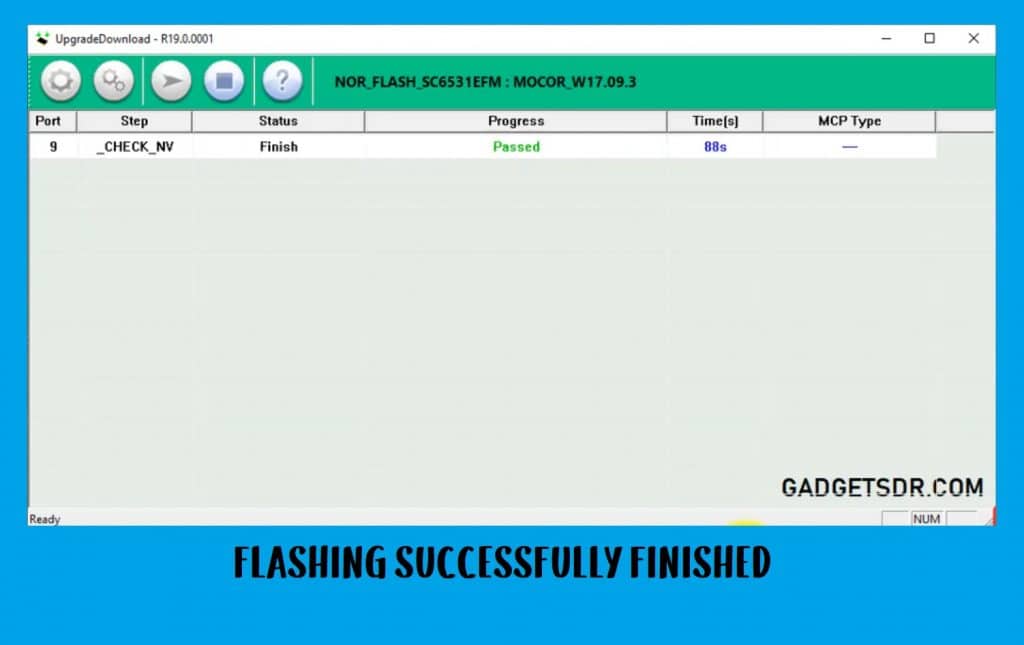
- Once you get the Green Passed message on the SPD Flash tool then disconnect and power on your device.
- Congratulation.
FAQ – Frequently Asked Questions
If you still have any queries, you can check our FAQ Section:
SPD Flash Tool is a firmware flashing tool also known as SPD upgrade tool for all Spreadturm Android smartphones that helps to repair, flash, or upgrade any uniSOC SPD mobiles quite easily.
The flashing procedure is pretty simple, Download the Pac Firmware according to your device model then select the firmware into the Flash Tool & click Start. Then connect your phone to the computer, that’s it.
Yes, The Spd upgrade tool is a completely free you don’t need to purchase any activation or credit in order to use the tool for flashing or unlocking the phone.
Read Other:
I think all of you found the article of use. However, if you are still stuck in some steps or could not understand anything relating to this topic, you can let us know in the comment section below. We will help you as soon as possible.

