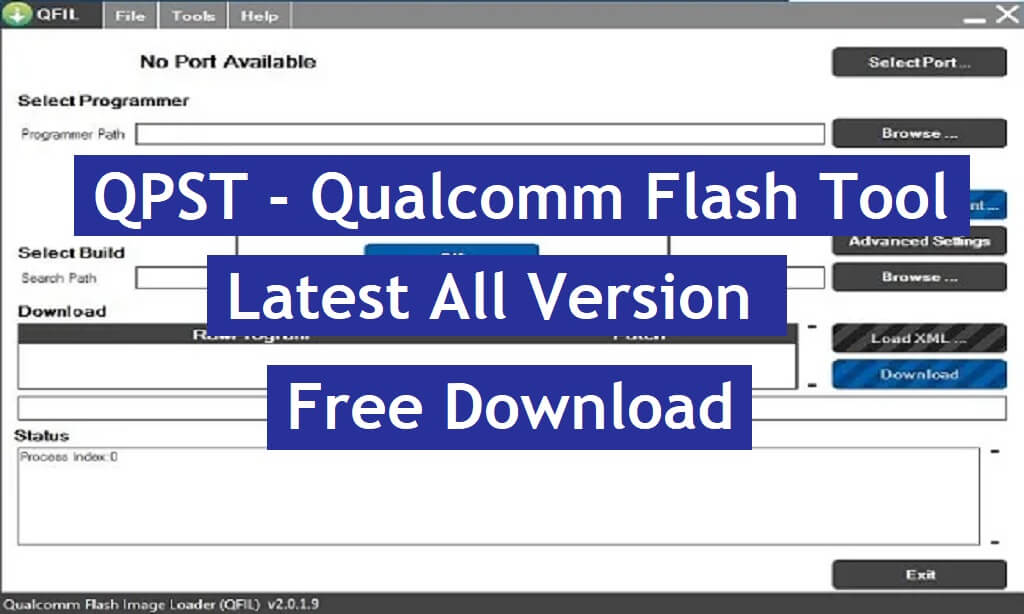
QPST Flash Tool is a free Windows utility software specially developed to simplify the process of flashing firmware, custom recoveries, root & Custom files on Qualcomm-based Android devices. It is a very useful & trusted program for Qualcomm devices to upgrade or downgrade, remove screen locks, and repair stuck at device logo, etc. In this tutorial, I provided the URLs to download the latest 2024 versions of QPST Flash Tool setup along with proper instructions to use it on any computer easily.
Nowadays, many people face dead issues on their smartphones, and there are multiple reasons behind it, such as customizing the phones by rooting or flashing custom files & recoveries. Luckily, QPST Tool can correct this type of scenario in a few minutes by flashing the phone.
If you have proper knowledge about flashing then you can flash mbn based ROM using Flash tool quite easily. However, if you don’t have proper knowledge then you have to be very careful and follow the below process completely because an error flashing can damage the phone. The latest version of the QPST Flash Tool is V2.7.496 and you can download the tool from below.
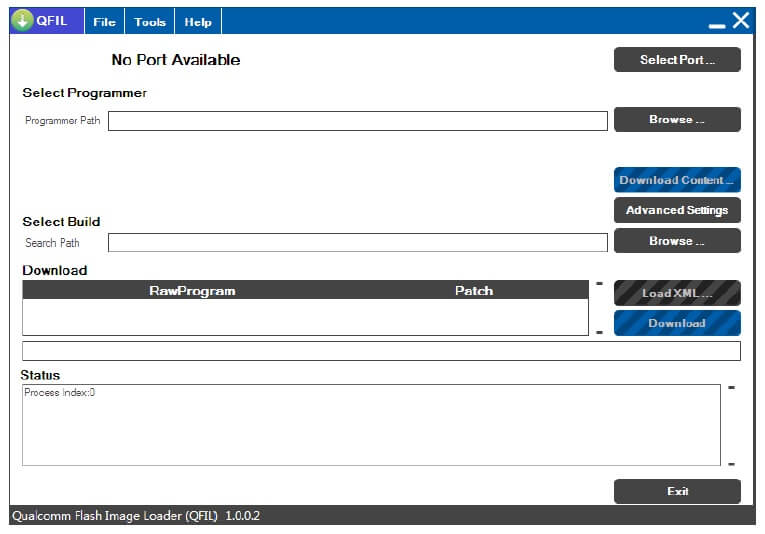
The procedure of using QPST Tool is pretty simple, all you have to do is run the tool to your PC, then select the prog_Emmc.mbn stock firmware, Then Click on the Start button, Now Power Off your phone and connect to the computer, that’s it. Now, check on below to know some basic features and download the tool:
More: Download SPD Flash tool or Spreadtrum Upgrade Download Flash tool – All version
Download QPST Flash Tool for Qualcomm Latest (All Version)
| File Name | Link |
| QPST_2.7.496.zip (Latest) | Download |
| QPST_2.7.495.zip | Download |
| QPST_2.7.480.zip | Download |
| QPST_2.7.477.zip | Download |
| QPST_2.7.474.zip | Download |
| QPST_2.7.473.zip | Download |
| QPST_2.7.472.zip | Download |
| QPST_2.7.464.zip | Download |
| QPST_2.7.460.zip | Download |
| QPST_2.7.456.zip | Download |
| QPST_2.7.453.zip | Download |
| QPST_2.7.447.zip | Download |
| QPST_2.7.445.zip | Download |
| QPST_2.7.438.zip | Download |
| QPST_2.7.437.zip | Download |
| QPST_2.7.432.zip | Download |
| QPST_2.7.430.zip | Download |
| QPST_2.7.429.zip | Download |
| QPST_2.7.425.zip | Download |
| QPST_2.7.423.zip | Download |
| QPST_2.7.422.zip | Download |
| QPST_2.7.421.zip | Download |
| QPST_2.7.420.zip | Download |
| QPST_2.7.419.zip | Download |
| QPST_2.7.415.zip | Download |
| QPST_2.7.411.zip | Download |
| QPST_2.7.410.zip | Download |
| QPST_2.7.402.zip | Download |
| QPST_2.7.399.zip | Download |
| QPST_2.7.395.zip | Download |
| QPST_2.7.387.zip | Download |
| QPST_2.7.378.zip | Download |
| QPST_2.7.375.zip | Download |
| QPST_2.7.374.zip | Download |
| QPST_2.7.368.zip | Download |
| QPST_2.7.366.zip | Download |
| QPST_2.7.363.zip | Download |
| QPST_2.7.359.zip | Download |
| QPST_2.7.323.zip | Download |
| QPST_2.7.301.zip | Download |
| QPST_2.7.264.zip | Download |
| QPST_2.7.104.zip | Download |
Steps to install Qualcomm QPST Flash Tool
- Download & extract the Qualcomm QPST Flash Tool to your Computer.
- Then open the folder & run QPST.exe
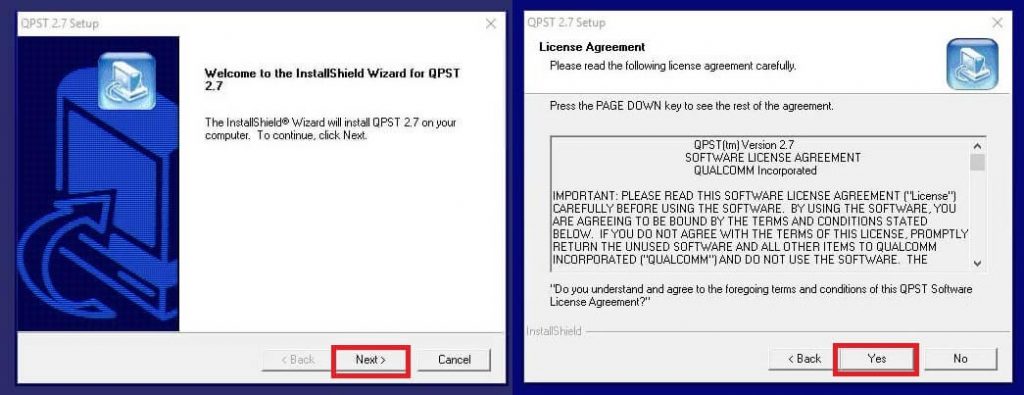
- Tap Next
- Put username to bypassfrpfiles.com & tap Next
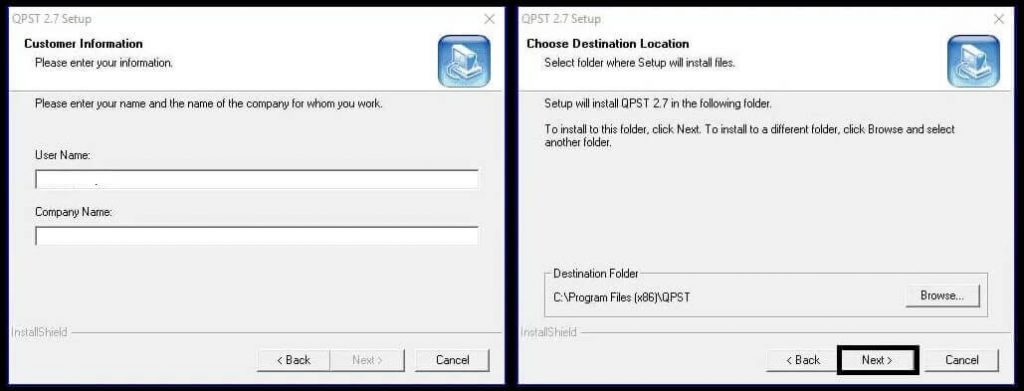
- Select the destination folder & tap Next
- Tap Next =>> Install
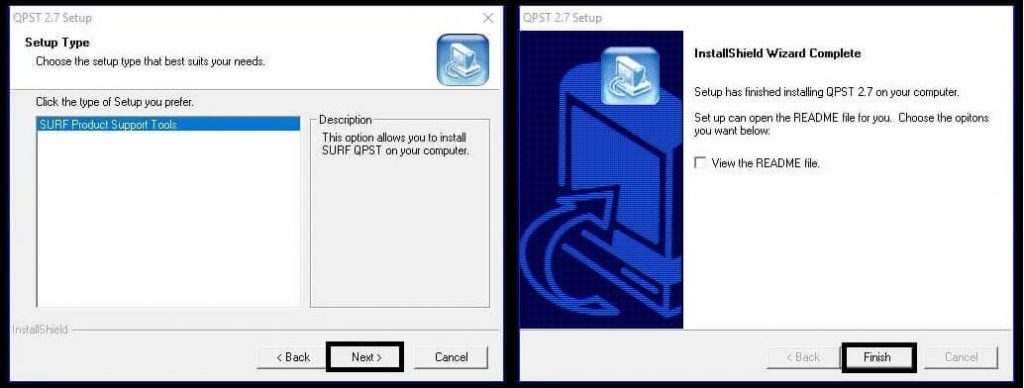
- Wait for finish
- That’s it
How to use QPST Flash Tool to flash Stock Qualcomm mbn File
- Open the installation directory =>> eg: C:\ Program Files\ Qualcomm\ QPST\ bin\
- Then Run Qfil.exe for flashing Qualcomm smartphone

- Tick on Flat build

- Click on BROWSE from the Select Programmer path tab and choose the Xiaomi Redmi 3 Mi Account Unlock file.elf

- Then click on Load XML and select RawProgram0.xml & Patch0.xml file
- Now Power Off your your Android phone
- Put your device in EDL Mode & connect it to the PC
- Go back to the Qfil tool

- Select the Comport by clicking on the Select Port tab

- Click on Download
- The unlocking process will begin
- Wait for a few seconds

- Once you get the success message
- Disconnect & Power On your your phone
- That’s it.
Read More: Download SP Flash Tool | Smartphone Flash Tool V6, V5, V3, Latest All Version Free
