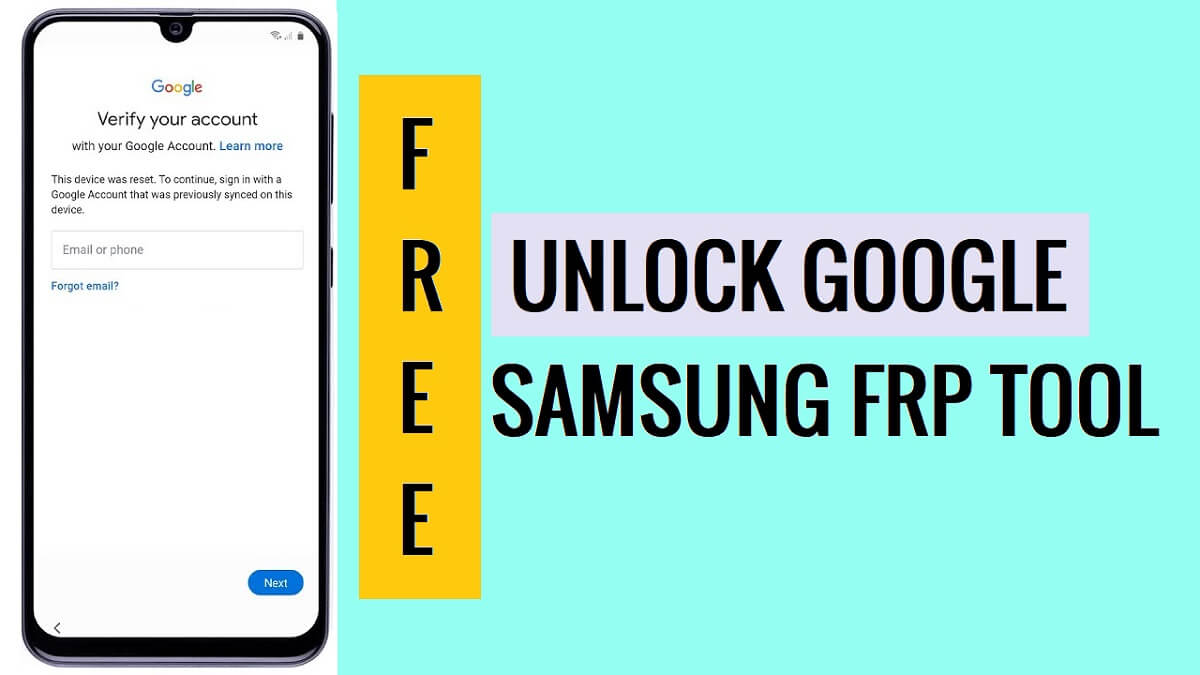
Discover a range of solutions that are specially designed to bypass FRP Google account lock from Samsung Galaxy oneUI Android devices. Here, are some Free Samsung FRP Tools, powerful & most trusted ones that help you to bypass FRP verification lock from Android 5.1 to Android 10, 11, 12, 13, and 14 version devices easily.
In this blog, we’ll provide complete details about the top 5 free Samsung FRP bypass tools of 2024. As well, as much, we will keep it simple and tell you Pros and Cons, and all the essential details. So, don’t waste any more time, let’s jump into the details sections:
1. Android utility Tool
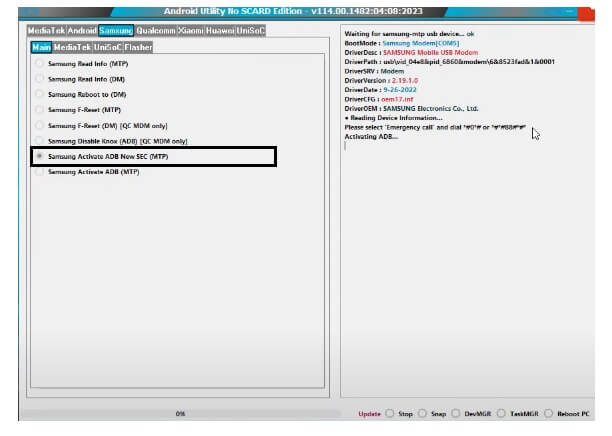
Android Utility Tool is a free and simple program that provides a comprehensive solution to bypass FRP lock on Samsung and other Android devices. Additionally, the tool also offers a wide range of other features such as bypass Auth, Erase FRP, Firmware extract, Factory Reset, etc. This versatility of the tool makes it a good choice for Android users.
Features
- Unlock FRP through MTP, Test & Download Mode.
- Supports latest Samsung Galaxy Devices.
- Bypass Samsung MTK Auth protection.
- Samsung MTP Factory Reset.
- One Click Read Device Info.
- Samsung Flash stock Firmware.
Pros
- Direct Open Device Browser & Galaxy Store easily.
- Supports almost Samsung devices.
- Test Mode Direct Unlock FRP.
- Supports Android versions 6 to 13+.
- Completely Free to use.
- Frequent updates.
Cons
- Doesn’t work on latest security patch Samsung devices.
- MAC Os not supported.
- Lack of supports from the developer.
- Complexity for Newbie users.
How to use
The following step by step instructions will helps to unlock FRP using the Samsung Android Utility.
- Run the FRP tool with Administrator permission.
- Now put your device into the Download Mode.
- Connect your Samsung phone in MTP mode
- Connect your device to the computer using a good USB cable.
- Open Samsung MTK FRP Tool, and click on “Scan”,
- Now you will see the “Com Port” version.
- Select “Samsung Activate ADB SEC (MTP)”.
- Wait for a few seconds.
- The tool will enable ADB on your phone
- Next, go to Android tab => Remove FRP
- Once finished, the samsung phone will be rebooted.
- It takes 3-4 minutes.
- Setup all initial steps.
- Now, you have successfully unlocked your Samsung phone.
2. Easy Samsung FRP Tool
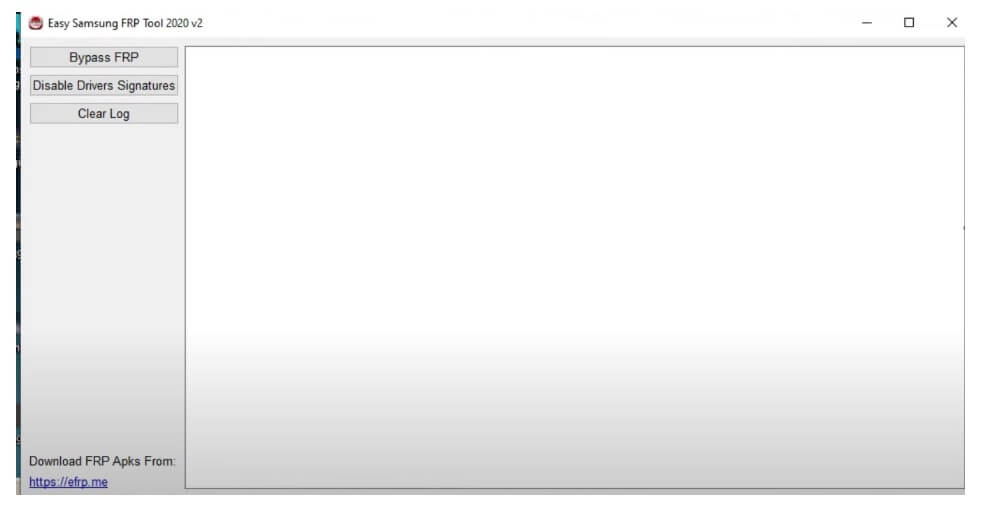
Easy Samsung FRP Bypass v2.7 is also a contender in unlocking Google verification lock from Samsung phones, that designed to access the web browser on Samsung FRP lock-enabled phones. It helps to directly open the browser through YouTube App to download FRP APK and bypass the FRP lock without flashing the phone. However, the tool can be a best choice among users who uses Android 8-10 version Samsung devices.
Features
- Launch Browser: You can easily launch your device browser through MTP mode one click easily, so you don’t have to follow any complicated process to reach browsers & download frp apps on your phone.
- Open Galaxy Store: The tool also allows you to Open Galaxy Store through MTP mode to download & install S9 launcher, activity manager & Open device home screen.
- It’s a completely free & user-friendly tool.
- Supports any Android security patch version of Samsung Galaxy phone.
Pros
- Direct Open Device Browser & Galaxy Store easily.
- Supports almost Samsung devices.
- Supports Android versions 6 to 13+.
- Completely Free to use.
Cons
- Doesn’t work on latest security patch Samsung devices.
- MAC Os not supported.
- Lack of supports from the developer.
- Complexity for Newbie users.
- No regular Updates.
3. SamFW Tool
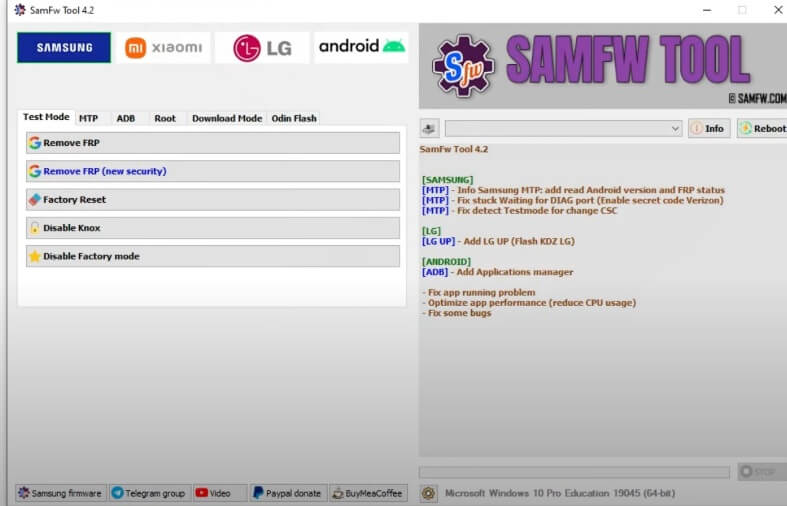
SamFW FRP Tool is one of the best and most powerful tools in Samsung Google unlock programs, It can enable ADB & Reset FRP through Samsung #0# (Test Mode) and supports a wide range of Samsung Galaxy Android 9, 10, 11, and 14 version devices.
This tool offers a range of features, including bypassing FRP lock, Remove screen lock, Factory Reset, Flash Firmware, Android screen lock, data recovery, and system issue fixes, etc.
Features:
- Test Mode FRP unlock: It also let users to unlock Google verification through Samsung Emergency call test mode (*#0*#).
- Download Mode Unlock: It is help you to unlock your Samsung through Download Mode
- Flash Firmware: The tool let users flash stock firmware on any Samsung phone without using Odin tool.
- Auth Bypass: The tool expand its supports and now can bypass the auth protection of any Samsung & other MTK (MediaTek) powered devices easily.
Pros
- Multi Mode FRP Unlock option: You can bypass Google verification lock using MTP, ADB, Download Mode.
- MTP Open Device Browser & Galaxy Store.
- Supports almost Samsung devices.
- Download & Flash Samsung stock firmware.
- Multi Mode Factory Reset options: You can use MTP & Recovery Mode to Factory Reset the phone.
Cons
- Limited options for Free users.
- Login Based Server tool.
- Limited compatibility.
- fluctuates Success rate.
- MAC Os not Compatible.
4. SamFirm Tool FRP AIO Remove
SamFirm Tool is crafted by Mahmoud Salah, It is one of the powerful AIO (All in One) software that you can use to download Samsung and Apple Firmware, Flash tools, ADB File, Sboot file, Also it helps to Bypass FRP in MTP mode from Samsung phones.
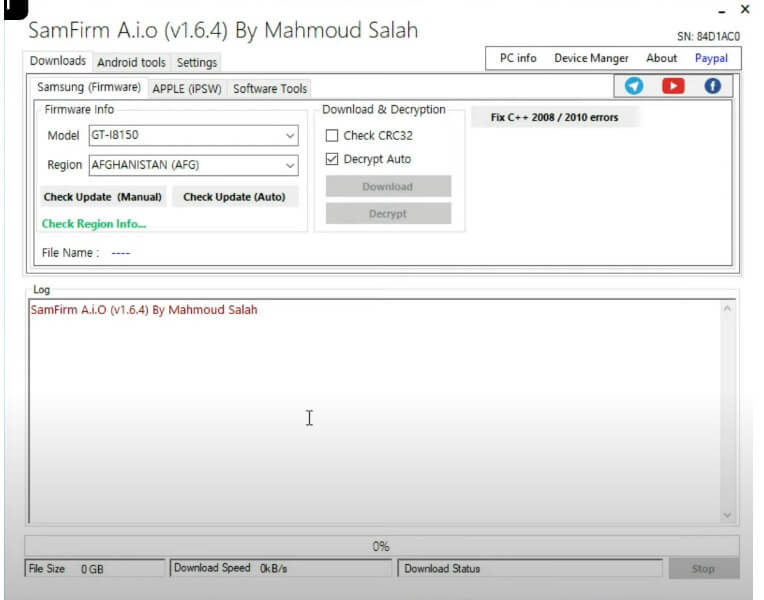
If you have a phone with FRP lock message, then also you can use it to unlock the FRP verification lock by using its multiple functionalities. Below, we listed best features and links to learn detailed about it.
Features:
- Launch Browser: The tool can easily launch your device browser through MTP mode one click easily. So you don’t have to follow any complicated process to reach device browsers & download frp apps on your phone.
- Open Galaxy Store: It also allows you to Open Galaxy Store through MTP mode to download & install S9 launcher, activity manager & Open device home screen.
- Download Mode Unlock: If you have old Android version Samsung phone then you can unlock frp lock in just one click through Download Mode
- Flash Firmware: The tool let users flash stock firmware on any Samsung phone without using Odin tool.
- Knox Disable:
- Factory Reset: Also. it allows users to factory Reset any Samsung phone one click easily.
Pros
- Multi Mode FRP Unlock option such as: MTP, ADB, Download Mode.
- Open Device Browser & Galaxy Store easily.
- Supports Samsung OneUI Android versions 6 to 14.
- Completely Free to use.
Cons
- Limited options for free users.
- The premium version get a variety of options.
- Lack of support from the developer.
- Complexity for New users.
- No regular Updates.
Also Read:
Read Me:
[*] Compatibility: The listed above tools are fully compatible with all Windows: Vista/ Win 7/ XP/ Win 8/ Win 10 (32bit /64bit)
[*] Backup Data: We personally recommend you take a backup of your Samsung phone before using the Tool because Unlocking the FRP will erase all the user data on the phone.
[*] Install USB Driver: You have to install the required USB driver on your Windows computer Before using the tool to encounter errors while connecting the devices. i.e., Samsung USB driver.
[*] Virus Scan: You have scanned the tool with Kaspersky Antivirus, before uploading it to our servers.
Join me on Telegram to receive android updates, Android Tools & APK links and Android related problems…
I am really glad to help you out. Thanks a lot for visiting.

