Samsung USB Driver is a simple Windows USB host controller program primarily helps users to recognize Samsung smartphones to the Windows computer for flashing, unlocking, transferring files, and repairing for free. Additionally, It also helps to fix the soft or hard bricking, stuck on boot logo.
In this tutorial, We have shared the step-by-step installation processes along with the links to download Samsung USB Driver v1.7.59 latest version on Windows 11, 10, 8, 7, and XP (32 & 64-bit).

Read More: LG USB Driver Download [Latest All Version] for Windows & Mac
Download Samsung USB Driver Latest v1.7.59 for Windows
Download Samsung USB Driver v1.7.50.0 latest version that supports up to Win 10, Win 11 (x32 & x64 bit). If you want to unlock the smartphones through USB_Comosite port then must you have to install the USB Driver on your Windows (32 & 64bit).
| Samsung_Driver v1.7.59 | Download |
| Samsung_Driver v1.7.56.0 | Download |
| Samsung_Driver v1.7.50.0 | Download |
| Samsung_Driver v1.7.48.0 | Download |
| Samsung_Driver v1.7.46.0 | Download |
| Samsung_Driver v1.7.43.0 | Download |
| Samsung_Driver v1.7.31.0 | Download |
| Samsung_Driver v1.7.28.0 | Download |
| Samsung_Driver v1.7.23.0 | Download |
| Samsung_Driver v1.7.17.0 | Download |
| Samsung_Driver v1.7.11.0 | Download |
| Samsung_Driver v1.5.65.0 | Download |
| Samsung_Driver v1.5.63.0 | Download |
| Samsung_Driver v1.5.61.0 | Download |
| Samsung_Driver v1.5.60.0 | Download |
| Samsung_Driver v1.5.59.0 | Download |
| Samsung_Driver v1.5.55.0 | Download |
| Samsung_Driver v1.5.51.0 | Download |
| Samsung_Driver v1.5.49.0 | Download |
| Samsung_Driver v1.5.45.0 | Download |
| Samsung_Driver v1.5.33.0 | Download |
Once you have installed it on your PC, It becomes easier to flash stock firmware files or any other custom files using Tools like, Odin Flash Tool, Samsung FRP Tool, EFT Tool, UAT Tool, UnlockTool, Z3x Tool, FRP Bypass Tool, Miracle Box, MRT Tool, CM2 Tool & UMT Tool.
How to Install Samsung USB Driver
- Download Samsung USB Driver v1.7.59 to your computer
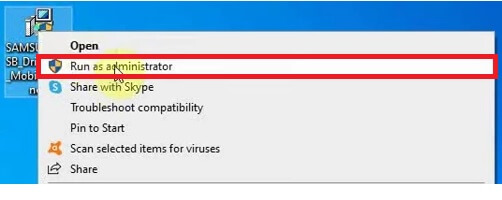
- Then run the SamsungUSB.exe as Admin
- Tap Next
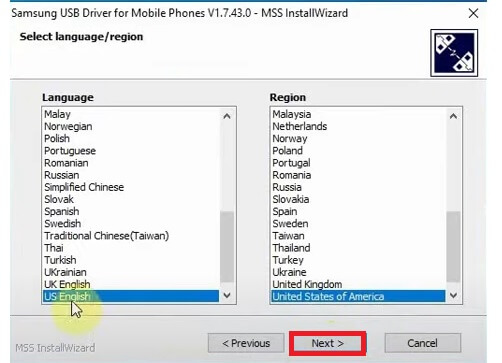
- Select the region & language & tap next
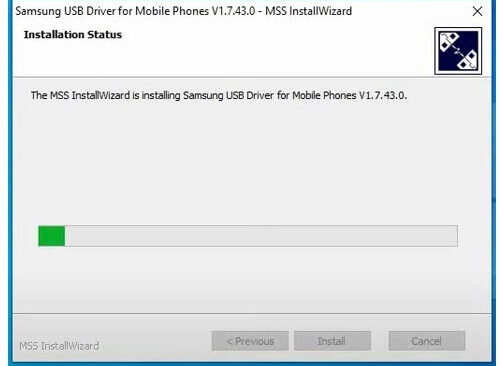
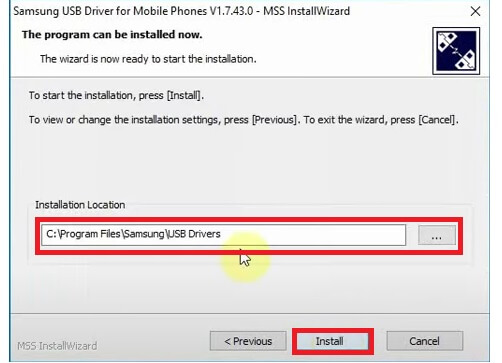
- Now select the installation directory & Click Install
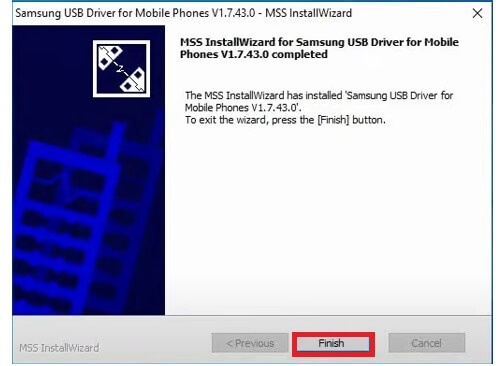
- Click Finish to finish the installation
- Done, you have successfully installed the USB Driver on your Computer.
- Now you can connect the Samsung phone to the PC for flashing, unlocking, upgrading easily.
Steps to Uninstall USB Driver
If you unsure how to uninstall USB driver from your computer, then the following steps can help you to uninstall the driver from your Windows Computer.
- Click on the Windows Search icon
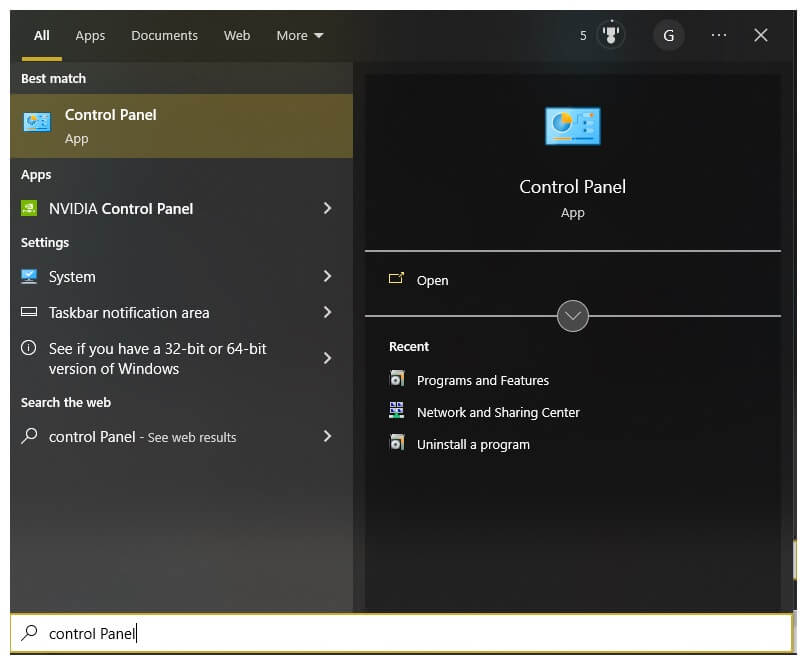
- Type & Search for Control Panel
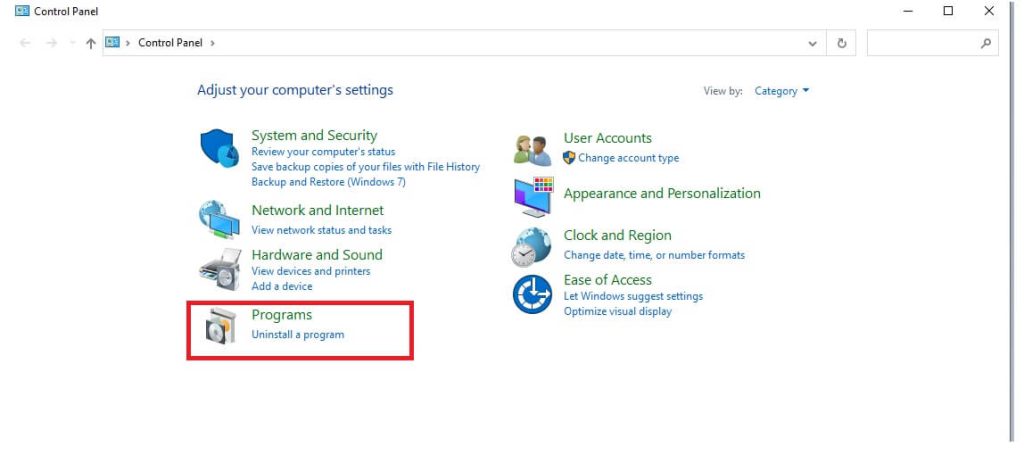
- Then Open Control Panel from the list
- Select Programs from the list
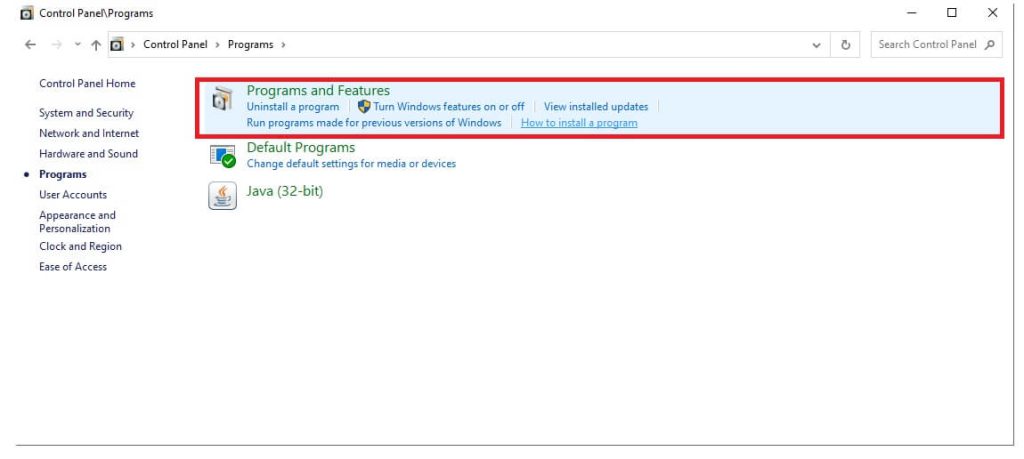
- Then select Programs & Features
- Now you will see the list of programs installed on the PC
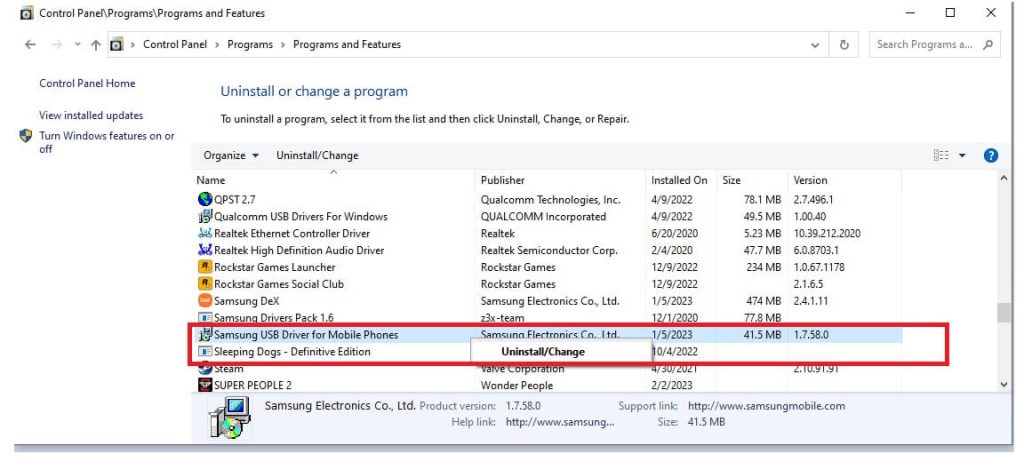
- Select the USB_Driver & right click on it
- Then click on Uninstall/Change
- Now the uninstall wizard will opened
- Tap Next =>> Next => Uninstall => Finish
- Done.
Read More: Mediatek MT65xx Preloader Driver Download for Windows (x32 & x64 bit) Free

