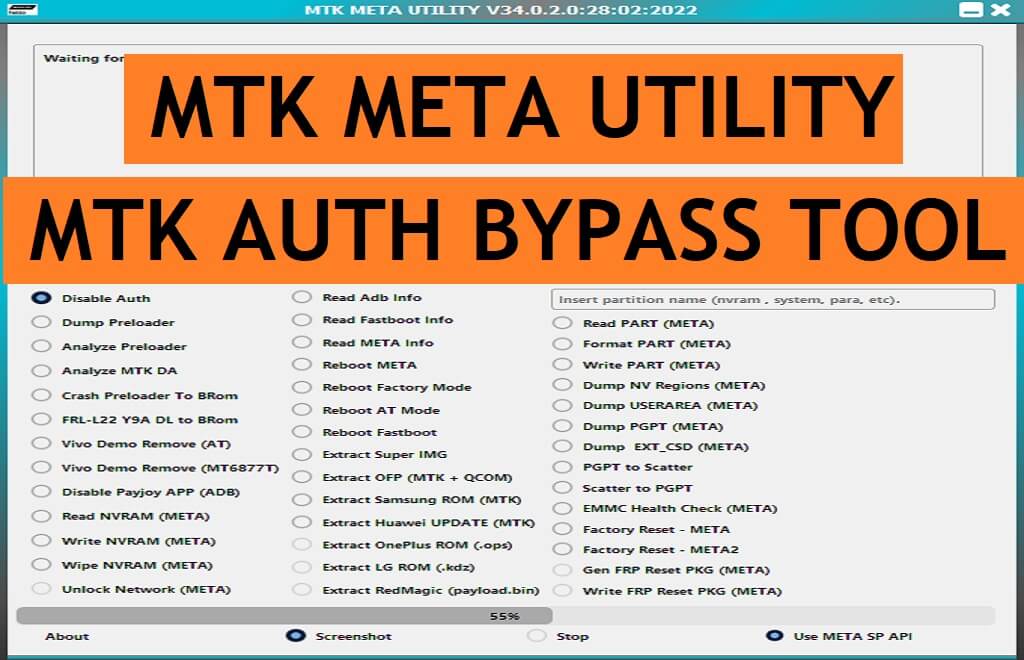
MTK Auth Bypass Tool is also known as MTK Meta Android utility tool that let users bypass DAA & SLA Auth (Secure Boot protection), from any MediaTek MTK-powered phone for free. Additionally, It also allows users to Unlock FRP, Format, Factory Reset, Unlock Pattern password pin lock, etc.
On this page, You will get the link to Download MTK Meta Android Utility Tool V133 to bypass boot protection & flash or unlock your phone through the SP flash tool for free.
Also Check: Samsung FRP Tool Download to FRP Bypass Samsung
Download MTK Meta Android Utility Tool V133 Latest Version
Download MTK Auth Secure Boot Disable tool V133 latest version easily from the below link. Make sure, Don’t forget to install the LibUSB/Filter MTK USB Driver on your computer.
File Name: MTK_Auth_BypassTool V133.zip
Size: 124MB
Type: .exe
Compatible OS: Windows 7, Windows 8, Windows 10, Windows 11 with 32&64bit
Developer: Mofadal Altyeb
PASS: BYPASSFRPFILES.COM
Download V133: Mega || G-Drive
Download Old Version (V132): Mediafire
Pros
=> One Click Auth Bypass
=> BROM Bypass
=> One Click Reboot to Meta Mode
=> Remove Samsung FRP
=> Frequent Updates
=> Free to Use
Cons
=> Doesn't works With MAC
=> Bit Complicated for NewbiesSupported Mediatek SOC's:
*MT6781 *new* MT6768(2021) *new* MT6883 * MT6885 * MT6889 * MT6833* MT6853* MT6853V* MT6873 * MT6891Z* MT6893* MT8765WB* MT8385* MT8183* MT8666* MT6572* MT6580* MT6582* MT6592* MT6595* MT6735* MT6737* MT6739* MT6783* MT6785* MT6780* MT6780M* MT6780T* MT6780S* MT6787* MT6761* MT6762* MT3369* MT8766B* MT6763* MT6765* MT6768* MT6771* MT6779* MT6785* MT6795* MT6797* MT8127* MT8163* MT8516* MT8173* MT8695* MT6873* MT6799* MT8590What is Android Utility?
Nowadays, Most of the Android smartphone comes with USB protection to avoid third-party flashing and misuse of the device. You won’t be able to flash or unlock your phone without any authorized tool or permission.
So, if you want to perform flash or unlock your MTK-based Android phone through the SP flash tool then it is necessary to bypass boot protection on your phone. Luckily, MTK Meta Android Utility helps users to bypass the Auth protection to flash or unlock phones easily.
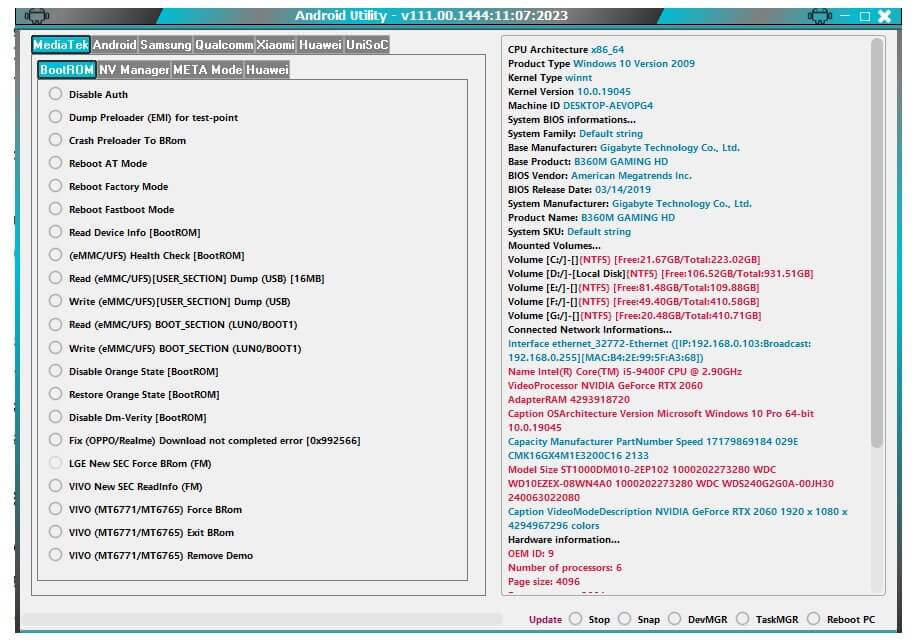
Features of MTK Auth Bypass Tool
Support Multiple devices: MTK Android Meta Mode Utility Tool helps to detect any Oppo, Vivo, Tecno, Xiaomi Redmi, Infinix, MTK based smartphones into the SP flash tool, Miracle Box, UMT, MRT, MCT, CM2 Dongle for Flashing, Unlocking, and Repairing the phone.
All Windows OS Compatible: It is comes with an auto-installer package and supports Windows 11, windows 10, Windows 8, Windows 8.1, Windows 7, Windows XP (32 & 64bit) architecture.
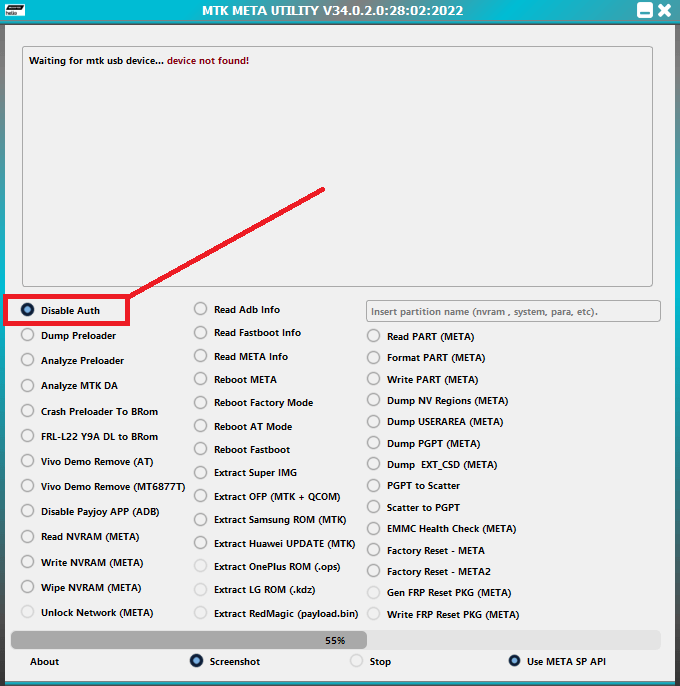
Simple Procedure: The procedure is quite simple, all you have to do is run the to your computer then Power off and connect your phone to the PC in BROM Mode then select the Disable Auth option on the tool, that’s it.
Various Options: The latest version MTK Auth Bypass Tool V133 has plenty of options such as; FRP Bypass, Factory Reset, Auth Bypass, Firmware extract, Huawei Dload Flash, ID Reset, Format, Read Partition, Read SPC, Crash Preloader to BROM, etc and more.
Completely Free: The developer Mofadal El-Tayeb made it free for everyone it doesn’t have any hidden cost or anything, you can use it for free for a lifetime.
Frequent Updates: One of the best things about this tool is the developer pushes updates too frequently which means users get the best possible ways to fix or unlock their phones.
More: Download MediaTek Bypass Tool Rev4 by MCT | New MTK Auth Bypass Tool
What’s New
- Updated to the latest Android Utility Tool V133.
- Samsung FRP Reset Function improved.
- Added SM-T509 format with Infinity cards only one week.
- Improved Huawei (fastboot/upgrade) flasher.
- Bug Fixes.
How to use
- Download & Unzip the MTK Secure Boot Tool to your computer.

- Run MTKSecDisable.exe.
- Install LibUSB Win32 driver to your computer (Skip this if already completed).
- Now Power Off your phone.
- Press Volume Up And Power and Insert a USB cable.
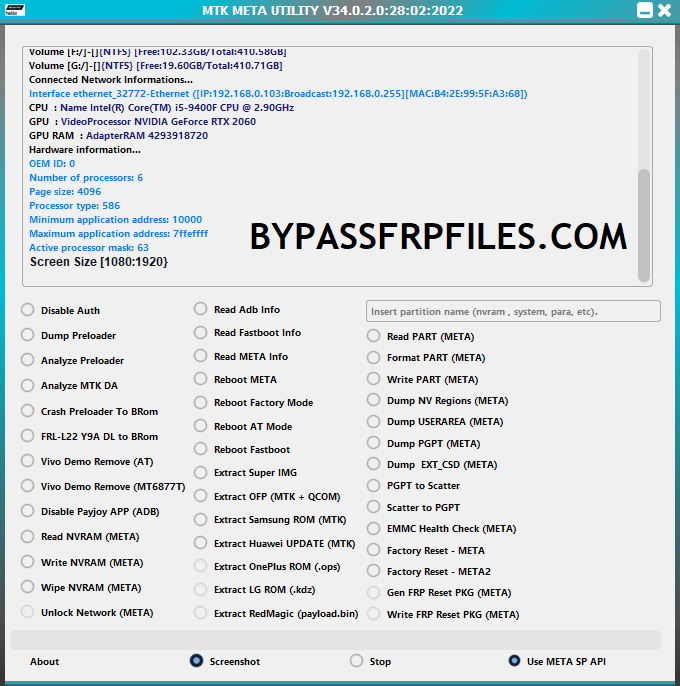
- Click Disable Secure Boot.
- If the Disable Secure Boot process not work, use the Force BROM function.
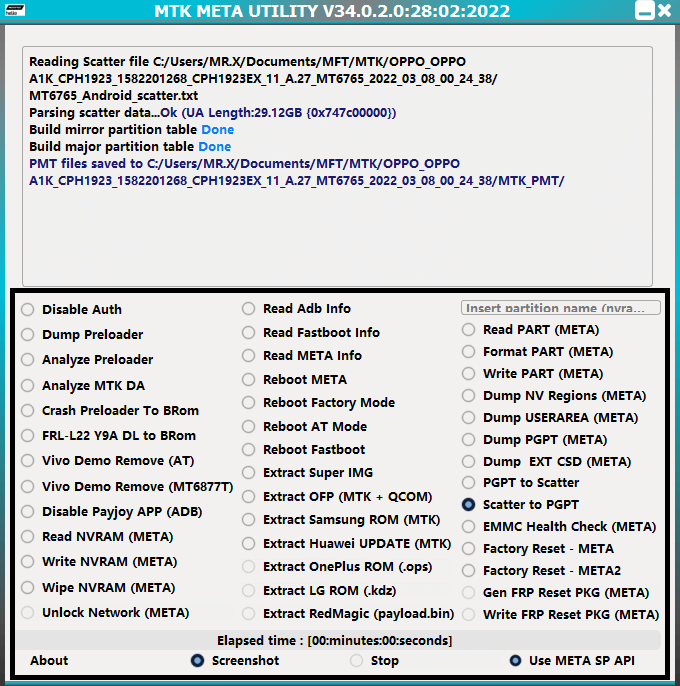
- More Features
- Disable Auth || Read ADB Info.
- Dump Preloader || Read Fastboot Info || Read Part (Meta).
- Analyze Preloader || Read Fastboot Info || Format Part (Meta).
- Analyze MTK DA || Reboot Meta || Write Part (Meta).
- Crash Preloader Brom || Reboot Factory Mode || Dump NV Regions (Meta).
- FRL-L22 Y9A DL to Brom || Reboot AT Mode || Dump Userarea (Meta).
- Vivo Demo Remove (AT) || Reboot Fastboot || Dump PGPT (Meta).
- Vivo Demo Remove (MT6877T) || Extract Super IMG || Dump EXT_CSD (Meta).
- Disable Payjoy App (ADB) || Extract OFP (MTK + Qualcomm) || PGPT to Scatter.
- Read NVRAM (Meta) || Extract Samsung ROM (MTK) || Scatter to PGPT.
- Write NVRAM (Meta) || Extract Huawei Update (MTK) || EMMC Health Check (Meta).
- Wipe NVRAM (Meta) || Extract OnePlus ROM (.OPS) || Factory Reset Meta.
- Unlock Network (Meta) || Extract LG Rom (.kdz) || Factory Reset (Meta 2).
- Extract RedMagic (Payload.bin) || GEN FRP Reset PKG (Meta).
- Write FRP Reset PKG (Meta).
- That’s it.
- It will bypass the Auth Security from your phone.
- Now you can use any unlock tool like SP Flash Tool, Miracle Box, UMT, CM2 to unlock your phone.
Read More: Download MTK FRP Tool | New MediaTek FRP Bypass Tool

