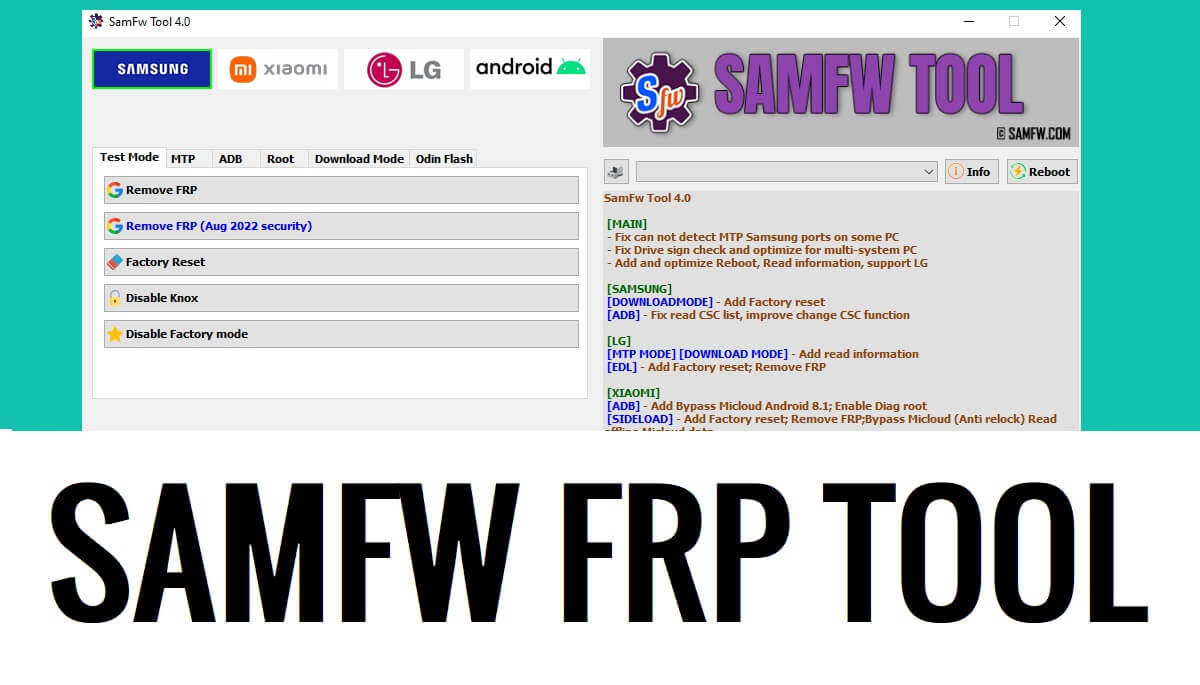
SamFW Tool helps you to enable ADB Mode (USB debugging) through Samsung *#0*# (Test Mode) and Bypass the FRP lock. Also, the tool offers Factory Reset, Auth Bypass, MDM Remove, flash firmware, KG unlock, etc at no cost.
In this article, we provide you links to download the V4.9 latest version and discuss new features along with providing complete information on How to unlock FRP with SamFW FRP Tool on Windows computers effectively. So, if you looking for a solution to unlock the FRP lock from your Samsung phone then you have come to the right place.
Download SamFW FRP Tool V4.9 Latest Version
| Software Name: | SamFW_tool.zip |
| File Size: | 30MB |
| Type: | exe |
| Credit: | |
| Password: | BypassFRPfiles.com |
| Telegram: | t.me/droidsolution |
What is SamFW Tool?
SamFW Tool is a free Windows program crafted by SamFW team specially designed for Samsung Galaxy devices running on Android 9, 10, 11, 12, 13, to Android 14 and allows you to easily unlock FRP Google verification lock. Also, the tool offers Factory Reset, Auth Bypass, MDM Remove, flash firmware, KG unlock, etc at no cost.
The procedure is also quite simple, all you have to do is run the tool on your computer, then tap on Emergency Call and Press *#0*#, and the test mode will appear, Now connect your phone to the computer and click on Remove FRP, then the tool will detect your phone and enable ADB & unlock Frp within a few minutes, that’s it.
The SamFW FRP Tool V4.9 has plenty of options to Remove FRP, Disable Knox, Factory Reset, Secret Code enable, Odin Firmware Flash, Factory Reset, Format, Open Browser, Install APK/xAPK, etc on any Samsung smartphone easily.
Features:
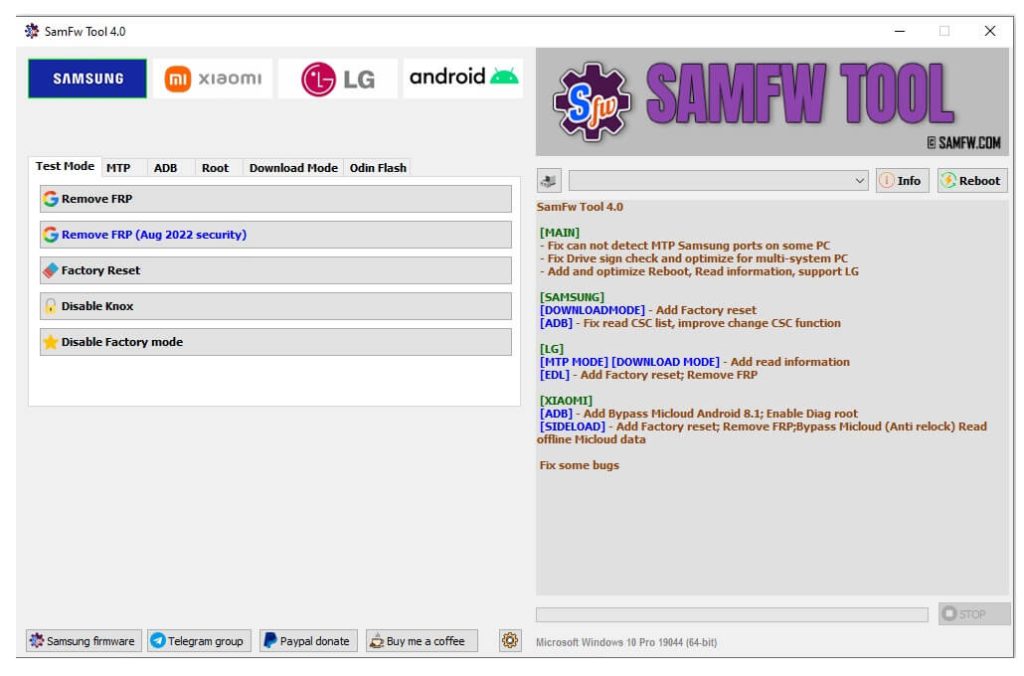
- One Click Bypass FRP.
- Samsung KG Lock Remove.
- Samsung One Click Factory Reset.
- Portable Setup.
- Download Mode Factory Reset.
- Samsung Odin Flash Firmware.
- Translate Language.
- Samsung Auth Bypass.
- Enable Test Mode (USB Debugging Mode).
- Samsung Enable ADB.
- Disable & Enable OTA Updates.
- Soft brick fix.
More: One Click tool to Open Browser to Bypass FRP on all Samsung
What’s New
- Updated to the latest V4.9.
- Improved the Read info function.
- Added FRP Samsung USA Models.
- Added recheck paid service status.
- Added auto write log to file.
- Fix the X509 Certificate problem.
- Added Samsung MTP Factory Reset.
- UI changes.
- Fixed MTP reboot.
- Bug Fixes & Improvements.
How to Use SamFW Tool
- Download SAMFW FRP Tool V4.9 setup & extract it to your computer.
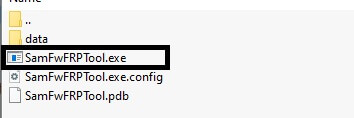
- Now Run the SamFwFRPTool.exe As Admin.
- Install Samsung USB Driver on your computer before using the tool.
- First, Connect your Samsung FRP-enabled phone to a WiFi Network.
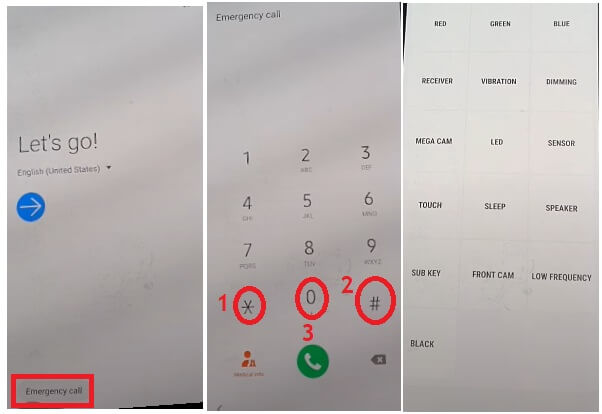
- Then go back to the very first welcome screen, tap on Emergency Call.
- Press *#0*#.
- The Test Mode will appear.
- Now connect your Samsung Android 10, 9, 11, 12 phone to the PC.
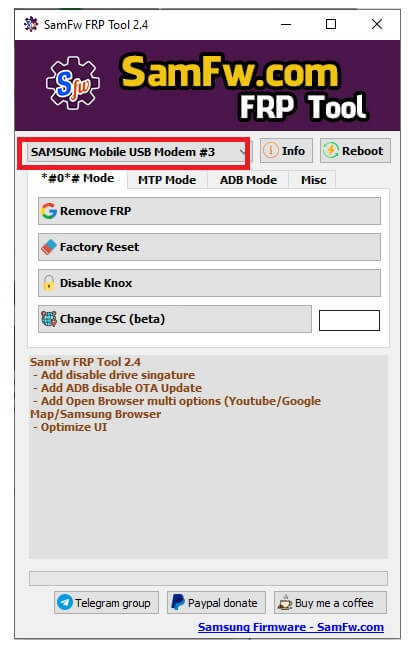
- Open the FRP Tool.
- Select the COM Port.
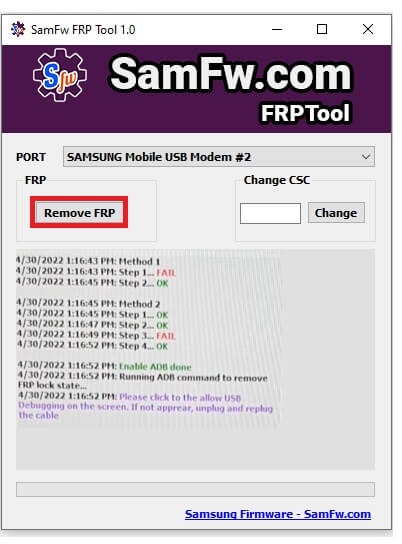
- Click on Remove FRP from the FRP Section.
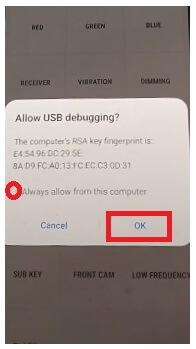
- Tap Allow on Phone & wait for remove FRP lock.
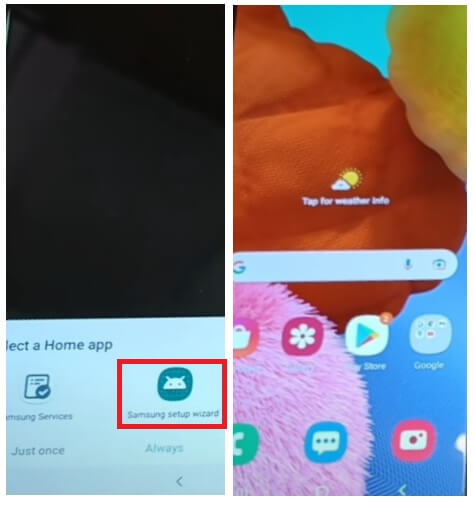
- Select Samsung Setup Wizard.
- That’s it.
- FRP =>>
- *#0*# (Test Mode).
- Remove FRP.
- Factory Reset
- Disable Knox.
- Change CSC (Beta).
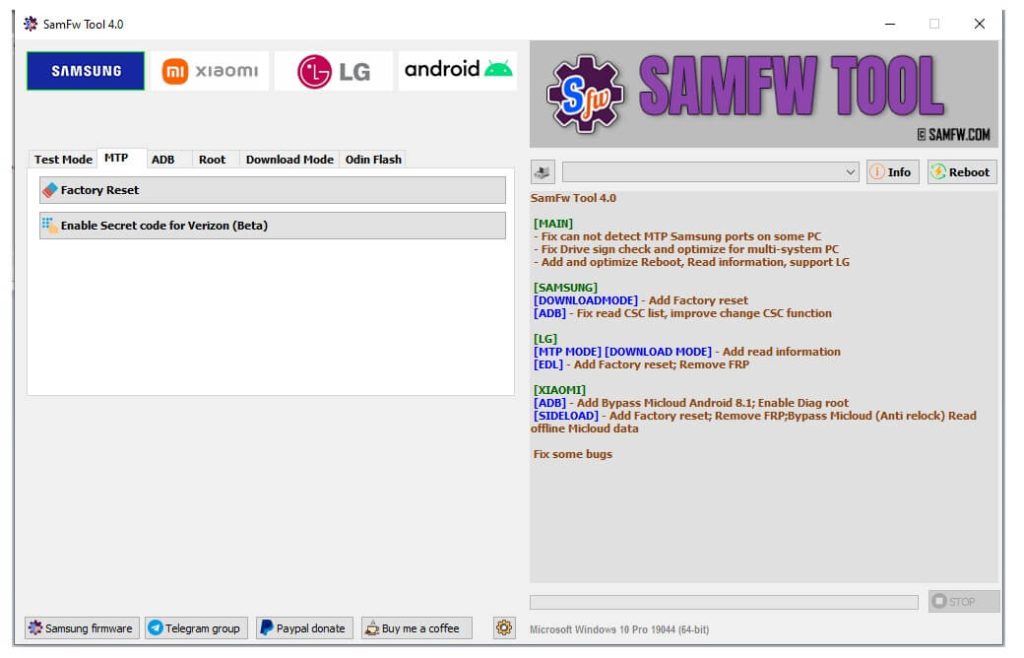
- MTP Mode
- Open Browser >> Youtube || Google Map || Samsung Browser (Galaxy Store).
- Factory Reset.
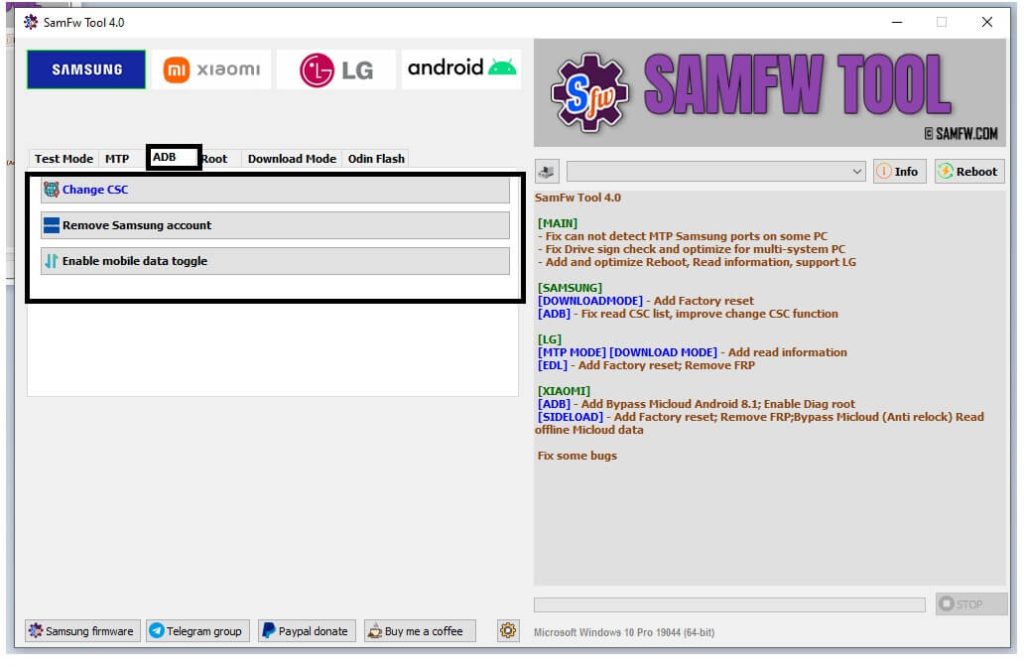
- ADB Mode
- Change CSC.
- Enable Mobile Toggle.
- Remove Samsung Account.
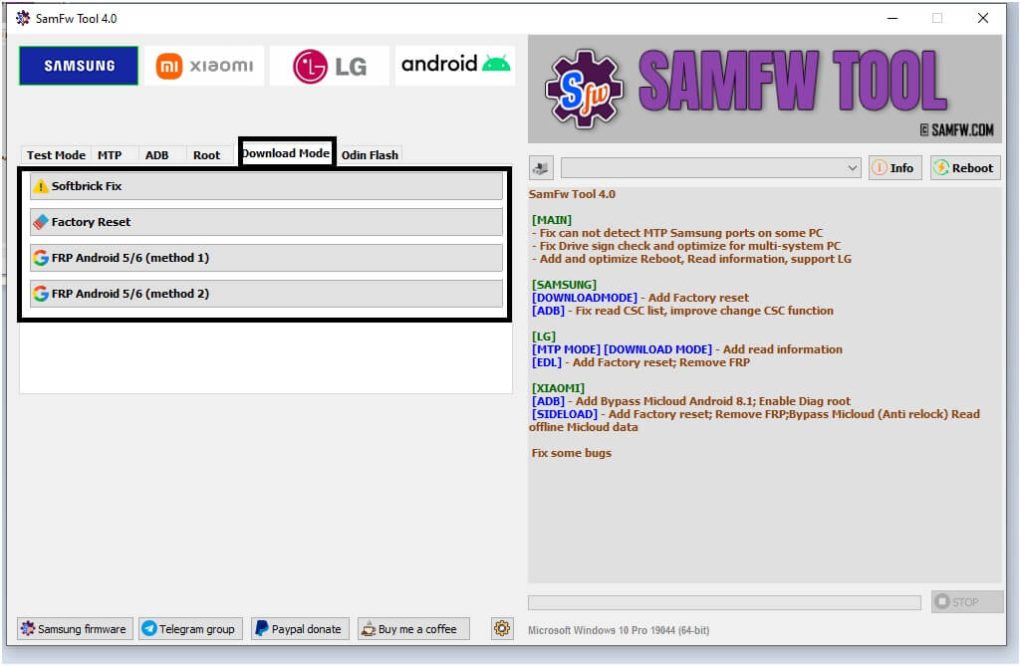
- Download Mode
- Factory Reset || SoftBrick Fix.
- FRP Android 5/6 (Method 1) || FRP Android 5/6 (Method 2).
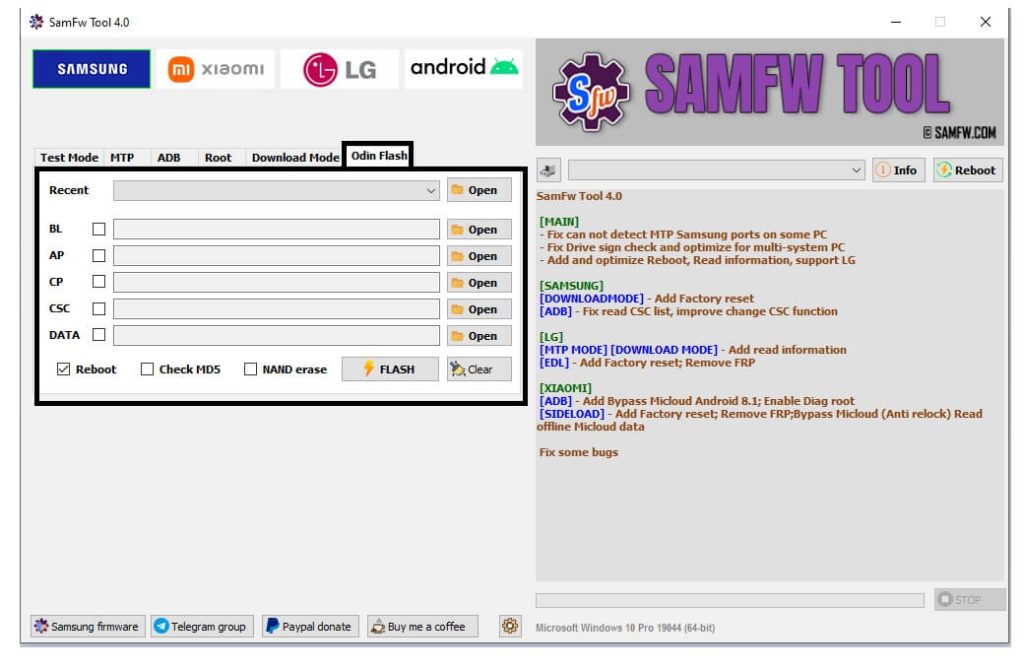
- Odin Flash
- Reboot || Check MD5 || Nand erase.
- Flash.
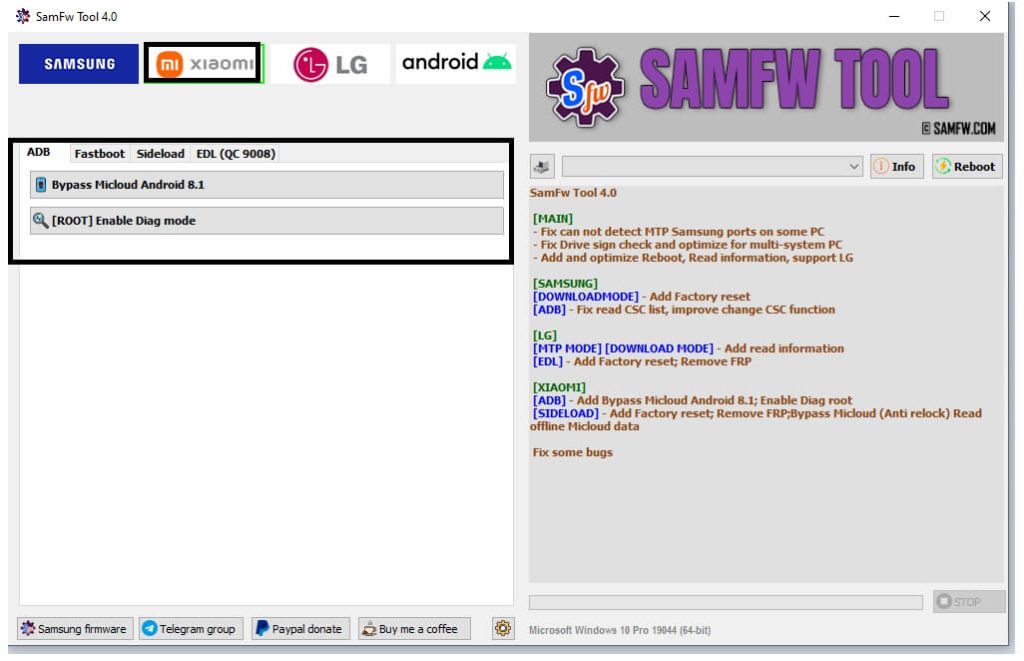
- Xiaomi Functions
- ADB
- Bypass MI Cloud Android 8.1.
- [Root] Enable Diag Mode.
- ADB
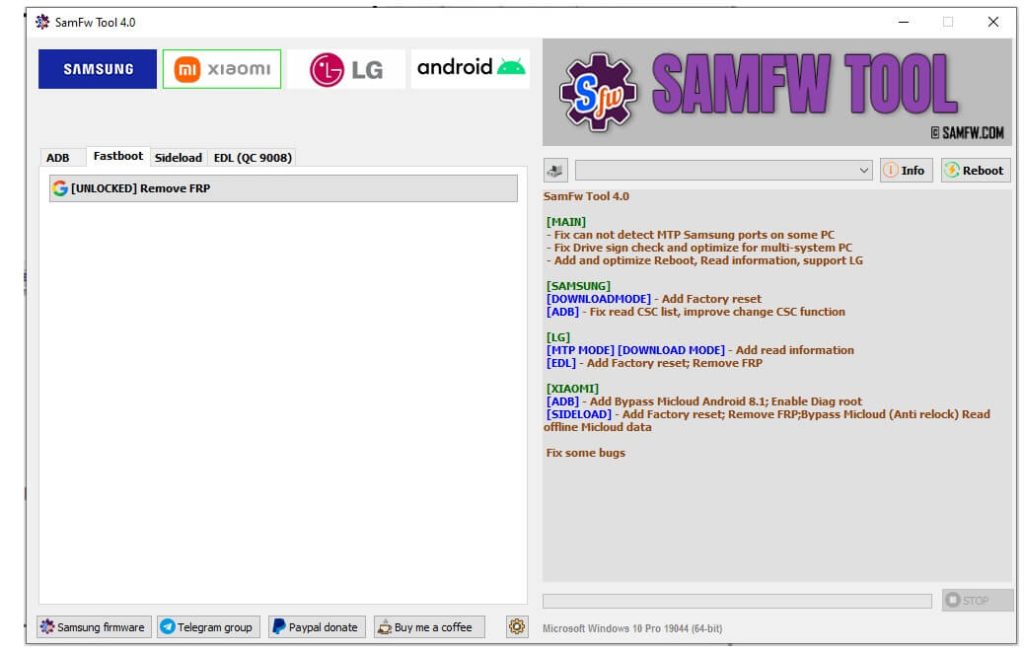
- Fastboot
- [Unlocked] Remove FRP.
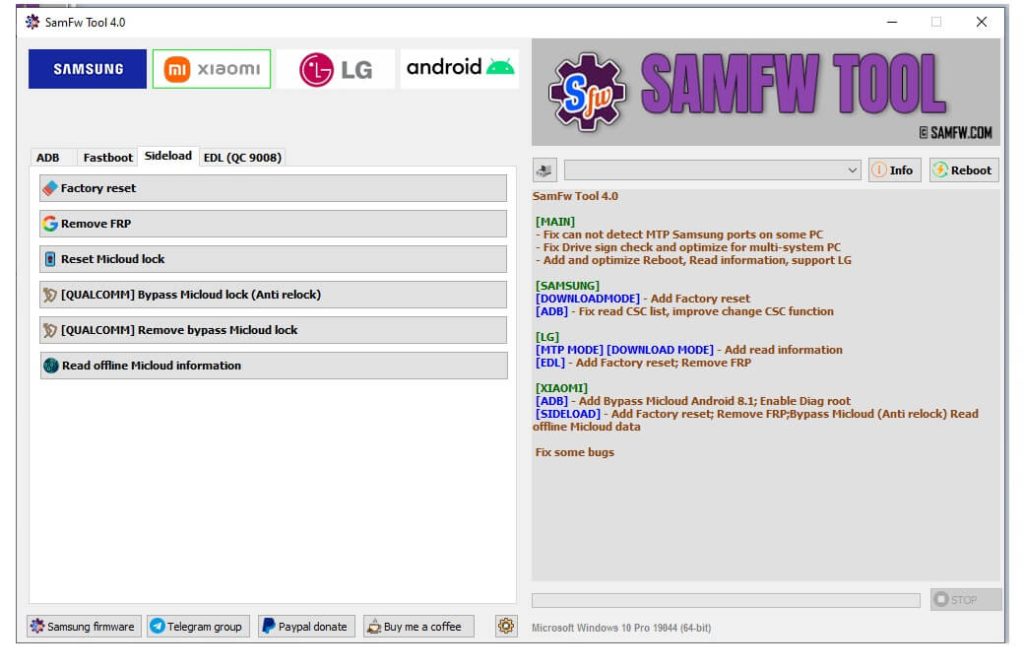
- Sideload
- Factory Reset.
- Remove FRP.
- Reset MI Cloud.
- Qualcomm Bypass Mi Cloud [Anti Relock].
- Remove Mi Bypass Cloud Lock.
- Read Official Mi Cloud Information.
- EDL QC 9008 Mode.
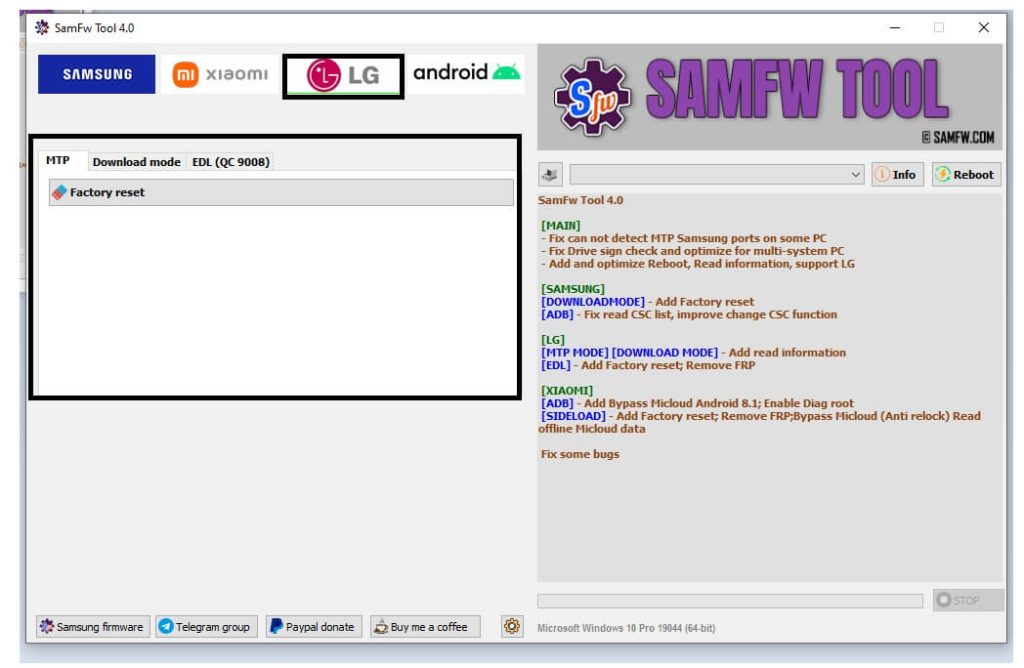
- LG Functions
- MTP => Factory Reset.
- EDL 9008= > Factory Reset & FRP.
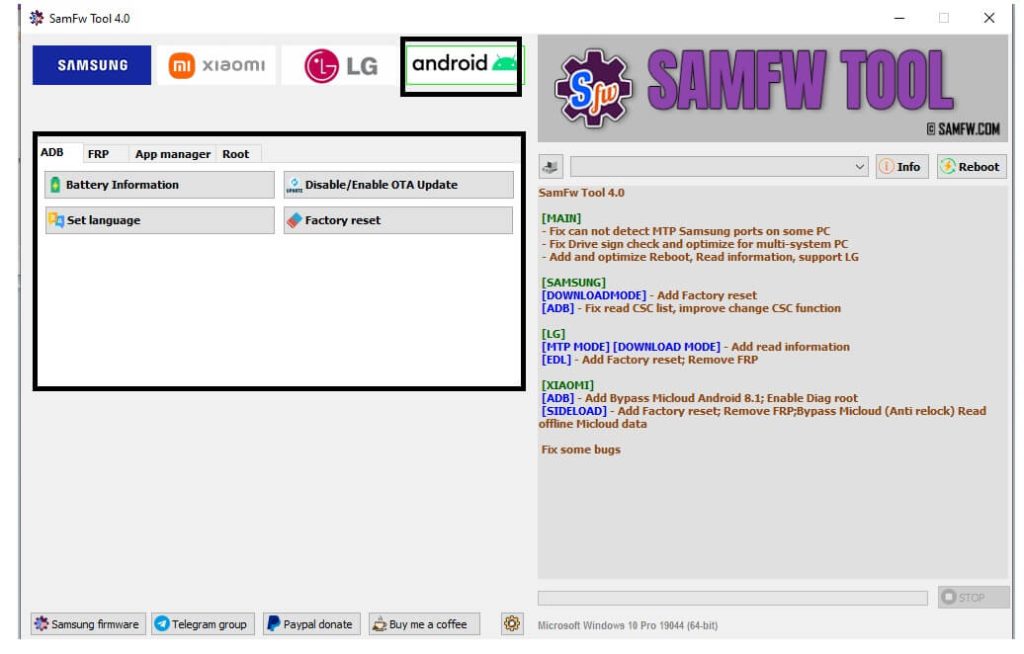
- Android Functions:
- Root= >> [SU] Remove Screen Lock.
- ADB =>>
- Battery Information || Disable OTA Update.
- Set Language || Factory Reset.
- App Manager => Delete Bloatwares || Install APK/XAPKS/APKs.
- FRP =>> Open Browser Remove FRP.
- Now Select the Tab & Functions
- Then follow the onscreen commands & connect your Samsung phone according to it
- After that, Your device will be detected into the PC
- Procedure will start
- Wait For Finish
- Disconnect & Power On your Phone
- That’s it.
Read More: TFT MTP Bypass Tool V1.2 Latest Version Download
Read Me:
[*] Caution: This method is for device owner and only for educational purposes, meaning trying this method on a stolen device is a serious crime, it may lead you to the jail.
[*] Warning: BypassFRPFiles.com not responsible for any damage on your device please try this at your own risk.
USB Driver: Before using the tool to unlock the FRP lock on your Samsung phone. First, you have to install proper USB driver on your Windows computer. Head over, to our Samsung USB Driver page to download the driver.
[*] Alternatives: Also, you can use premium & freebie tools to unlock Samsung phone. You can head over to our, Griffin-Unlocker, Phoenix Tool, UnlockTool, etc.

