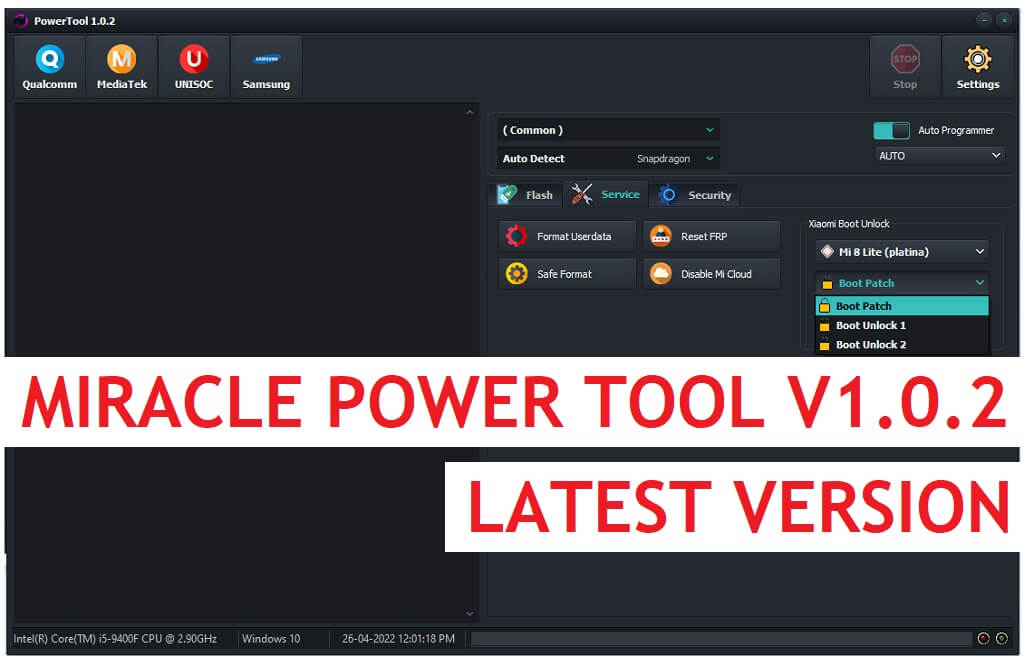
Miracle Power Tool is a free ultimate unlocking tool that supports MTK, Qualcomm, UNiSOC (SPD), powered, and Samsung Android phones and helps users to FRP Bypass, Flash firmware, Factory reset, Pattern Pin password unlock, Format Emmc, UFS, etc, and more. Also, it is able to Unlock, Relock the Bootloader and Unlock mi cloud, for free. If you want to experience premium mobile repair software then download Miracle Power Tool V3.5 Latest version and follow our instructions to fix the phone.
You can use the Miracle Power Tool V3.5 free on any Qualcomm, SPD, MediaTek (MTK), and Samsung Android phone that runs on Android Lollipop 5.0, Marshmallow 6.0, Pie 9.0, Nougat 7.0, Oreo 8.0, 10 Q, Android 11, Android 12, and most importantly Android 13 version. Also, it is fully compatible with Windows 7, 8, 10, 11 (32bit & 64 bit) architecture OS version.
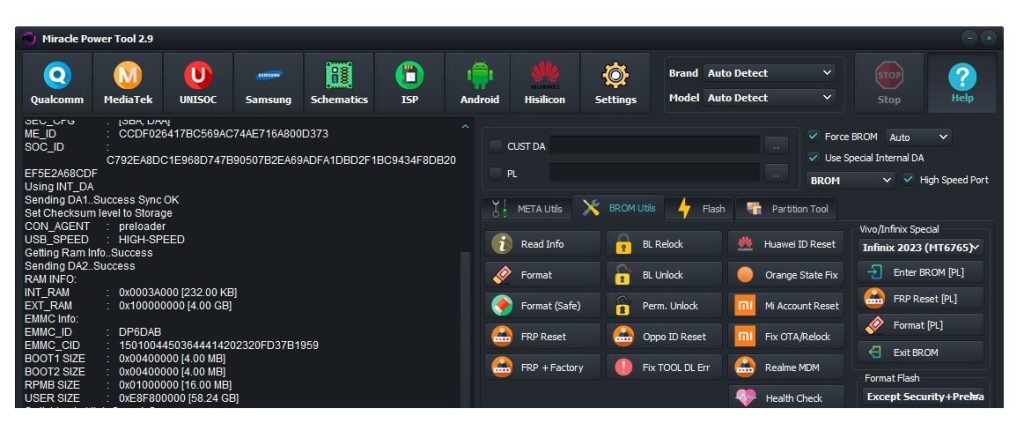
The procedure of using the Miracle Power Tool is quite simple, just run the FRP Tool, and connect your device in MTP/Flash/EDL/Download and USB Mode, Now Select the desired option you want to use, now it will detect and unlock your phone. But, at first, You have to install a proper USB driver on your PC.
Read More: Download Samsung FRP Tool – New Easy Bypass Samsung FRP Tools (2022)
Download Miracle Power Tool V3.5 Latest Setup Version
Download Miracle Power Tool V3.5 latest version to your PC and follow our easy steps to use it on your PC. It supports many latest Android brands including Oppo, Vivo, Wiko, Tecno, Huawei, Samsung, Xiaomi, Meizu, Motorola, and other MTK, SPD & Qualcomm powered phones.
File Name: Miracletool.zip
File Size: 140MB
Type:.exe
Compatible OS: Windows 8 (32bit & 64bit), Windows 8.1 (32bit & 64bit), Windows 10, Windows 11 (32bit & 64bit)
Credit: AMiracle Human team
Password: Bypassfrpfiles.com
| Version | Link |
| Miracle Power Tool Latest V3.5 | Mediafire | Gdrive |
| Miracle Power Tool Latest V3.3 | Download | Mirror |
| Miracle_Power_Tool_V3.1 | Download | Mirror |
| Miracle_Power_V3.0 | Download | Mirror |
| Miracle_Power_Tool_V2.9 | Download |
| Miracle_Power_V2.8 | Download | Mirror |
| Miracle_Power_V2.6 | Download |
| Miracle_Power_Tool_V2.6 | Download |
| Miracle_Power_V2.5 | Download |
| Miracle_Power_V2.4 | Download |
| Miracle_Power_V2.3 | Download |
| Miracle Power Driver | Download |
| Miracle_Power_V2.2 | Download || Mirror |
| Miracle_Power_V2.1 | Download |
| Miracle_Power_V2.0 | Download || Mirror |
| Miracle_Power_V1.10 | Download |
| Miracle_Power_V1.09 | Download |
| Miracle_Power_V1.08 | Download |
| Miracle_Power_V1.07 | Download |
| Miracle_Power_V1.06 | Download |
| Miracle_Power_V1.05 | Download |
| Miracle_Power_V1.04 | Download |
| Miracle_Power_V1.0.3 | Download |
| All Setup | Miracle Box latest Setup |
Miracle Power Tool 3.5

Everyone Needs Power

Released on 13 October 2023


[MEDIATEK]
[+] Add MDM Reset for Infinix/Tecno/iTel:
[+] Support in Preloader and BROM mode.

- Infinix Hot 10
- Infinix Hot 10 Play
- Infinix Hot 11
- Infinix Hot 11S
- Infinix Hot 12
- Infinix Hot 12i
- Infinix Hot 20i
- Infinix Hot 30i
- Infinix Hot 9
- Infinix Note 11 Pro
- Infinix Note 11S
- Infinix Note 12
- Infinix Note 12i
- Infinix Smart 4 Plus
- Infinix Smart 6 Plus
- Tecno Camon 11
- Tecno Camon 11 Pro
- Tecno Camon 12
- Tecno Camon 12 Air
- Tecno Camon 12 Pro
- Tecno Camon 15
- Tecno Camon 15 Air
- Tecno Camon 15 Pro
- Tecno Camon 16
- Tecno Camon 16 Pro
- Tecno Pop 6 Pro
- Tecno Pop 7 Pro
- Tecno Spark 10 Pro
- Tecno Spark 3
- Tecno Spark 4
- Tecno Spark 4 Lite
- Tecno Spark 5
- Tecno Spark 6
- Tecno Spark 7
- Tecno Spark 8T
- Tecno Spark 9T
- Tecno Spark Go


[+] Improve Boot Function
[+] Improve Format Function
NOTE : Removed Vivo/Infinix Old Method, We support all those in Preloader mode.

[UNISOC]

[+] Add RPMB Read / Write / Format (AUTH Method)
[+] Add Read RPMB Counter when Read/Write/Format
[+] Improve AUTH bypass function
How to install Miracle Power Tool
- Download & extract the Miracle Tool setup to your Computer.
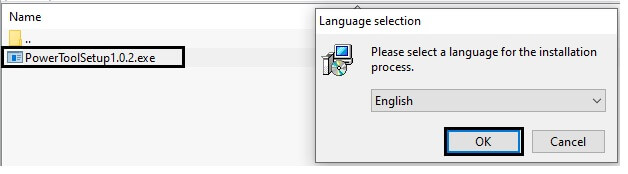
- Now Run Setup Miracle_Power_Setup.exe as Administrator.
- Wait for a few Sec to open the tool.
- Now install the tool
- Follow the on-screen instructions to completely install the tool on your PC
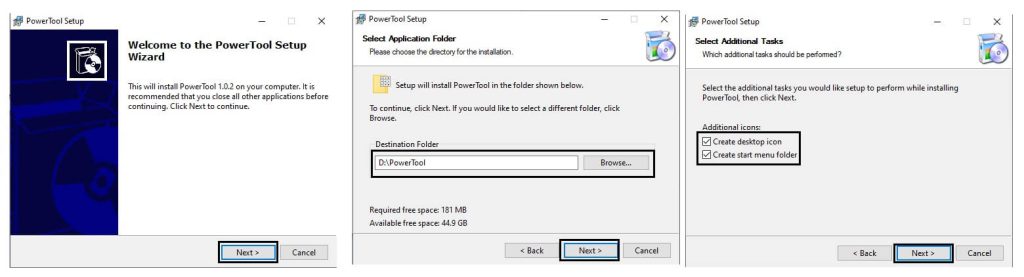
- Click Next =>> Select the Installation Directory => Tick on Create a desktop & Start menu icon
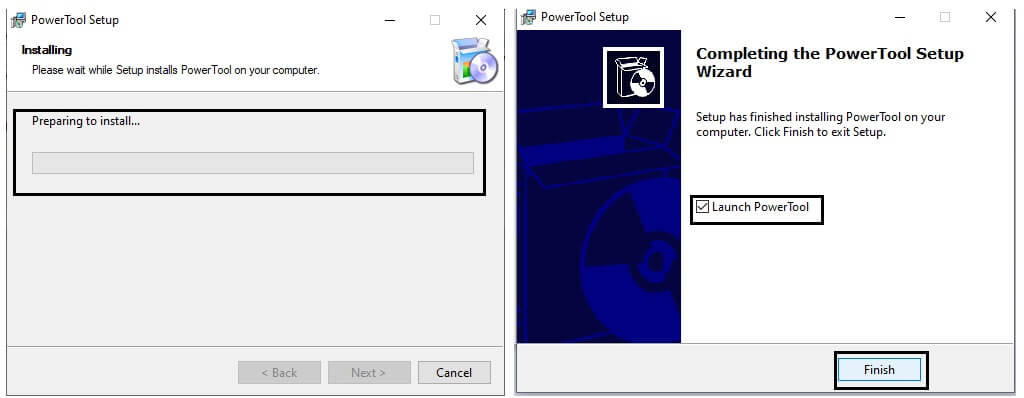
- Tap Next =>> Tick on Launch the tool =>> Tap Finish
- Now install LibUSB win32 driver & Qualcomm, SPD, MediaTek USB Driver to your PC.
How to Use Miracle Power Tool V3.5
- Run the Miracle Power Tool V3.5 as Administrator
- Now you will get the below listed option
- Qualcomm
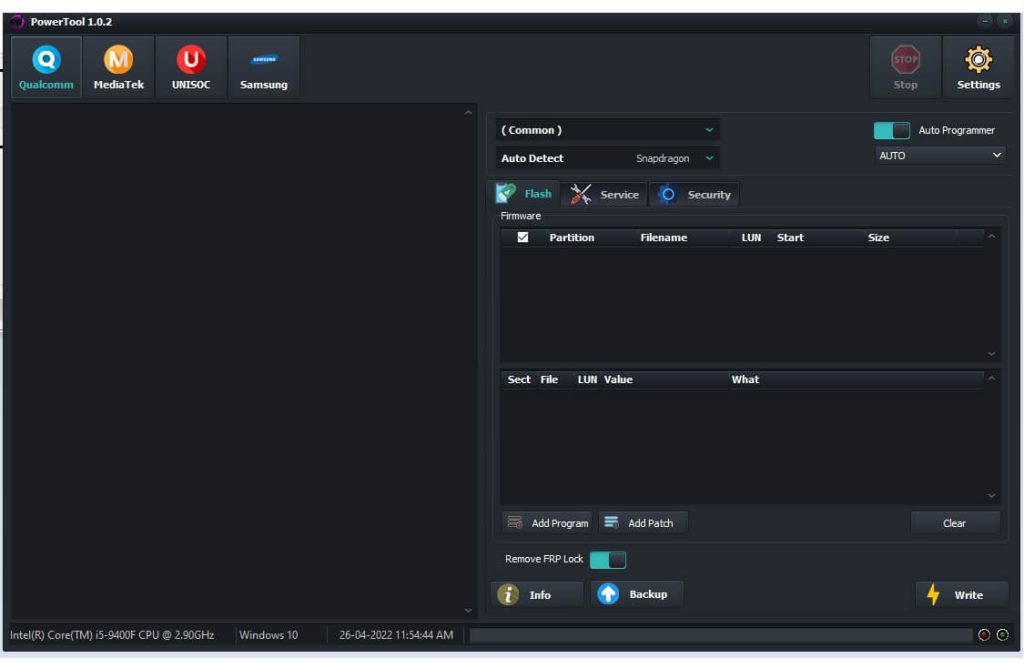
- Flash
- Add Program || Add Patch
- Remove FRP Lock
- Info || Backup || Write
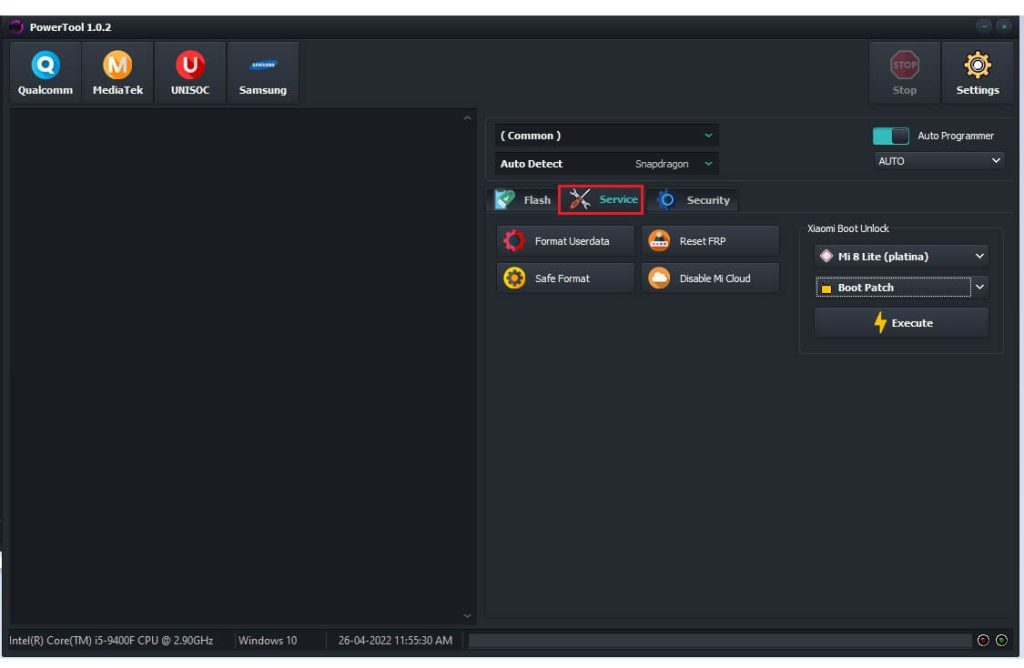
- Service
- Format Userdata
- Reset FRP
- Safe Format
- Disable MI Cloud
- Xiaomi Boot Unlock
- Boot Patch
- Execute
- Boot Patch
- Xiaomi Boot Unlock
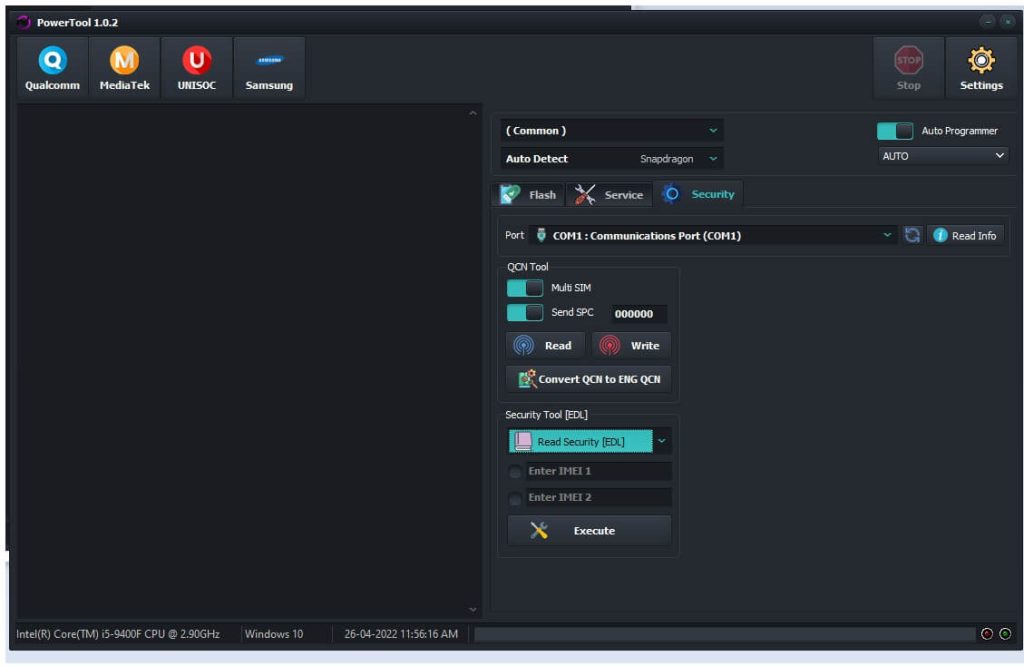
- Security
- QCN Tool
- Multi SIM
- Send SPC
- Read || Write
- Convert QCN to ENG QCN
- Security Tool EDL
- Read Security [EDL]
- Execute
- Read Security [EDL]
- QCN Tool
- MediaTek
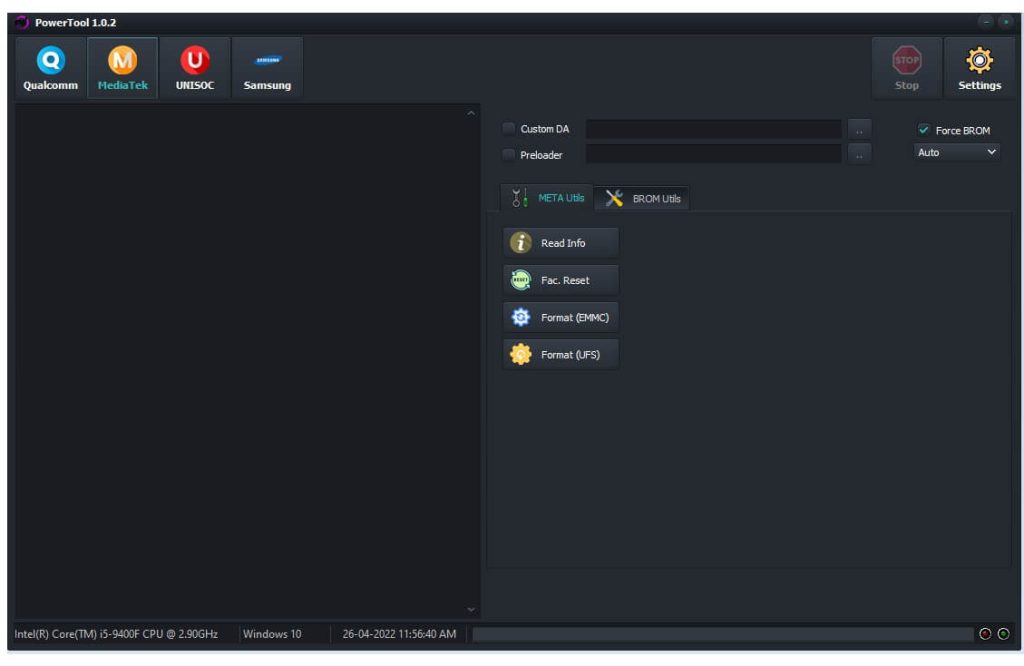
- Meta Utils
- Read Info
- Factory Reset
- Format EMMC
- UFS Format
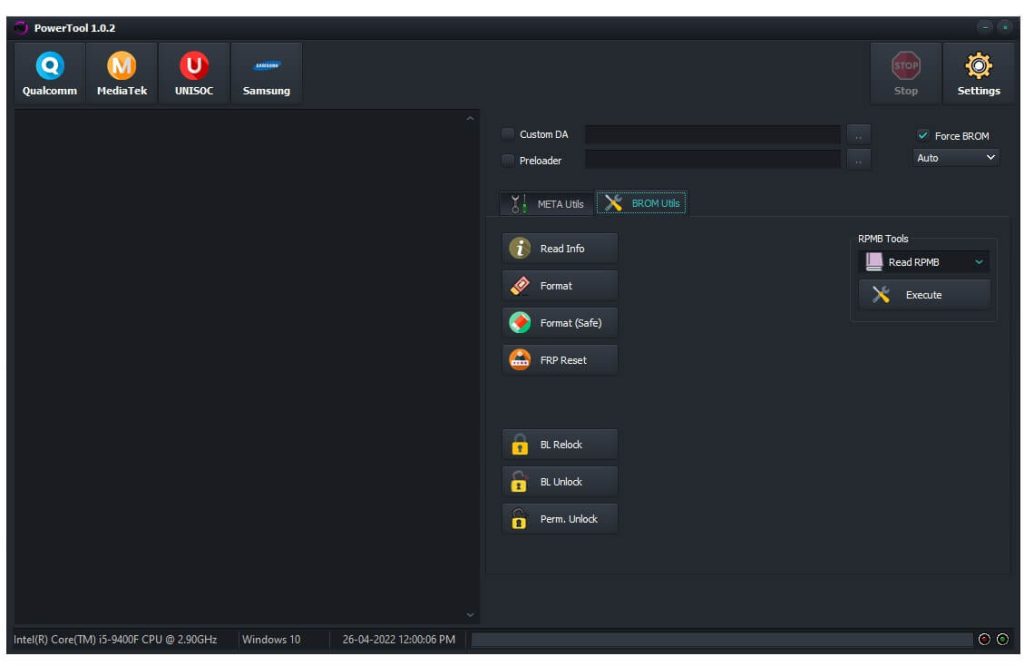
- BROM Utils
- Read info
- Format
- Format (Safe)
- FRP Reset
- BL. Relock
- BL. Unlock
- Perm. Unlock
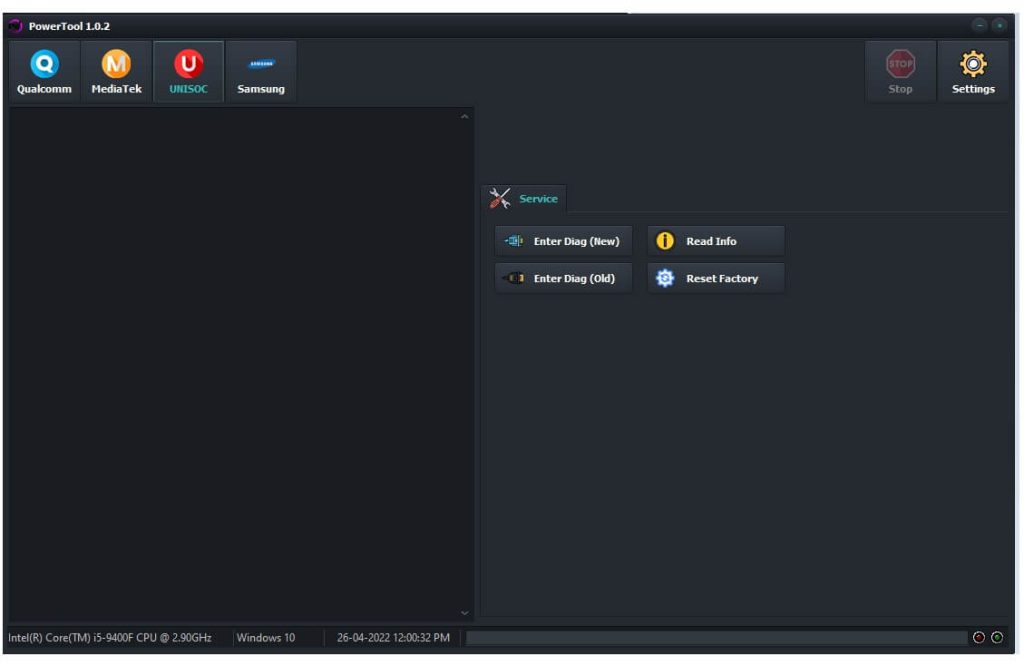
- SPD (UniSOC)
- Service
- Enter Diag New
- Enter Diag Old
- Read Info
- Factory Reset
- Service
- Samsung
- Tools
- Select Model Number
- On the Mobile, Tap on Emergency Call
- Dial 8#0*#
- The Test Mode will appears, Connect your phone to the PC
- Click on Reset FRP
- Tools
- Now Power Off your Android Phone
- Put it into the EDL, VCOM, Preloader, Flash, Meta, Test mode
- Connect your phone to the PC
- Choose the function you want to use on the Miracle Power tool
- That’s it.
Read More: Download Universal Android Tool MTK Qualcomm Latest | ACT Unlock Tool Pro V1.0 Full With Loader

