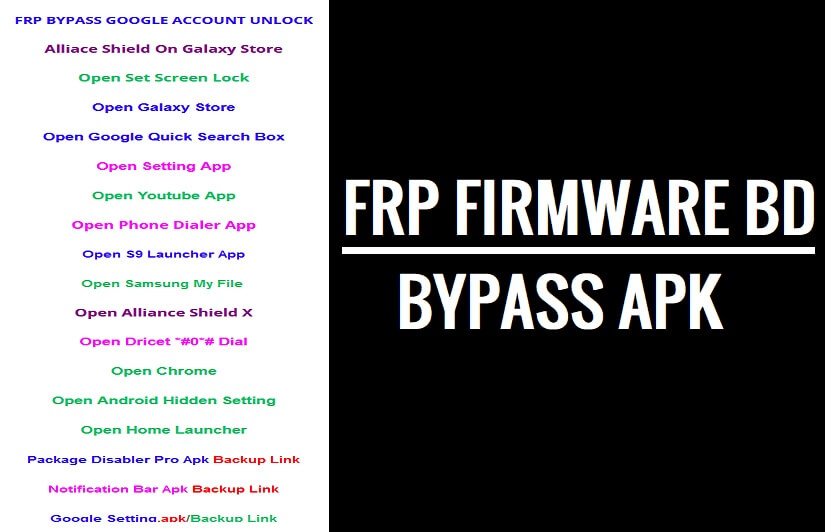
FRP Firmwarebd File Apk helps users to bypass FRP Google account verification from any Android version along with Android 13, 12 & 11 instantly. So, follow these simple steps and download FRPFile/FirmwareBD Apk Bypass will help you to unlock the FRP Google account lock Without a PC.
FRP (Factory Reset Protection) is primarily introduced to prevent users from using the device after the hard reset through recovery mode. It’s enabled automatically when a user adds an Account on the phone. If somebody reset the phone, then it will be required to reverify the last used Gmail ID to re-access the phone.

You can use the FRP Firmwarebd Apk on any Android phone which runs on Android Lollipop 5.0, Marshmallow 6.0, Pie 9.0, Nougat 7.0, Oreo 8.0, 10 Q, Android 11 R and most importantly Android 12 S devices.
More: Easy FRP Lock Bypass Script by Mohammad Ali Download
Download FRP FirmwareBD File
Below, we have listed the all tap-to-open shortcuts & applications, just click on the links to download or Open the app on the device:
- Android_8_9_GAM.apk
- Alliance_Shield.apk
- Development_Settings.apk
- FRP_Android_7.apk
- FRPFILE_SMS_v2.apk
- Google_Setting.apk
- Bypass_FRP-1.0.apk
- Google_Account_Manager_5.apk
- Google_Account_Manager_6.apk
- Google_Account_Manager_8_9_10.apk
- QuickShortcutMaker_2.4.0 + Guide
- Apex_Launcher.apk
- Smart_switch.apk
- Setting.apk
- Test_DPC.apk
- ES_File_Explorer.apk
- All FRP Bypass APk
- All FRP Bypass Tool
How to Install & Use FRPFile FirmwareBD Apk
- Download FRP FirmwareBD App
- Go to the Downloads and Install the FRP_.apk by Tap on Next => Install => Done
- Then Use shortcuts to Open Device apps
- All FRP bypassing methods here: All Android FRP Bypass Unlock
- Open Login_Bypass.apk

- Tap the “3 dots” from the top right corner
- Select Browser Sign IN
- Sign with any Google ID & Password
- Restart your Android phone
- Setup all the initial steps
- You can see Account Added, Which means FRP has been successfully bypassed.
- That’s it.
Read More: Download FRP Bypass APK Free 2023 | FRP Bypass Tool APK Latest (All Version)
Read Me
FRP Unlock procedure is different with each Android device and version, You must get access to Chrome browser to download all your required files on your FRP-enabled mobile phone.
The procedure to unlock FRP Google verification from a phone is different. Here, I managed to share with you the procedure of How to use frp APK on an Android phone. If you want better assistant from me, then search your device model number in my website’s search bar.
Read More: All Android FRP Bypass Unlock
If you have Windows PC then you can use SamFirm FRP tool, Easy Samsung FRP Tool, R3 Bypass FRP Tool, or other FRP Bypass Tool for PC to bypass the FRP lock directly or by accessing Chrome Browser.
