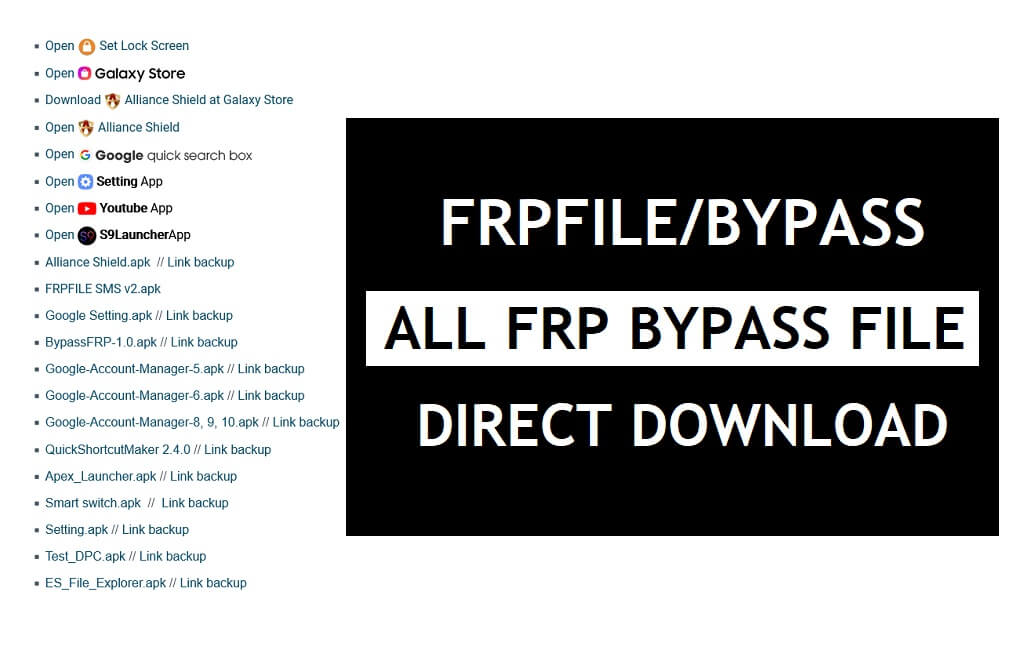
FRPFILE Bypass Apk lets users bypass FRP Google Account Verification lock on any Android phone including Android 13, 11, and 12, versions without using a PC. Basically, FRPFile/Bypass helps users to download FRP Bypass files & Open devices Apps directly to the FRP-enabled phone for unlocking the lock easily.
You can use FRPFILE apk on any Android phone running on Android Lollipop 5.0, Marshmallow 6.0, Pie 9.0, Nougat 7.0, Oreo 8.0, 10 Q, Android 11 R, Android 12 S, and most importantly Android 13 devices.
Also read: Mobile Team FRP Patch APK – All MobileTeam Official Bypass Unlock FRP latest
Download FRPFILE Bypass Apk – FRP Bypass File Latest Direct
- Open Set Lock Screen
- Open Galaxy Store
- Open Alliance Shield
- Open Google Quick Search
- Open Setting App
- Open YouTube App
- Open S9Launcher App
- Open ADB Settings
- Open USB Settings
- Open *#0*#
- Download Alliance Shield at Galaxy Store
- All Tap to Open FRP APPS: Here
- Android_8-9_GAM.apk
- Alliance_Shield.apk
- Development_Settings.apk
- FRP_Android_7.apk
- FRPFILE_SMS_v2.apk
- Google_Setting.apk
- BypassFRP-1.0.apk
- Google_Account_Manager_5.apk
- Google_Account_Manager_6.apk
- Google_Account-Manager_8, 9, 10.apk
- QuickShortcutMaker_2.4.0 + Guide
- Apex_Launcher.apk
- Smart_switch.apk
- Setting.apk
- Test_DPC.apk
- ES_File_Explorer.apk
- All FRP Bypass APk
FRPFile/Bypass Apk allows users to download all useful Frp Apps & Open apps shortcuts that you can use to unlock Google lock easily. Here, we have shared the shortcuts to install and Open the FRP App on your phone directly. So, use these shortcuts to open device APPS on your FRP-enabled phone.
How to Use FRPFILE/Bypass Android
- Download FRPFile Bypass Apk
- Go to the Downloads and Install the FRP_.apk by Tap on Next => Install => Done
- All FRP bypassing methods here: All Android FRP Bypass Unlock

- Download FRP File .apk and install it.
- Open Login_Bypass.apk

- Tap the “3 dots” from the top right corner
- Select Browser Sign IN
- Sign with any Google ID & Password
- Restart your Android phone
- Setup all the initial steps

- You can see Account Added, Which means FRP or Google Account has been successfully bypassed.
- That’s it.
Read More: Download FRP Bypass APK Free 2022 | FRP Bypass Tool APK Latest (All Version)
Read Me
FRP (Factory Reset Protection) is an inbuilt data protection feature for all present-day Android smartphones, It protects phones from unauthorized access. Additionally, It’s enabled automatically when a user setup a Gmail account for the very first time. Once activated, it prevents users to use the device after the hard reset through recovery mode.
FRP Unlock procedure is now difficult with each Android device and variant, So, If you have an FRP-enabled phone, Then You won’t be able to use the phone without verifying the GMAIL ID Password. So, you can to use FRP tools or FRP APK‘s on your current Android security patch phone to overcome the situation and deactivate the FRP.
Read More: All Android FRP Bypass Unlock
If you have Windows PC then you can use SamFirm FRP tool, Easy Samsung FRP Tool, R3 Bypass FRP Tool, or other FRP Bypass Tool for PC to bypass the FRP lock directly or by accessing Chrome Browser.

