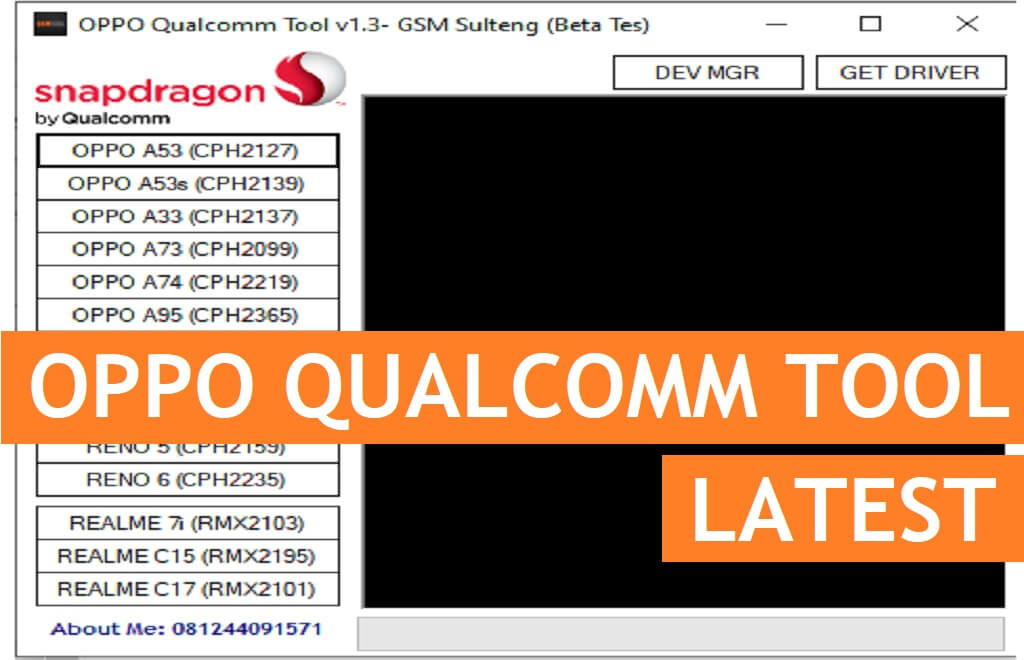
Oppo Qualcomm Tool is a free simple latest unlock software for Oppo Qualcomm phones that helps users to Erase FRP, Factory Reset, Unlock Pattern, and Remove User lock through EDL mode for free. So, if you want a free tool to erase FRP lock through EDL mode then you can follow these simple steps and download Oppo Qualcomm Unlock Tool V1.3 2022 GSM Sulteng on your computer to fix the phone for free.
You can use the Oppo Qualcomm Unlock Tool V1.3 free on any Vivo Android phone that runs on Android Lollipop 5.0, Marshmallow 6.0, Pie 9.0, Nougat 7.0, Oreo 8.0, 10 Q, Android 11 and most importantly Android 12 version. It is also compatible with every Windows 7, 8, 10, 11 (32bit & 64 bit) architecture OS version.
The procedure of using the Oppo Qualcomm Tool V1.3 2022 for PC is quite simple, all you have to run the tool on your computer, then connect your phone to the computer in EDL Mode, and choose the device mode. Now the tool will detect your phone and bypass the FRP, Unlock user lock, or Factory Reset easily within a few minutes, that’s it.
More: VIVO MTK Patch Tool 2022 Download Free Latest Fix BROM Bypass FRP Unlock Tool
Download OPPO Qualcomm Tool V1.3 Latest Versiom Free
Download the latest version of the Oppo Qualcomm Tool V1.3 GSM sulteng 2022 from here. It is a completely free tool you no need activate or credit in-order to use the tool with your Vivo phone.
File Name: OppoQualcommGSMSulteng.rar
File Size: 1.5MB
Type:.zip
Compatible: Windows XP, Windows 7, Win 8, Win 8.1, Win 10, Win 11
Download: OppoQcomTool [PASSWORD- bypassfrpfiles.com]
How to use Oppo Qualcomm Unlock Tool V1.3
- Download the latest Oppo Qualcomm Tool V1.3 GSM sulteng setup to your Computer.

- Now Run Setup OppoQualcomm.exe as Administrator.
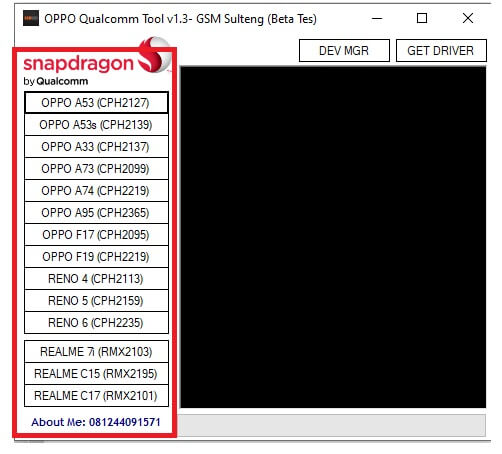
- Then the tool will open and you will get the below listed functions
- Oppo A53 (CPH2127)
- Oppo A53s (CPH2140)
- Realme 7i (RMX2103)
- Oppo A33 (CPH2137)
- Oppo A73 (CPH2099)
- Oppo A74 (CPH2219)
- Realme C15 (RMX2195)
- Oppo A95 (CPH2365)
- Oppo F17 (CPH2095)
- Realme C17 (RMX2101)
- Reno 5 (CPH2159)
- Oppo F19 (CPH2219)
- Reno 4 (CPH2113)
- Reno 6 (CPH2235)
- Functions:
- Factory Reset
- User lock
- FRP
- Pattern/PIN/Userlock
- Power Off your Oppo device
- Press VOL – & Power Key to boot your device into the EDL Mode
- Search on Google for EDL pic to put your device into the EDL mode
- Then Connect your device to PC
- The tool will detect your device and unlocking will start.
- Wait for finished,
- Then disconnect and Power on the Oppo phone.
- That’s it.
Read More: VIVO Fastboot Tool V1.0 Download Latest Erase FRP, Reboot to EDL tool Free

