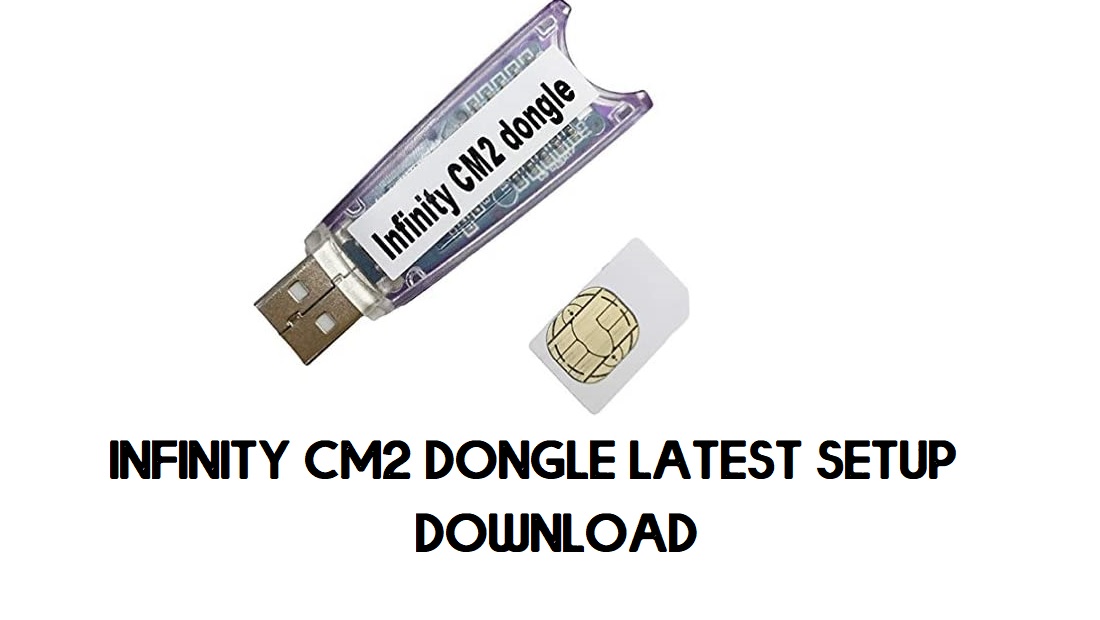
Infinity CM2 Dongle Setup Tool is a specialized program designed for Flashing, Unlocking, Repairing, and Fix errors on any Android phone. The abbreviation of Chinese Miracle 2 is CM2 and it’s developed by the Infinity team that support Qualcomm, MTK, SPD chipset based devices. Here, I share all CM2 dongle latest setup version you can use to repair your phone easily.
You can perform many functions using CM2 Dongle Setup Tool such as Read Device information, Unlock FRP, Unlock Accounts, Remove Password lock, Unlock Bootloader process is fast and secure, you don’t even need to use any Auth or buys Credits.
All you have to is, first, download the CM2 latest setup to your computer and run it then select the option you want, connect your phone to the computer, then click on Start, that’s it.
Read More: Download Z3x Samsung Tool Pro v42.0 Latest Setup (All Versions) for Free 2021
Download Infinity CM2 Dongle Latest Setup Tool All Version Free
Here, I share to download Infinix CM2 latest Setup tool all version for free, you have to use CM2 dongle to use the tool without any interruptions. We will update links whenever an update release.
| File Name | Tools | Links |
| CM2MT2 v2.57 | MTK | Download |
| CM2MT2 v2.52 | MTK | Download |
| CM2SP3 v2.26 | SPD | Download |
| CM2_MT2 v2.46 | MTK | Download [Mirror] |
| CM2_MT2 v2.39 | MTK | Download [PASS- 1111] |
| CM2_MT2_v2.21 | MTK | Download [PASS- 12345678] |
| CM2_MTK_v1.58 | MTK | Download |
| CM2_SPD_v1.27 | SPD | Download |
| CM2_QLM_v1.16 | Qualcomm | Download |
| CM2_RDA_v1.06 | RDA | Download |
| CM2_RKT_v2.02 | RockChip | Download |
| CM2_SCR_v1.07 | SPD | Download (New) |
| CM2_SP2_v2.10 | SPD | Download |
| CM2_LGS_v1.03 | LG | Download |
| CM2MT2_boot-pack_v2.21a | MTK | Download |
What’s new:
- Updated to the latest MTK version V2.57.
- Added Disable system App pernamemntly.
- Added OTA Updates disable enable.
- Added MDM/Admin Apps On/Off.
- GUI changes.
- Internal changes and optimizations.
- Improvements.
- Bug Fixes.
Read More: Download Ultimate Multi Tool (UMT) QcFire 2020 Latest Version
How to install CM2 Dongle Setup
- Download & extract the CM2 MTK Dongle Setup tool to your computer
- Connect the Dongle to the PC
- Run the InfinityBox_install_CM2MT2_v2.57.exe
- Tick on I accept the terms of the License Agreement
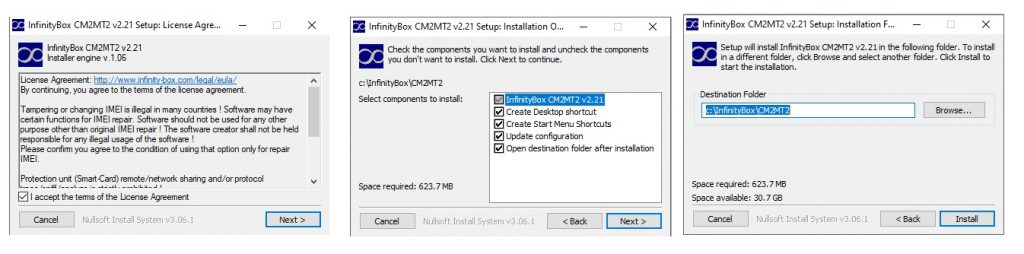
- Click on Next =>> Next=>> Install
- Install process will beginning
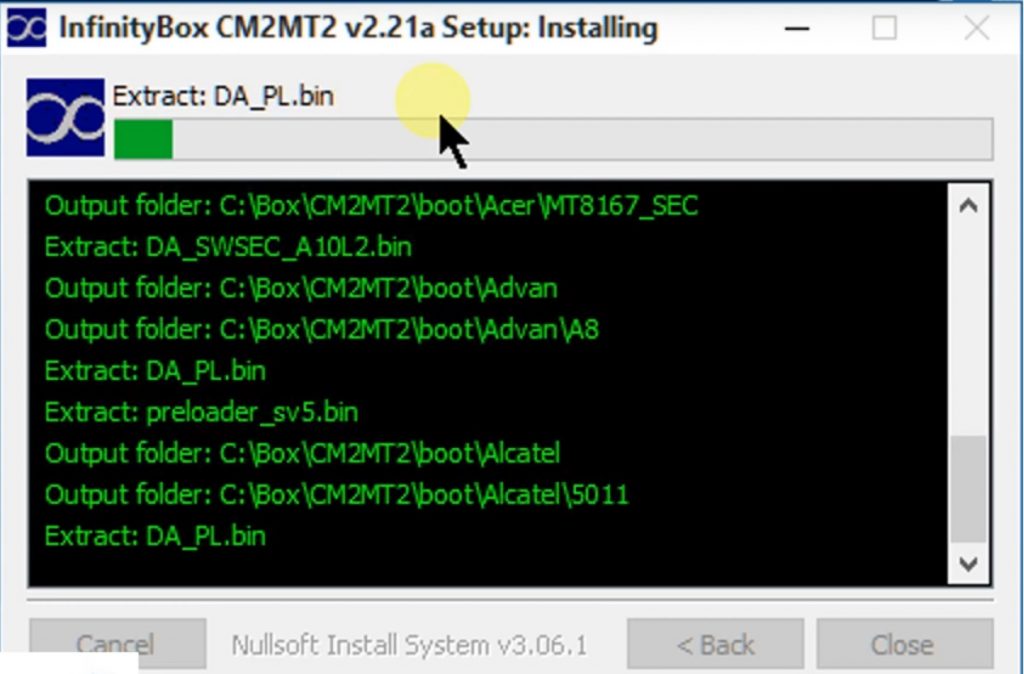
- It will take some time
- Again Tap on Next
- Tick on I Accept the Agreement and Click Next
- Now launch the tool
Read More: Download MRT Dongle Latest Setup v3.75 | MRT KEY Tool Update Free Setup
How to Use Infinity CM2 Dongle v2.57 Latest Setup Tool
- Open the Infinity CM2 Tool.
- Now you can use the below functions to fix or repair your phone.
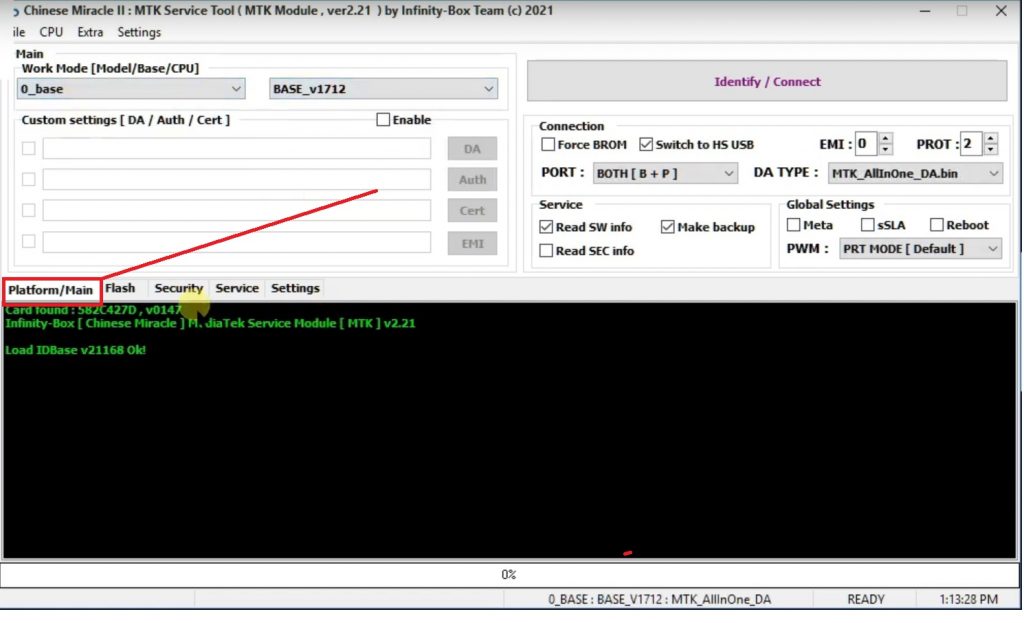
- Work Mode[Model/Base/CPU]:
- Select Device Brand:
- Select Device Mode or Chipset Version:
- Connect your phone to the Computer in Meta/Download/EDL/Test Point mode.
- Click on Identify/Connect.
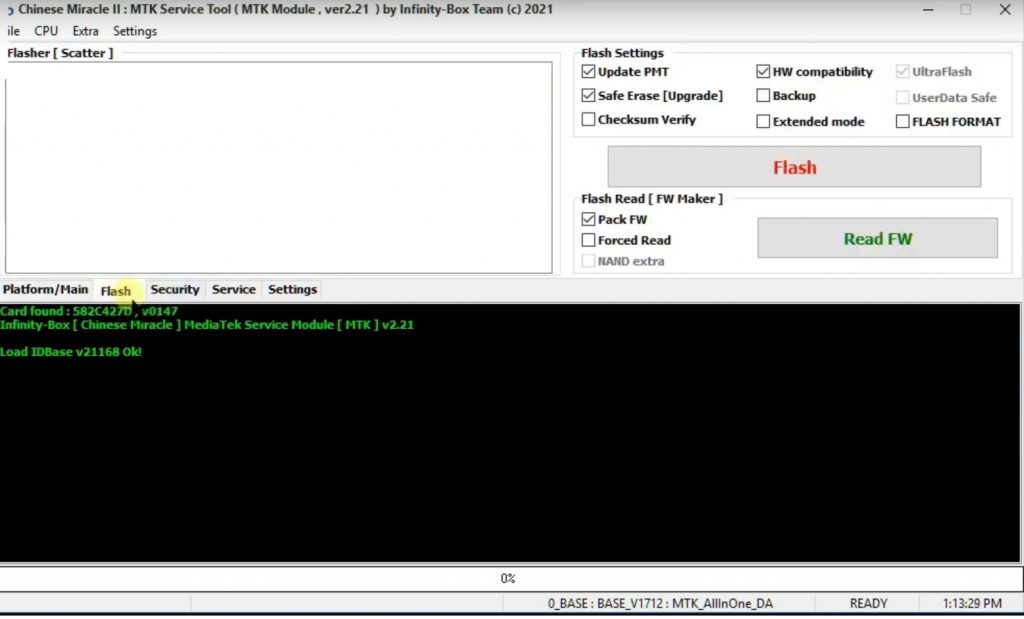
- Flash:
- Flash Settings: Tick the Option => Select Flash File => Flash.
- Update PMT.
- HW Compatibility.
- Safe Erase (Upgrade).
- Backup.
- Checksum verify.
- Extended Mode.
- Flash Format.
- Flash Read (FW maker)=> Tick on =>> Read FW:
- Pack FW.
- Force Read.
- Flash Settings: Tick the Option => Select Flash File => Flash.
- Security:
- SP Unlock.
- Read NVRAM.
- Reset (Restore) Simlock.
- Model Unit (NVROM Fix).
- Write NVRAM.
- Repair Baseband.
- Upload KN Tee/Google.
- Repair Security.
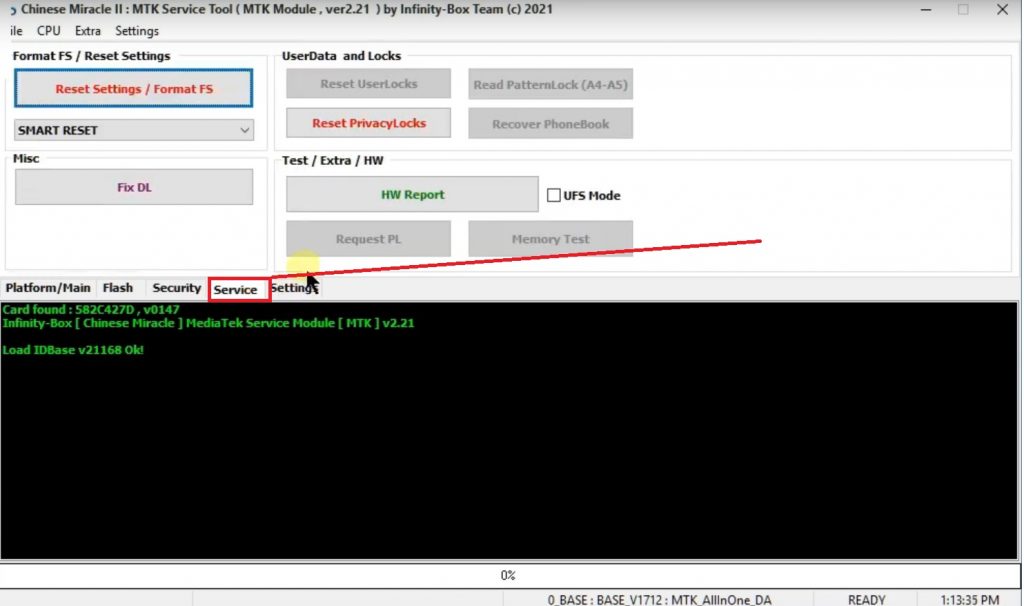
- Service:
- Factory Reset Settings =>> Reset Settings/ Format FS.
- Smart Reset.
- Mise=>> Fix DL.
- Userdata & locks.
- Reset User locks.
- Reset Privacy Locks.
- Recover Phonebook.
- Read Pattern Lock.
- Text/Extra/HW:
- HW Report.
- Request PL.
- Memory Test.
- UFS Mode.
- Factory Reset Settings =>> Reset Settings/ Format FS.
Read More: Miracle Box Latest Setup | All Miracle Thunder Update Version (2023)

