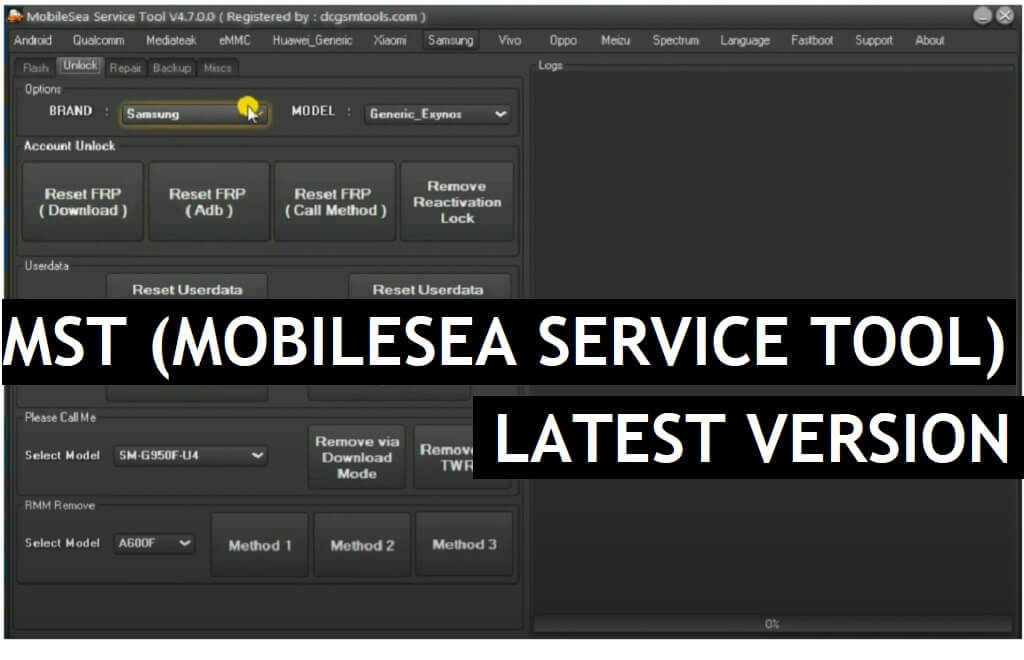
MST Tool is a small windows program also known as MobileSea Service Tool specially designed to Remove FRP, Factory Reset, and Unlock Pattern Password Pin lock from any Android phone in a few seconds. It needs a little amount of money to activate and use on your computer, If you want a hassle-free cheap mobile service solution to unlock any Android phone then you can consider it. So, follow these simple step-by-step instructions and download MobileSea Service Tool v6.9 latest setup version from below.
You can use the MST MobileSea Service Tool to Remove Screen Lock, Pattern/Password/Pin, and FRP Unlock, from Huawei, Xiaomi, Vivo, Oppo, Realme, Poco, Redmi, MI, Asus Zenfone, Vsmart, Lenovo, Nokia, ZTE, Mobistar, FPT, Asanzo, Tecno, Invens, LG, Samsung, ITEL with Android 5 to Android 12 powered phones quite easily.
The procedure of using MST Tool is quite easy, all you have to do is, run the MobileSea Service Tool, then put your device in ADB/Download/Meta/EDL mode and connect to the computer, and click on Reset FRP/Unlock, That’s it.
Nowadays, every single Android phones comes with FRP protections, The summarization of factory reset protection is FRP and it basically protects Android users’ personal data and Privacy during thefts.
If you Reset your phone without removing the old Google Account, then you have to log in with the same Google ID and password that you set up earlier on the device to bypass Google account verification lock on your phone. Without verification, you can’t use the phone.
Read More: UnlockTool Latest Setup Version Free Download | All Android FRP, Factory Reset Tool
Download MobileSea Service Tool (MST) v6.9 Latest Version
Download the latest version of the MST Tool v6.9.0 from here. It is a completely free tool you no need activate or credit in-order to use the tool with your Vivo phone.
File Name: MSTv6.9.rar
File Size: 100MB
Type:.exe
Compatible OS: Windows XP (32bit), Windows 7 (32bit & 64bit), Windows 8 (32bit & 64bit), Windows 8.1 (32bit & 64bit), Windows 10, Windows 11 (32bit & 64bit)
Credit: MST Tool Team
Download: MST_Tool.zip (New) [Password: INSTALL_MSTTOOL]
How to install MST Tool
- Download MobileSea Service v6.9 setup to your computer.
- Run MSTv6.3.exe as administrator.
- Now installation window will open
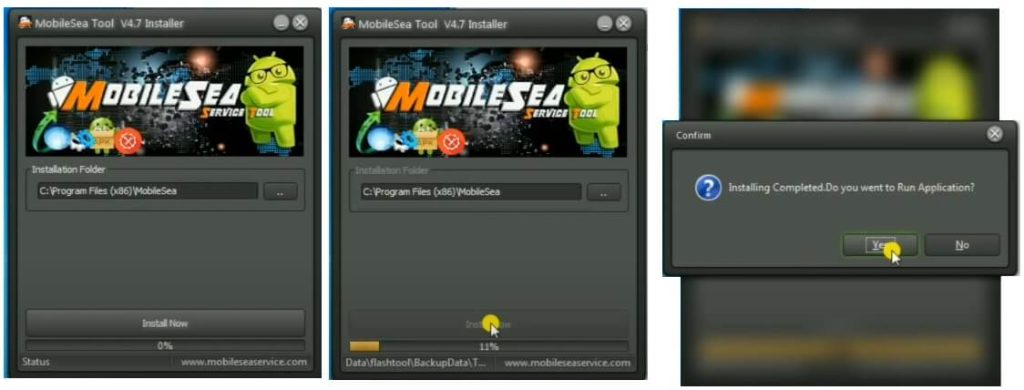
- Tap on Install
- Click on Register or Login
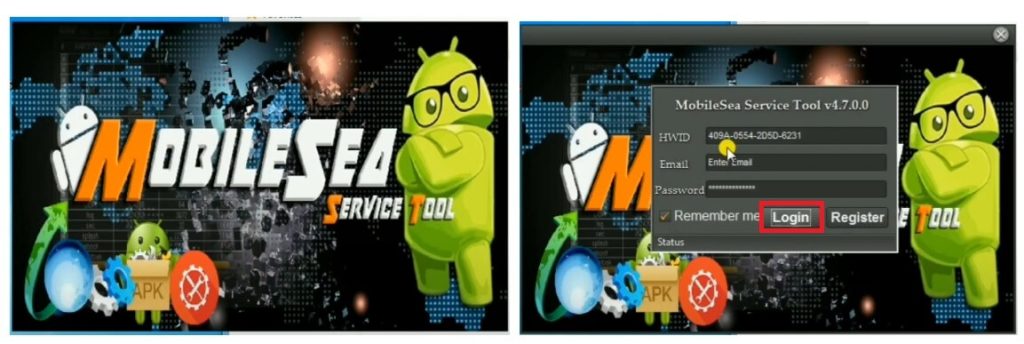
- If you have account, use Login
- Else, Register your account there.
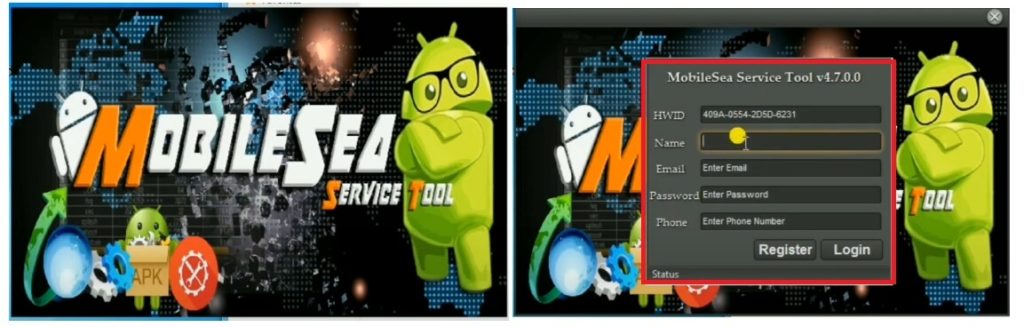
- Now type your EMAIL ID, PASSWORD, NAME, PHONE NUMBER in the Register field,
- Then click Register
- Wait for Activate the tool
- Once Activated, go to login window, and click on Login
- Now you can use the tool on your computer.
How to use MobileSea Service Tool v6.9
- Go to your Desktop screen and run MST v6.9 as Admin
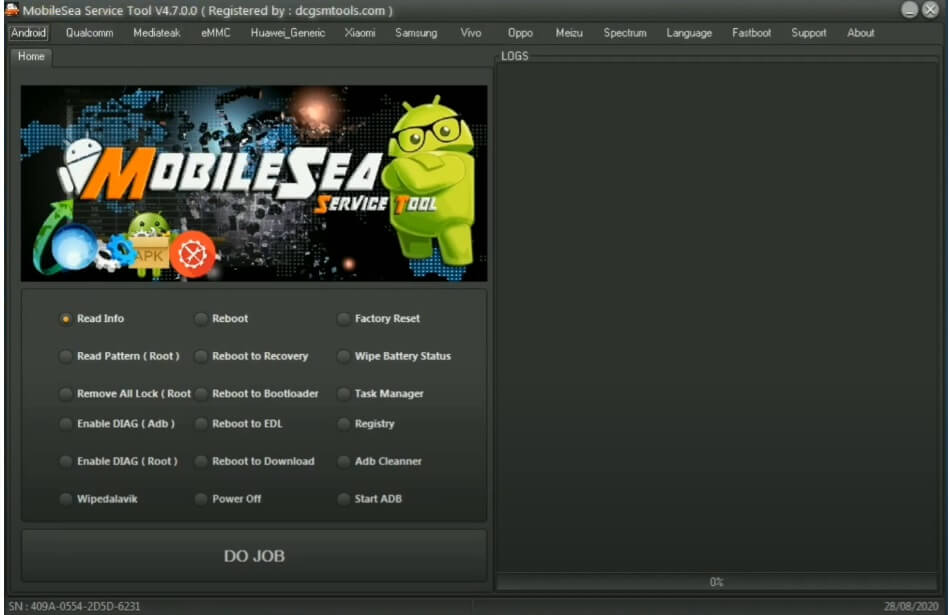
- Android
- Read info || Reboot || Factory Reset
- Read Pattern (Root) || Reboot to Recovery || Wipe Battery Status
- All Lock Remove (Root) || Reboot to Bootloader || Task Manager
- Enable Diag (ADB) || Reboot to EDL || Registry
- Enable Diag (Root) || Reboot to Download || Adb Cleaner
- Wipe Dalavik || Power Off || Start ADB
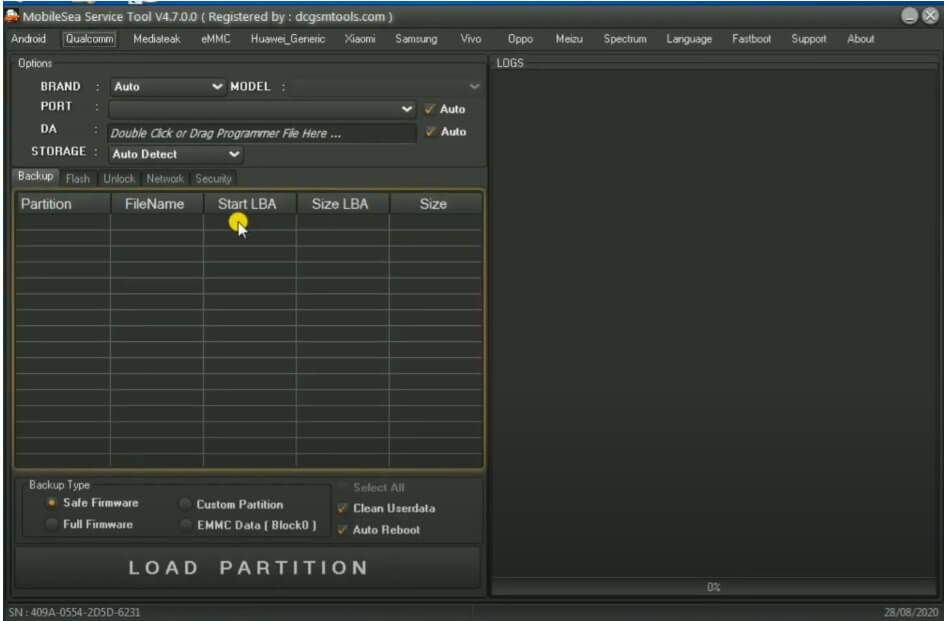
- Qualcomm
- Backup
- Safe Firmware || Custom Partition
- Full Firmware || EMMC data (Block0)
- Clean Userdata || Auto Reboot
- Flash
- Backup
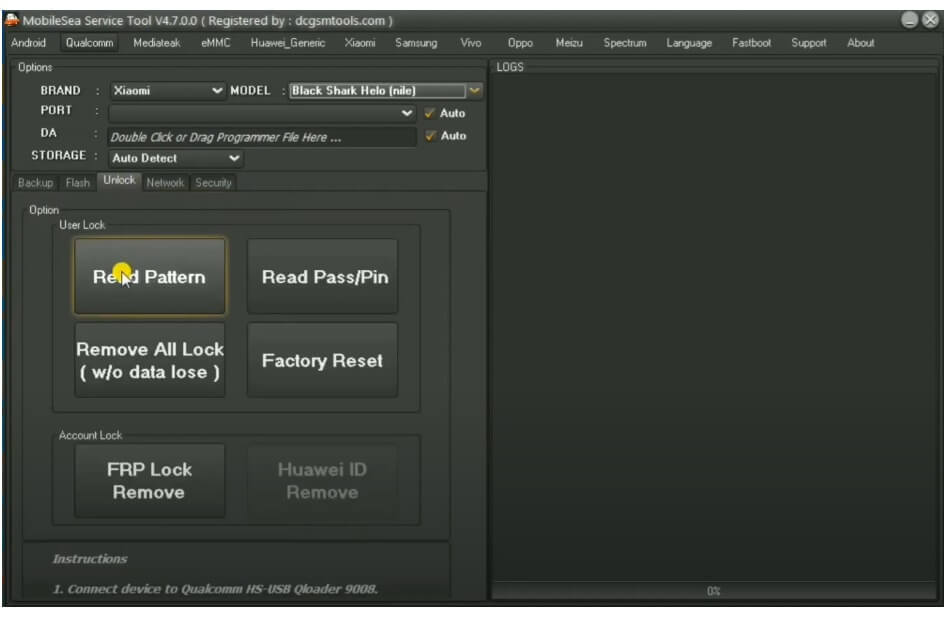
- Unlock
- User Lock:
- Read Partition || Read Pass/Pin
- Factory Reset || Remove All Lock
- Account Lock:
- FRP lock Remove || Huawei ID Remove
- Network
- Repair IMEI
- QCN Backup/Restore
- Backup || Enable Multi SIM
- Restore || SPC Code
- Reset EFS (9008)
- Security
- User Lock:
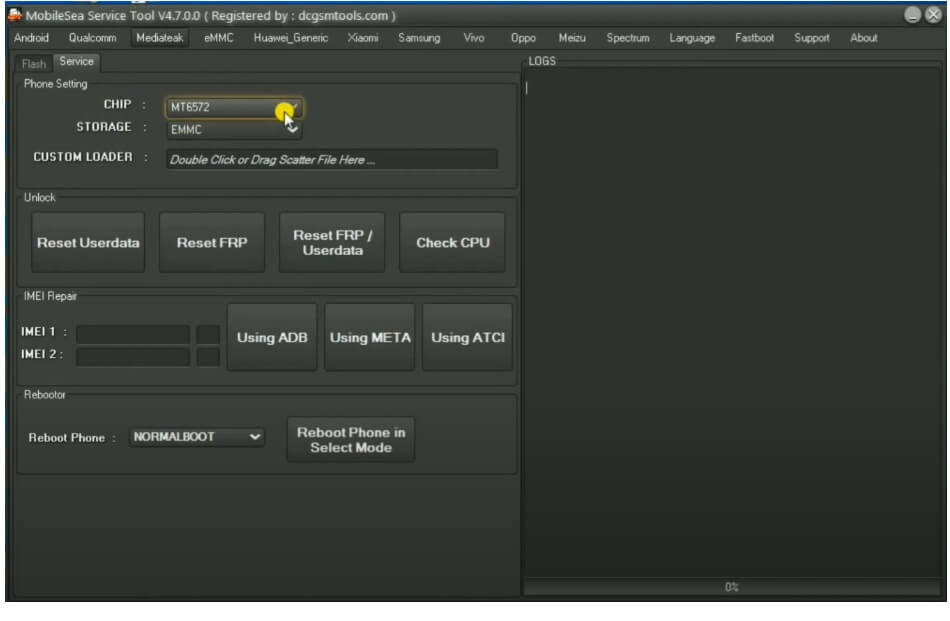
- MediaTek
- Flash
- Normal Flash || Erase First
- Upgrade || Select All
- Service
- Phone Setting
- Chip
- Storage
- Custom Loader
- Unlock
- Reset Userdata || Reset FRP || Reset FRP/Userdata || Check CPU
- IMEI Repair
- Using ADB || Using Meta || Using ATCI
- Rebooter
- Reboot Phone
- Phone Setting
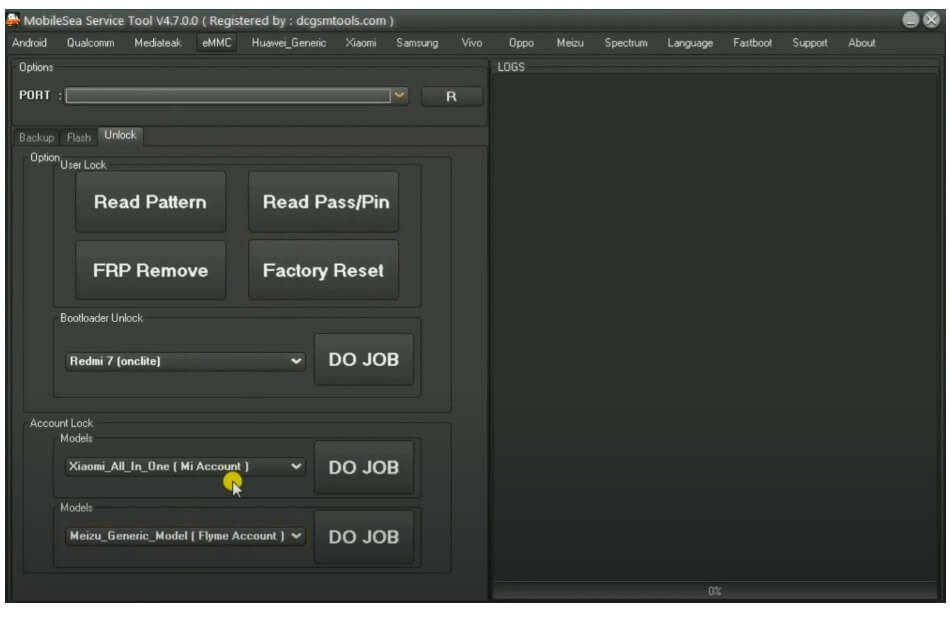
- EMMC
- Backup Type
- Full Firmware || Custom Partition
- EMMC Data
- Flash
- Unlock
- User lock
- Read Parttion || Read Pass/Pin
- FRP Remove || Factory Reset
- Bootloader Unlock
- Account Unlock
- User lock
- Backup Type
- Huawei_Generic
- Unlock
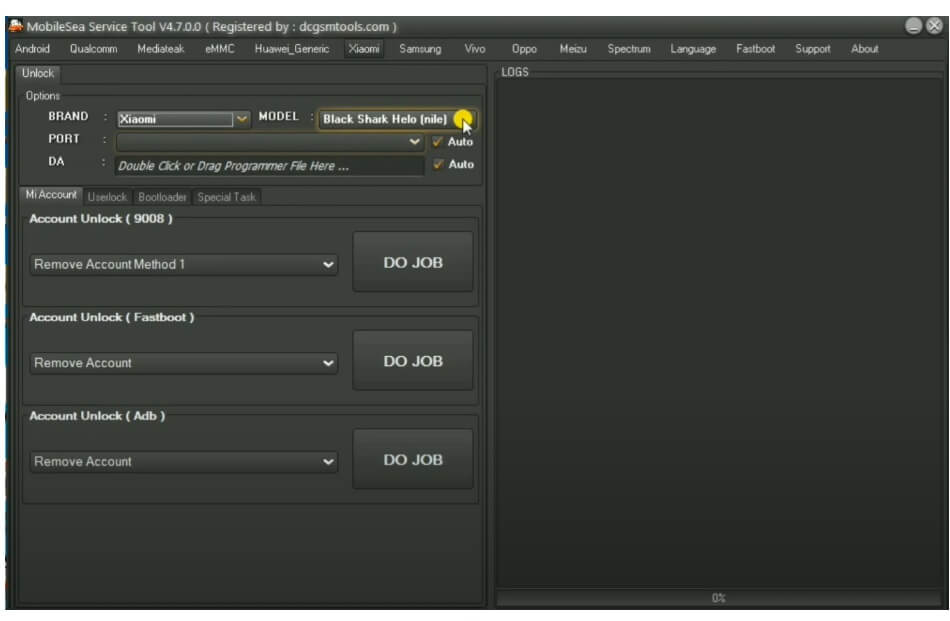
- Xiaomi
- Mi Account
- Account Unlock (9008)
- Account Unlock (Fastboot)
- Unlock Account (ADB)
- UserLock
- Bootloader
- Special Task
- Mi Account
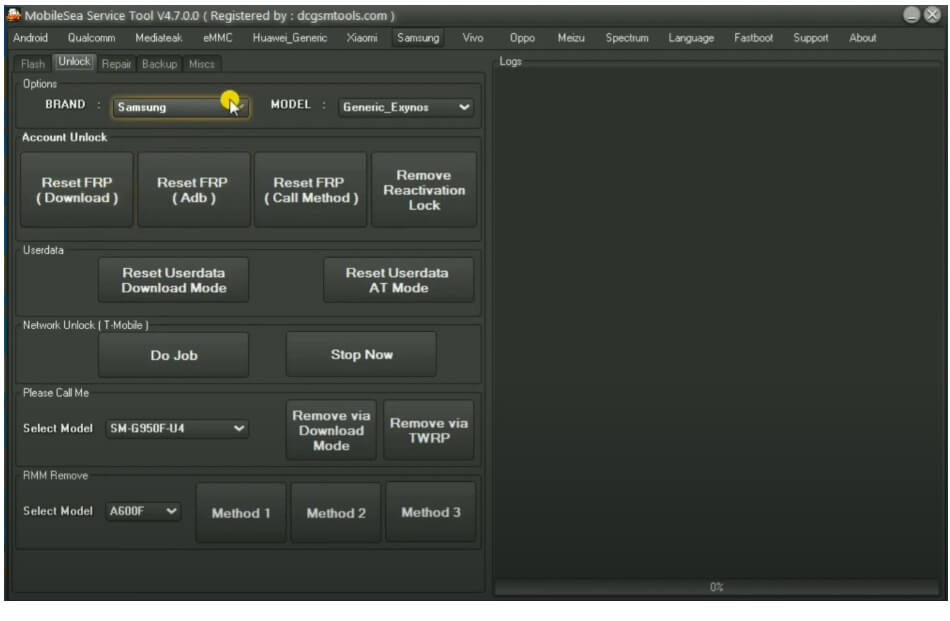
- Samsung
- Flash
- Unlock
- Account Unlock
- Reset FRP (Download) || Reset FRP (ADB) || Reset FRP (Call Method) || Unlock Reactivation Lock
- Userdata
- Reset Userdata (Download Mode) || Reset userdata (AT)
- Network Unlock (T-Mobile)
- Please Call Me
- Remove Via Download Mode || Remove Via TWRP
- RMM Remove
- Account Unlock
- BackUp
- Repair
- Repair SN
- Actions
- Reset EFS || Wipe NV_Data || Reset MSL
- Patch Certificate || Repair Baseband || Repair DRK
- Activate Diag || Reset SC Lock || Fix S-Health Knox
- Make Dual Sim || Disable Factory Mode || Activate All Lang
- Repair USSD error || Fix Softbrick
- Micse
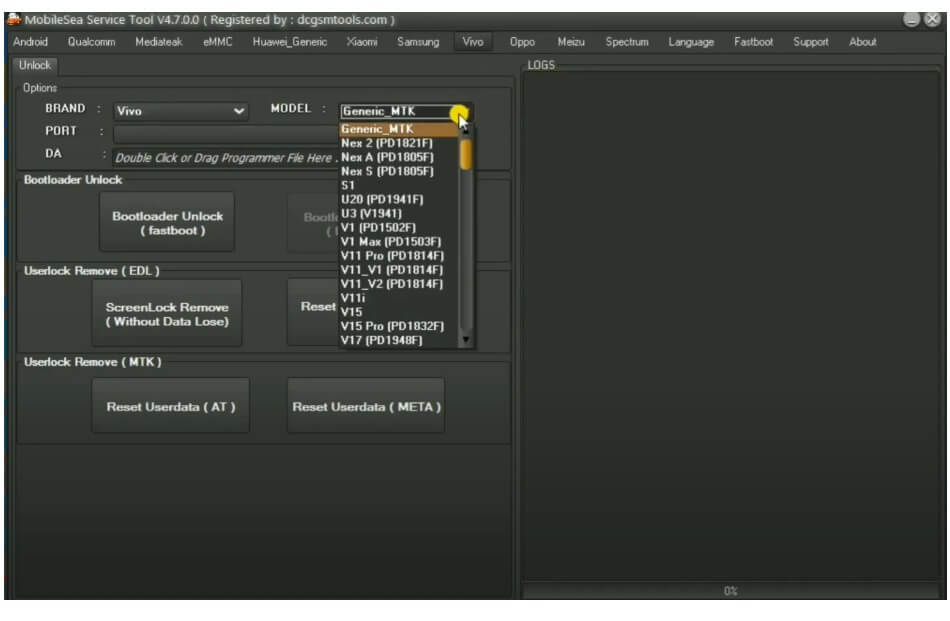
- Vivo
- Unlock
- Bootloader Unlock (Fastboot)
- Userlock Remove (EDL)
- Userlock Remove (MTK)
- Unlock
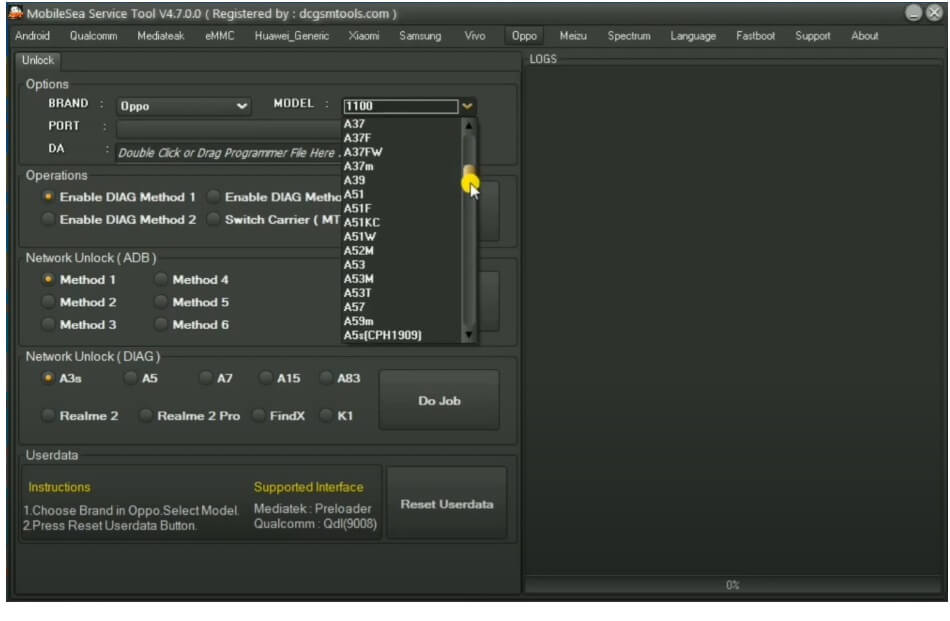
- Oppo
- Unlock
- Enable Diag || Switch Carrier
- Enable Diag
- Network Unlock (ADB)
- Network Unlock (Diag)
- Reset Userdata
- Unlock
- Meizu
- Unlock
- Reset Userdata
- SPD
- Flasher
- Unlock
- Mises
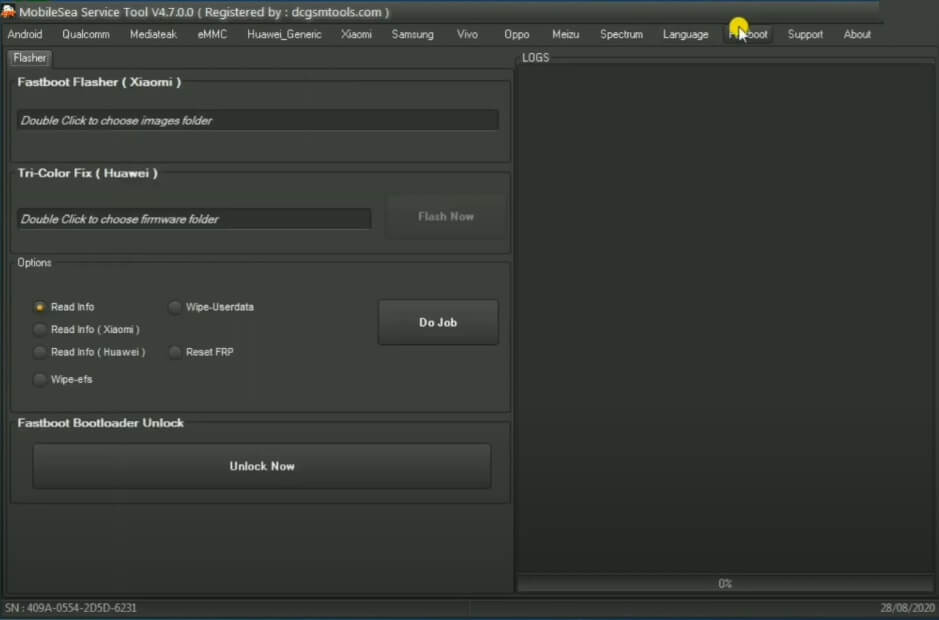
- Fastboot
- Fastboot Flasher Xiaomi
- Tri-Color Fix Huawei
- Options
- Read Info || Wipe userdata
- Read Info (Xiaomi) (Huawei)
- Reset FRP || Wipe EFS
- Fastboot Bootloader Unlock
- That’s it.
Read More: Octoplus Samsung Tool Software V4.0.5 Latest Setup Download Free

I downloaded but cant login
Register your Account & Activate it through any Reseller