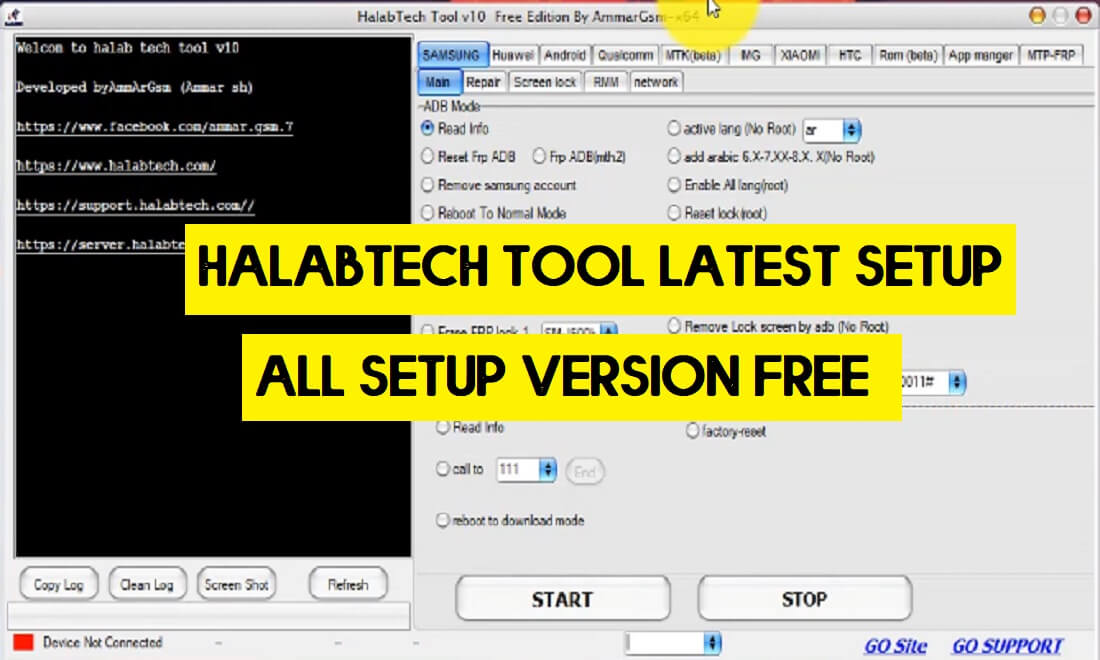
Halabtech Tool is a free one-click multi mobile repair toolkit that you can use to FRP Bypass, Flash firmware, Remove Screen Lock (with or without root), Install Languages, repair IMEI, Repair SN, reset Samsung efs, repair DRK, Unlock/Relock bootloader, Active Huawei ADB through MTP, easily from any Android phones through EDL, Download, ADB, Fastboot, and MTP mode for free.
If you searching for an all-in-one working as well as FRP tool to repair your mobile from most of the scenarios then you have come to the best place, Here I have collected to share Halabtech tool v1.1 latest version along with all previous setup’s so download the tool from below easily.
The procedure of using Halabtech Tool is quite simple, all you have to do is run the tool on your computer, then connect your phone to the computer in Download/EDL/ADB/Fastboot Mode and click on Unlock/Repair/Flash, that’s it.
You can use the tool-free on any Android phone that runs on Android Lollipop 5.0, Marshmallow 6.0, Pie 9.0, Nougat 7.0, Oreo 8.0, 10 Q, 11 and most importantly Android 12 devices.
Google provides the new FRP feature on every latest Android version. The summarization of factory reset protection is FRP and it basically protects Android users’ personal data and Privacy during thefts. The process of unlocking FRP security has different with every new Android version and phone. So, always remember the Gmail account information to avoid FRP protection lock.
More: Miracle Box Latest Crack 2.82 With Loader Download Free (Without Box)
Download Halabtech Tool Latest Version [All Version] Free
You can easily download the latest version of the Halabtech Tool v1.0 from here. It is exclusively available only for the Windows platform.
File Name: Halabtech_Tool_for_PC.zip
File Size: 195MB
Type:.zip
Compatible: Windows 11, Windows 10, Windows 8, Windows 7, Windows XP
Credit: AmmerGSM
- Halabtech FRP Tool -V1.0: Download
- Halabtech Tool-v0.9: Download
- Halabtech Tool-v0.8: Downlaod
- Halabtech Tool-v0.4: Download
- Halabtech Tool-v0.3: Download
- Halabtech Tool-v0.2: Download
More: Download Secret Tool Pro Free- New FRP / Flash / Repair Tools for Android (All Version)
How to Install Halabtech Tools on Windows
- Download & extract the Halabtech FRP Tool v1.0 to your computer.
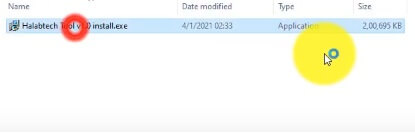
- Run the Halabtech_Tool_V1.0.exe to your computer.
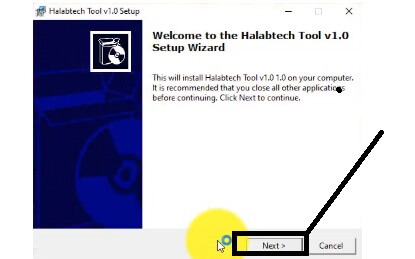
- Click Next
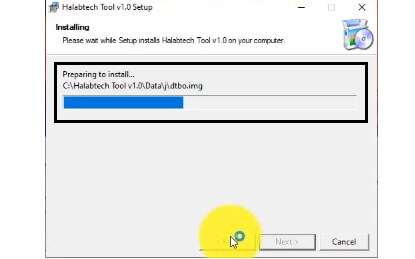
- The installation process will begin, wait for finish.
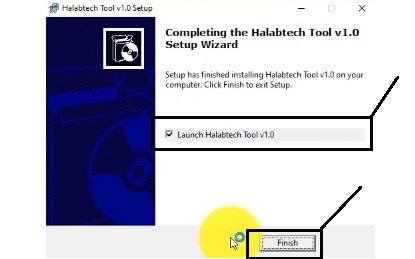
- Tick on Launch HalabTech Tool V1.0 and Tap Finish
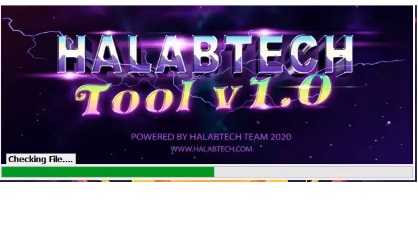
- It will take some time to open the tool.
- That’s it.
How to use HalabTech Tool V1.0
- Run the FRP Tool HalabTech v1.0 from the desktop shortcut.
- Now Poewer Off your Android phone
- Put it into the EDL, Download, MTK VCom mode & Connect USB
- Check the tool, you will get the below listed options
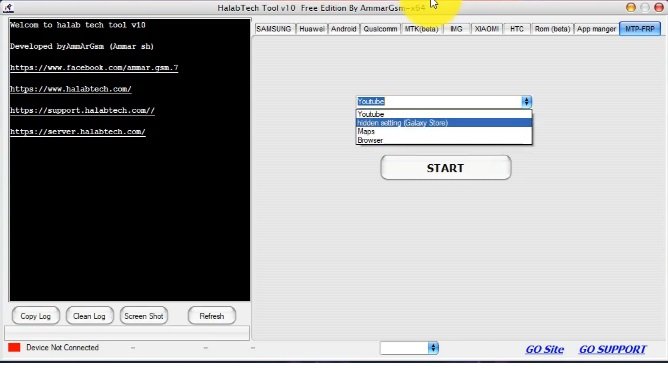
- MTP-FRP Functions:
- Youtube =>>
- Browser ==>>
- Hidden Settings (Galaxy Store) ==>>
- Maps =>>
- Choose any one Option from the above list and click Start.
- Rom Beta: Read/Backup
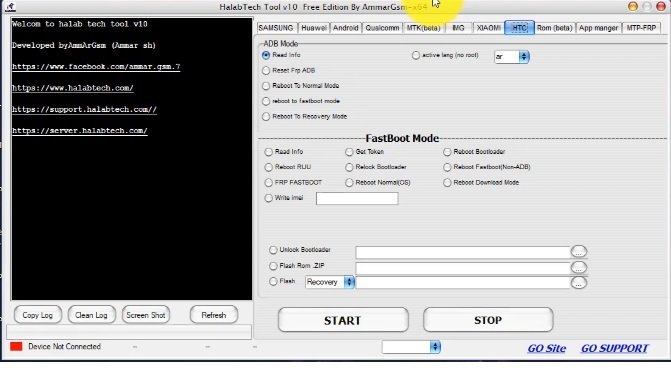
- HTC Functions:
- ADB Mode
- Read ADB, || Active lang (No Root)
- Reset FRP ADB
- Reboot to Normal Mode
- Reboot to Fastboot Mode
- Reboot to Recovery Mode
- Fastboot Mode:
- Read info || Get Token || Reboot Bootloader
- Reboot RUU || Relock Bootloader || Reboot fastboot (non ADB)
- FRP Fastboot || Reboot Normal (OS) || Reboot Download Mode
- Write IMEI
- Unlock Bootloader
- Flash ROM .zip
- Flash Recovery
- ADB Mode
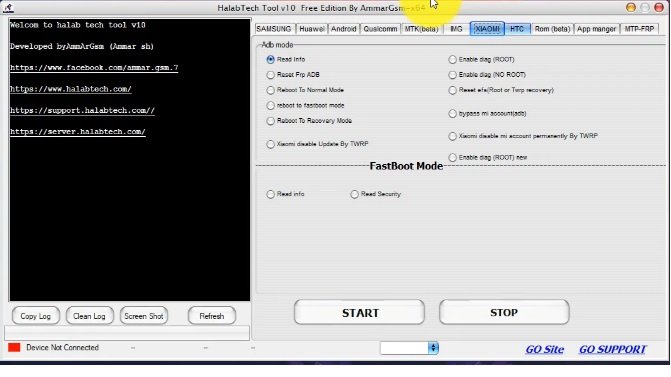
- Xiaomi Functions:
- ADB Mode:
- Read info || Enable Diag (Root)
- Reset FRP (ADB) || Enable Diag (No ROOT)
- Reboot to Normal Mode
- Reboot to Fastboot Mode
- Reboot to Recovery Mode || Bypass Mi Account (ADB)
- Xiaomi Disable Update By TWRP || Xiaomi Disable Mi Account Permanently (ADB)
- Enable Diag Root (New)
- FastBoot Mode:
- Read Info
- Read Security
- ADB Mode:
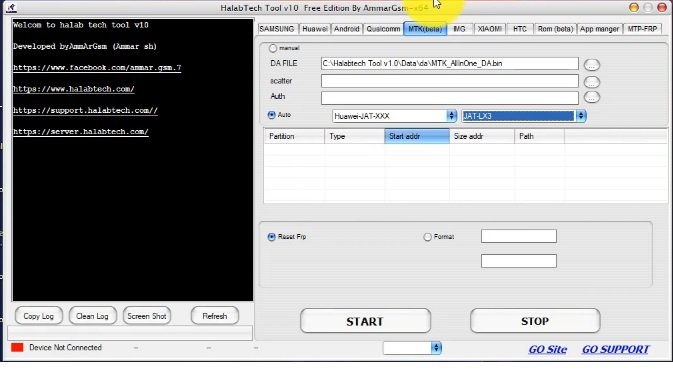
- MTK (Beta) Functions:
- Manual:
- DA File
- Scatter
- Auth
- Auth:
- Huawei JAT-XXX =>> Select Model
- Huawei AMN-XXX =>> Select Model
- Huawei MRD-XXX =>> Select Model
- Huawei KSA-XXX =>> Select Model
- Reset FRP || Format
- Manual:
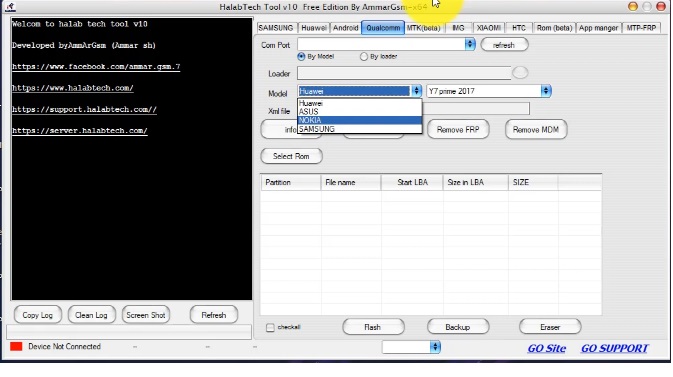
- Qualcomm Functions:
- ComPort
- Loader
- Model
- XML File
- Info || Read || Remove FRP || Remove MDM
- Flash || backup || eraser
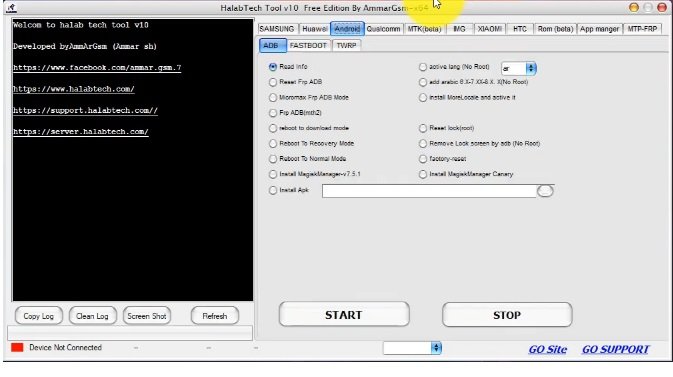
- Android Functions:
- ADB:
- Read Info ll active lang (No Root)
- Reset Frp ADB ll add Arabic 6.X-7.XX-8.X. X(No Root)
- Micromax Frp ADB Mode ll install more Locale and active it
- Frp ADB (Method2)
- Reboot to download mode ll Reset lock (root)
- Reboot To Recovery Mode ll Remove Lock screen by ADB (No Root)
- Reboot To Normal Mode ll Factory reset
- Install MagiskManagerv7.2.0
- Install Apk.
- ADB:
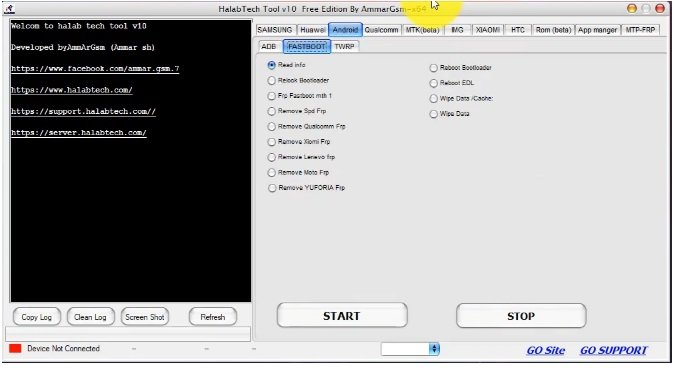
- Android FastBoot Functions
- Read Info ll Reboot Bootloader
- ReIock Bootloader ll Reboot EDL
- FRP Fastboot Method 1 ll Wipe Data /Cache
- Remove Spd Frp ll Wipe Data
- Remove Qualcomm FRP
- Remove Xiaomi FRP
- Remove Lenevo FRP
- Remove Moto FRP
- Remove YUFORIA FRP
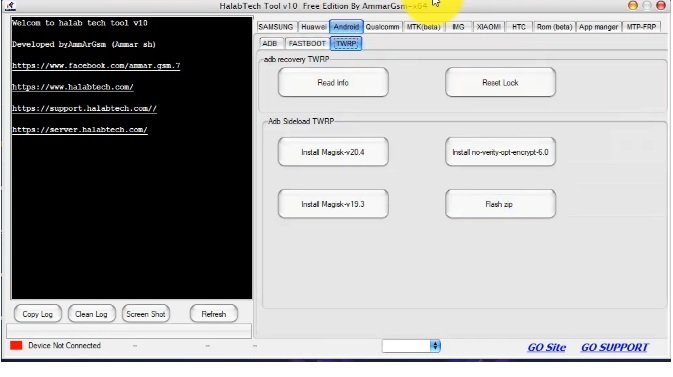
- Android TWRP Functions
- ADB Recovery TWRP
- Read Info || Reset Lock
- ADB Sideload TWEP
- Install MAGISK V20.4 || Install-Verify-opt-encrypt-6.0
- Install Magisk v19.3 || Flash ZIP
- ADB Recovery TWRP
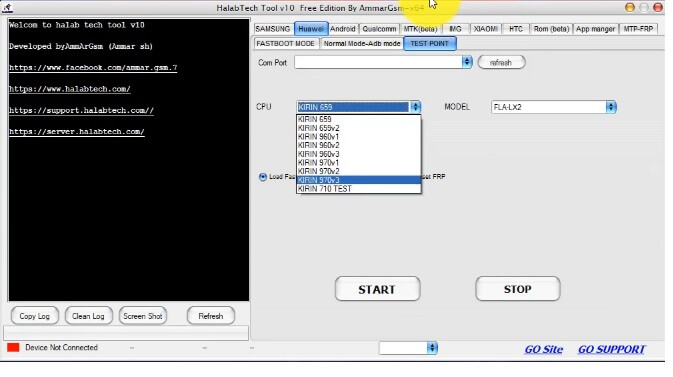
- Huawei Functions:
- Test Point:
- Comport {Refresh}
- Select CPU
- Select Model
- Load Fastboot & Read info
- Reset FRP
- Start || Stop
- Test Point:
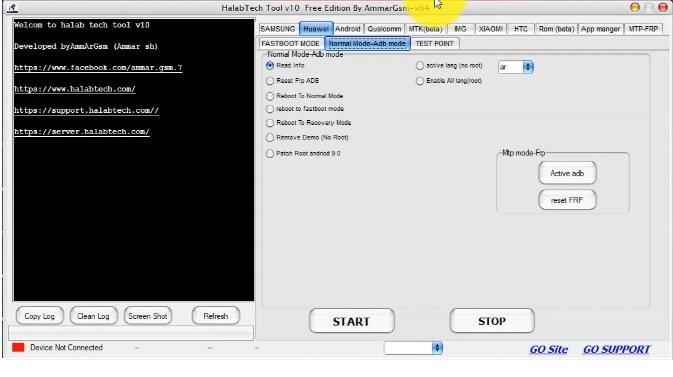
- Huawei ADB Mode Functions
- Read Info ll Active lang (no root)
- Reset Frp ADB ll Enable all lang (root)
- Reboot To Normal Mode
- Reboot to fastboot mode
- Reboot To Recovery Mode
- Remove DEMO (no root)
- Patch ROOT Android 9
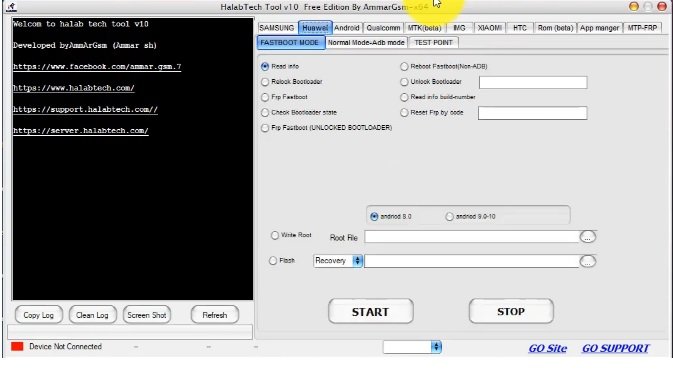
- Huawei FastBoot Mode Functions
- Read Info ll Get Token ll Reboot Fastboot(Non-ADB)
- Relock Bootloader ll Unlock Bootloader
- FRP FASTBOOT ll Read Info build Number
- Check Bootloader state ll Reset FRP by code
- Write Root.
- Flash Recovery.
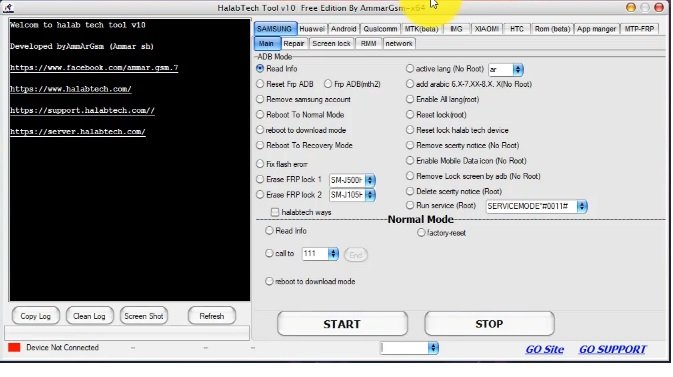
- Samsung Functions:
- Main
- Read Info ll Active lang (No Root)
- Reset Frp ADB ll Frp ADB(mth2) ll add Arabic 6.X-7.XX-8.X. X(No Root)
- Remove Samsung account ll Enable ALL lang (Root)
- Reboot To Normal Mode ll Reset lock (Root)
- reboot to download mode ll Reset lock Halabtech device
- Reboot To Recovery Mode ll Remove security notice (No Root)
- Fix flash error ll Enable Mobile Data icon (No Root)
- Erase FRP lock ll Remove Lock screen by ADB (No Root)
- Erase FRP lock 2 ll Delete security notice (Root)
- Read Info ll Run service (Root)
- call to 111 ll factory Reset
- reboot to download mode
- Main
Read also: Download MRT Dongle Crack Tool 3.19 With Keygen Free | New MRT Tool Without Box

