FRP is an inbuilt data protection feature for all present-day Android smartphones, It protects phones from unauthorized access. After performing a factory reset, If you forget the last active Gmail account which was used on your phone, then, you have to find a solution to unlock your phone. Here, more especially, I share a detailed process to Symphony P8 Pro FRP Bypass Fix Youtube Update (Android 7.0) – Unlock Google Lock Without PC (New Security Patch) successfully. So, follow the below process carefully.
Google provides the new FRP feature on Android Lollipop, Marshmallow, Nougat, Pie, Oreo, and 10 Q versions. The summarization of factory reset protection is FRP and it basically protects Android users’ personal data and Privacy during thefts. The process of unlocking FRP security has different with every new Android version and phone. So, always remember the Gmail account information to avoid FRP protection lock.
The FRP turns On automatically when you have setup a Google Account on your Symphony P8 Pro Phone. After Reset your phone without removing the Google Account, you have to log in with the same Google ID and password that you set up earlier on the device to bypass Google account verification lock on your Symphony P8 Pro.
In case, your device stuck at the FRP lock verification screen and you have forgotten the account information, Then these simple step-by-step instructions will help you to bypass google account lock from your device.
The Symphony P8 Pro FRP Unlock process has become very challenging, Also you can use any compatible FRP bypass tool & FRP Bypass APK according to your phone to unlock FRP, and here I share the latest FRP Bypass process to bypass FRP lock from your device.
How To Disable Factory Reset Protection
If you want to disable the FRP lock feature from your Symphony P8 Pro then you need to delete the Gmail Account from the device Settings. follow the below process completely to disable the Factory Reset Protection successfully: go to the settings menu=>> Accounts=>> select the Gmail id =>> remove account =>> that’s it.
Bypass FRP Files not responsible for any damage on your device please try this at your own risk.
More: Viper Team TIR FRP Removal Tool Download Latest Version Free
How to Symphony P8 Pro FRP Bypass Unlock Fix YouTube Update
- First, Switch on your Symphony P8 Pro.

- Tap Let’s Go and connect your phone to a Wi-Fi Network
- Go back to the very first Welcome Screen
- Tap on Vision Settings
- Select TalkBack

- Enable TalkBack => Ok

- Draw “L” on your TalkBack tutorial screen to bring “Global Context Menu”.

- Press & hold Volume Up and Down to disable TalkBack features.
- Suspend TalkBack => OK

- Go down, select Help & Feedback
- Type and Search: Get Started with Voice Access

- Change Google App Settings =>>
- Switch to iPhone & iPad =>> Privacy & Security
- Tap on Google Maps Timeline
- Again Tap on Google Maps Timeline

- It will lead you to the Google Maps
- Tap on Skip
- (If sign in screen appears, tap back key)

- Tap on “3 Arrow” from the top left corner
- Select Start Driving

- Tap on Voice Search =>> Say Open Chrome
- It will lead you to the Chrome Browser
- Tap on the Search bar and type any of these two below URL’s.
- Download these two below listed applications
- Gadgets Doctor.apk
- Apex Laucher.apk
- Tap on “3dots” and Select Downloads
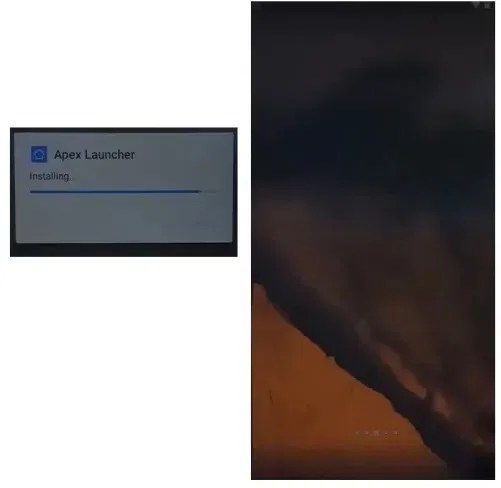
- Install Apex Launcher.apk => Open

- Go to Settings =>> Security => Device Administrators

- Deactivate the Android Device Manager
- Go back to the Settings home
- Open Apps

- Disable Google Play Services & Google Account Manager
- Now Open My Files

- Install Gadgets Doctor.apk =>> Tap Done

- Open Settings =>> Accounts =>> Google =>> Add GMAIL account now.
- Now go to the Apps and enable =>> Google Play Services & Google Account Manager.

- Back to the Settings main menu => Open Security => Device Admin Apps => Enable both device manager.
- Restart your Symphony P8 Pro now.
- Setup your phone.
- That’s it.
Read More: Symphony i10 Plus FRP Bypass Fix Youtube Update (Android 7.0) – Unlock Google Lock Without PC
