FRP is an inbuilt data protection feature for all present-day Android smartphones, It protects phones from unauthorized access. After performing a factory reset, If you forget the last active Gmail account which was used on your phone, then, you have to find a solution to unlock your phone. Here, more especially, I share a detailed process to Samsung Tab A 10.5 SM-T595 FRP Google Lock Bypass unlock Fix No Emergency call *#0*# Free [Android 10] (New Security Patch) by a Latest method successfully. So, follow the below process carefully.
Google provides the new FRP feature on Android Lollipop, Marshmallow, Nougat, Pie, Oreo, and 10 Q versions. The summarization of factory reset protection is FRP and it basically protects Android users’ personal data and Privacy during thefts. The process of unlocking FRP security has different with every new Android version and phone. So, always remember the Gmail account information to avoid FRP protection lock.
The FRP turns On automatically when you have setup a Google Account on your Samsung Tab A 10.5 Phone. After Reset your phone without removing the Google Account, you have to log in with the same Google ID and password that you set up earlier on the device to bypass Google account verification lock on your Samsung Tab A 10.5.
In case, your device stuck at the FRP lock verification screen and you have forgotten the account information, Then these simple step-by-step instructions will help you to bypass google account lock from your device.
The Samsung Tab A 10.5 FRP Unlock process has become very challenging, Also you can use any compatible FRP bypass tool & FRP Bypass APK according to your phone to unlock FRP, and here I share the latest FRP Bypass process to bypass FRP lock from your device.
How To Disable Factory Reset Protection
If you want to disable the FRP lock feature from your Samsung Tab A 10.5 then you need to delete the Gmail Account from the device Settings. follow the below process completely to disable the Factory Reset Protection successfully: go to the settings menu=>> Accounts=>> select the Gmail id =>> remove account =>> that’s it.
Bypass FRP Files not responsible for any damage on your device please try this at your own risk.
More: FRP Collection Tools Download Latest Free Without Box
How to Samsung Tab A 10.5 FRP Google Bypass unlock Fix No Emergency call *#0*#
- First, Switch on your Samsung Tab A 10.5
- Click on Start button
- Agree to Terms & Conditions and click Next

- Connect your Samsung Tab A 10.5 to a Wifi network
- Download & extract the Samsung FRP Tool V1.6to your computer
- Samsung FRP Bypass Tool V1.6
- Mirror Link: Samsung FRP Tool
- Open the unzipped folder
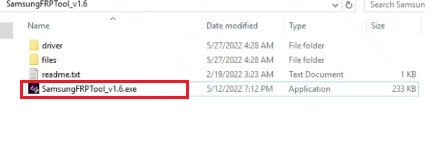
- Run the SamsungFRPTool_v1.6.exe as administrator

- On the FRP Tool, Click Disable Driver signature enforcement.
- Then Restart your PC
- Now Connect your Samsung phone to the PC in Normal MTP Mode

- Open Device Manager on your PC,
- Check Samsung Mobile USB Modem & Portable Device will appears
- (If not showing then install Samsung USB driver from FRP folder)
- Now Reopen the FRP tool.
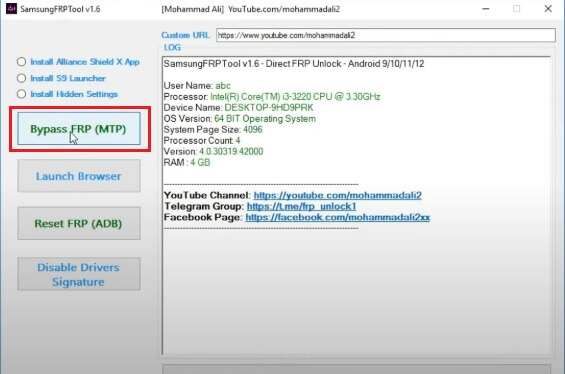
- Click on Bypass FRP (MTP)
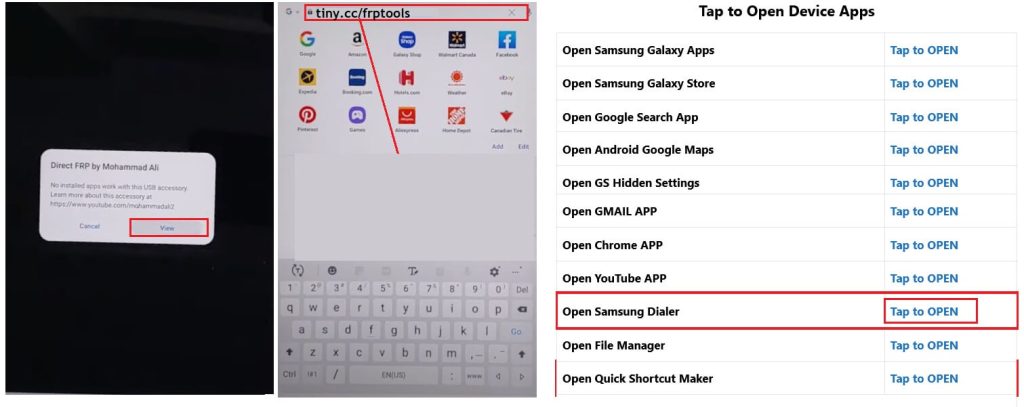
- Check on your phone, A Direct FRP popup window will appears.
- Tap on View to Open Browser.
- Now it will lead you to the Samsung Internet or Chrome Browser.
- Tap on the Search bar and type any of these two URLs
- Go to the FRP Bypass Apk =>> tap to Open device Apps section
- Select Open Samsung Dialer =>> Tap to Open
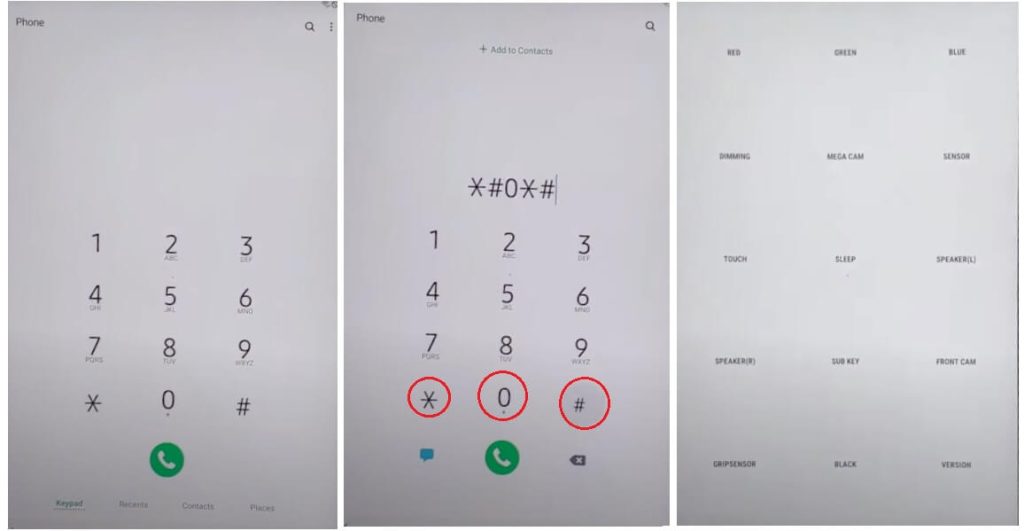
- Now dial *#0*#
- The Test Mode will appear
- Connect your device to the PC
- Go back to the FRP Tool
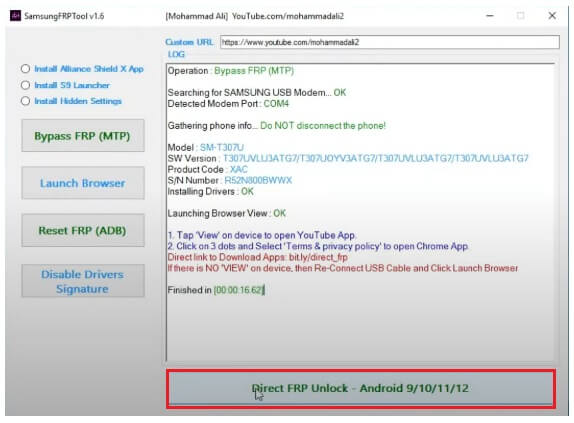
- Click on Direct FRP Unlock – Android 9/10/11/12
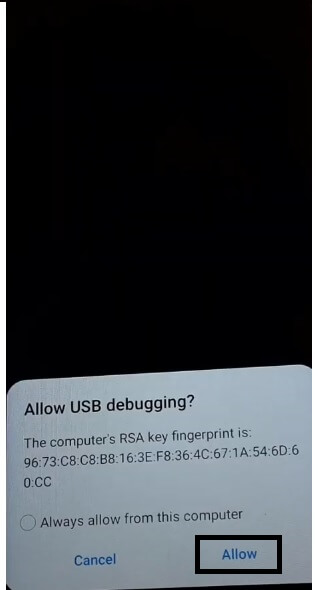
- Check on the phone and Tap Allow
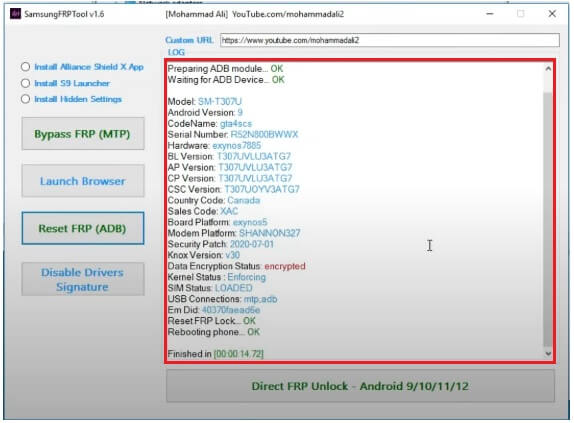
- Now wait for remove FRP lock & reboot the phone
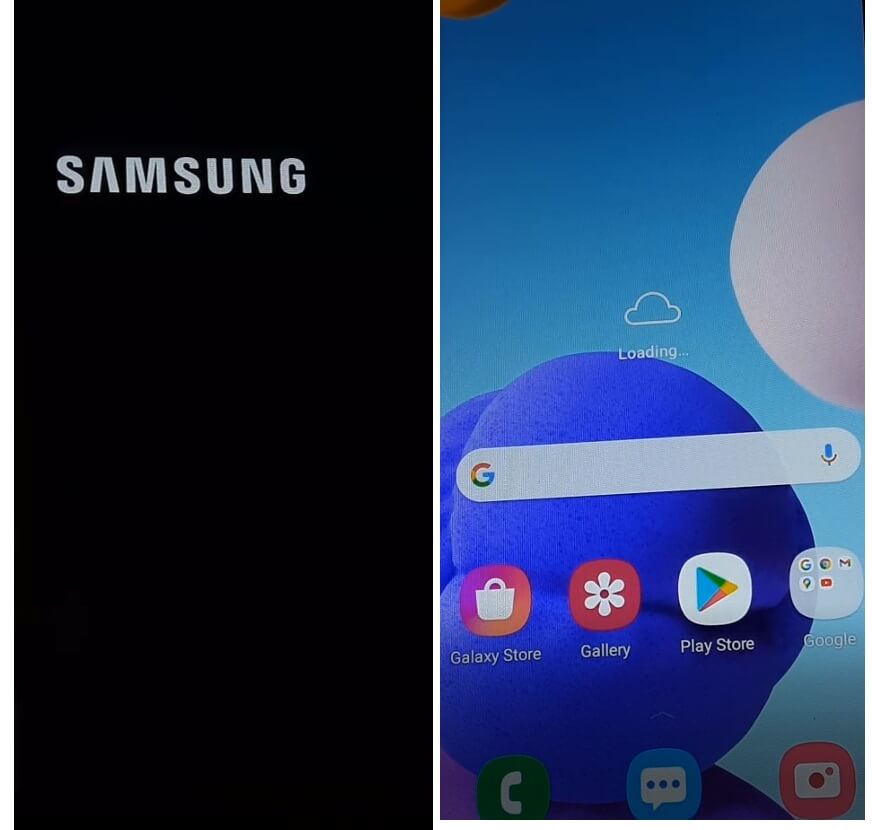
- Once Rebooted, Tap on blank screen once or Select Samsung Setup Wizard.
- That’s it.
- You have successfully bypassed the FRP lock from Samsung Tab A 10.5
- Make sure, Goto settings and Factory Reset the device.
Read More: Samsung Tab A2 FRP Google Lock Bypass unlock Fix No Emergency call *#0*# Free
