FRP is an inbuilt data protection feature for all present-day Android smartphones, It protects phones from unauthorized access. After performing a factory reset, If you forget the last active Gmail account which was used on your phone, Then, Here, more especially, I share a detailed process to Jinga Win Pro FRP Bypass Fix YouTube & Location Update (Android 8.1) – Unlock Google Lock Without PC Free. So, follow the below process carefully.
The FRP turns On automatically when you have setup a Google Account on your Jinga Win Pro Phone. After Reset your phone without removing the Google Account, you have to log in with the same Google ID and password that you set up earlier on the device to bypass Google account verification lock on your Jinga Win Pro.
In case, your Jinga device is stuck at the FRP lock verification screen and you have forgotten the account information, Then these simple step-by-step instructions will help you to bypass google account lock from your device. Also, you can use FRP bypass tool & FRP Bypass APK to unlock your phone easily.
Also Check: RomFw Tool V07.10.2023 Download Latest Version Setup Free (2023)
How to Disable FRP Factory Reset Protection
If you want to disable the FRP lock feature from your Jinga Win Pro then you need to delete the Gmail Account from the device Settings. follow the below process completely to disable the Factory Reset Protection successfully: go to the settings menu=>> Accounts=>> select the Gmail id =>> remove account =>> that’s it.
Bypass FRP Files not responsible for any damage on your device please try this at your own risk.
Read More: MTK Gsm Sulteng Tool v1.4.0 Download Latest Version Free
How to Jinga Win Pro FRP Bypass Unlock Google Android 8.1
- First, Switch on your Jinga Win Pro.
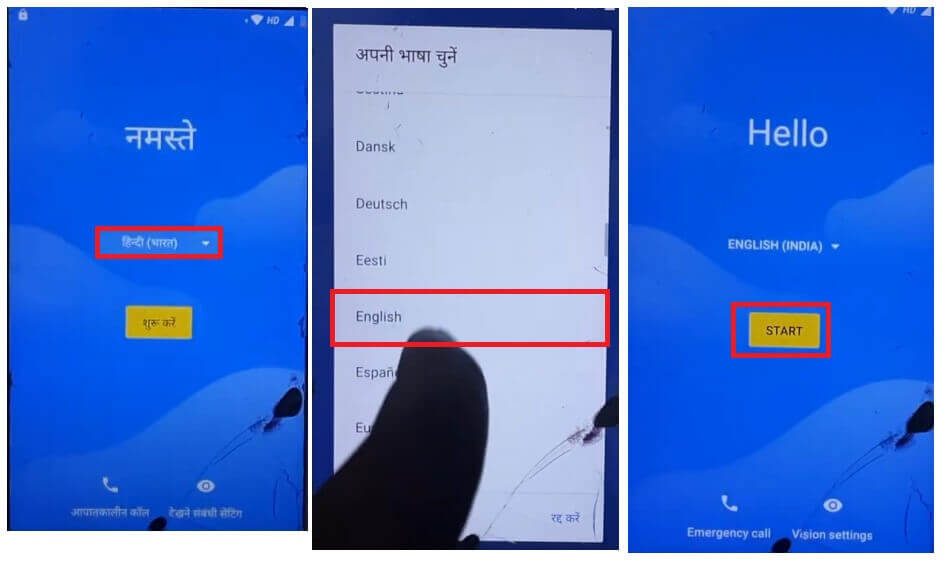
- Tap START and connect your phone to a Wi-Fi Network
- Go back to the very first Welcome Screen
- Tap English and Go down
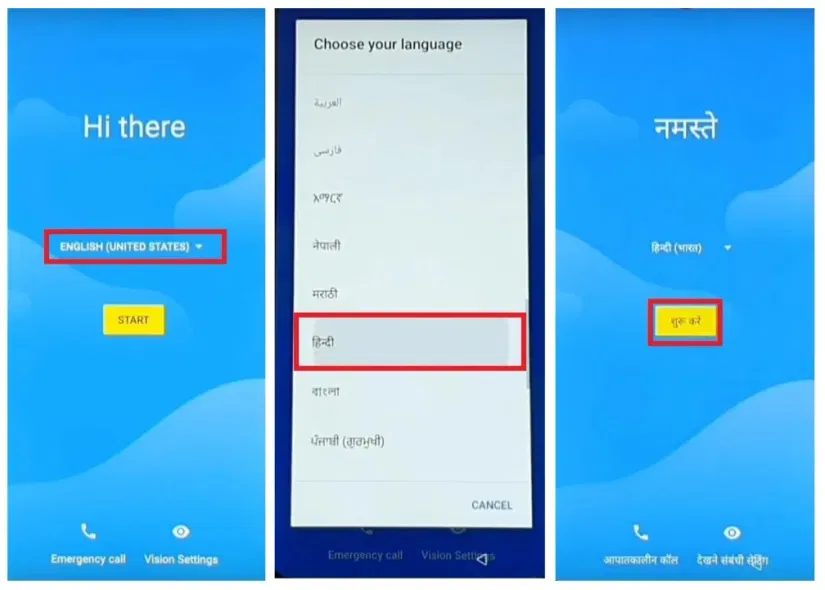
- Change Language of the phone
- Select your regional language
- (Here I am selecting Hindi)
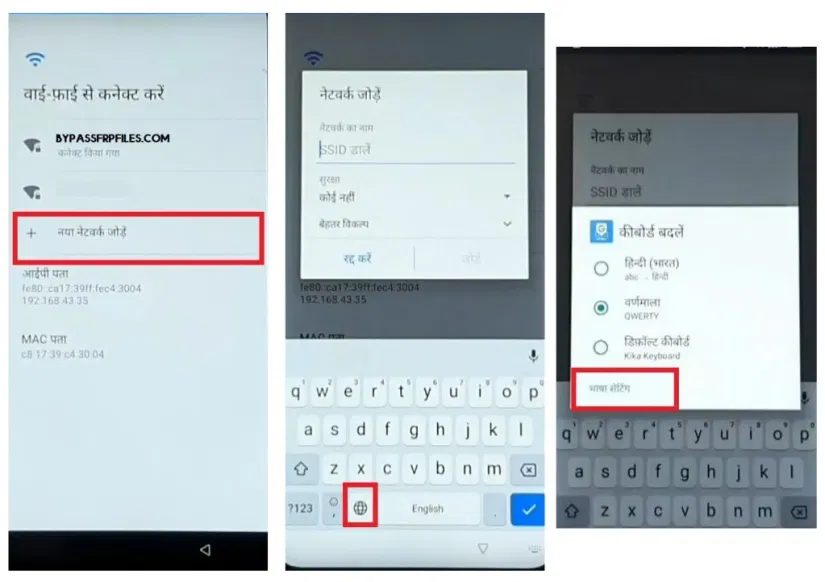
- Go to the Wi-Fi network page and tap on Add Network
- Type anything and hold the Browser Icon.
- Tap the last “language Settings” option.
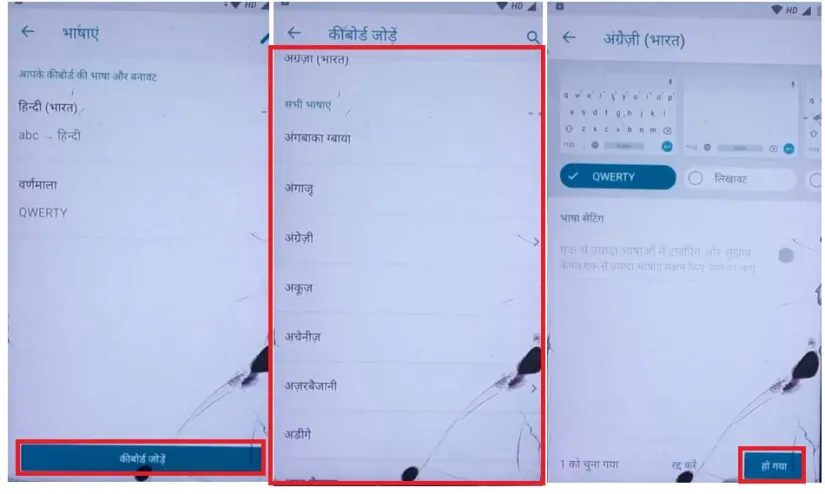
- Tap Add keyboard =>> Select any language from the list => Tap Ok
- Now go back to the main Welcome Screen
- Tap Hindi =>>
- Now change the language to English
- Tap Start
- Go to the Wi-Fi network page and tap on Add Network
- Type anything and hold the Browser Icon.
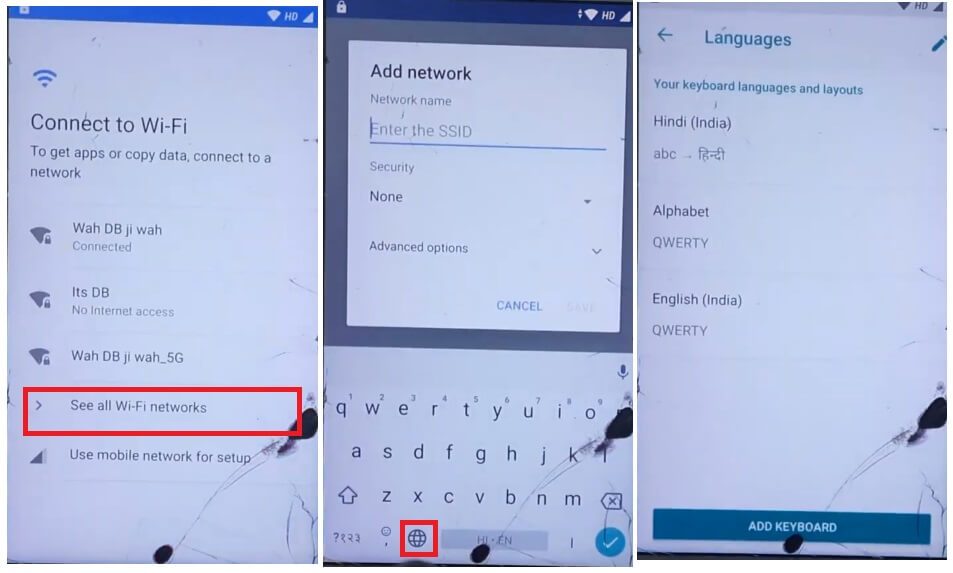
- Select Language Settings
- Tap on Add Keyboard
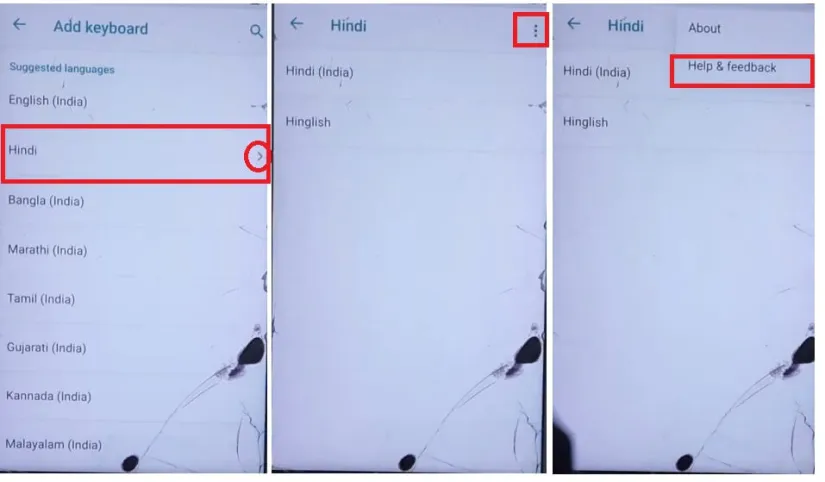
- Select a language that contains the arrow icon.
- Tap Help & Feedback.
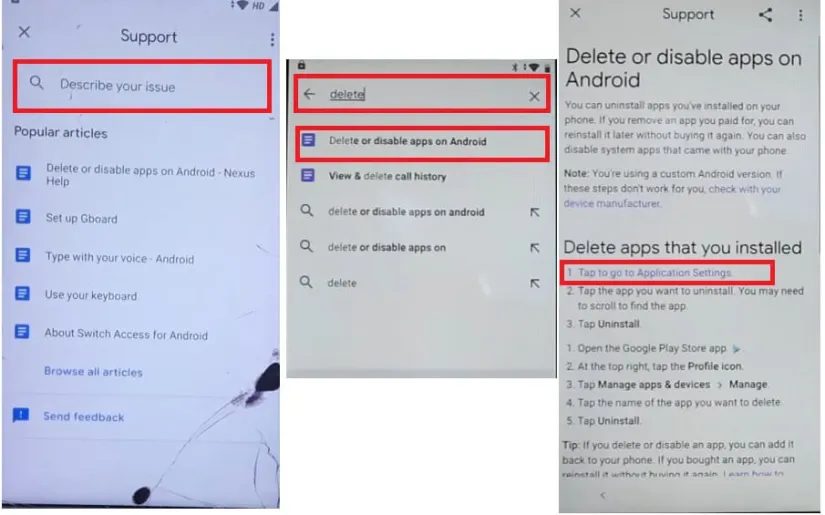
- Now Type and Search “Delete or Disable Apps on Android”.
- Open the First results from the list
- Now go down and select “Tap to go to Application Settings”
- It will lead you to the App Info screen
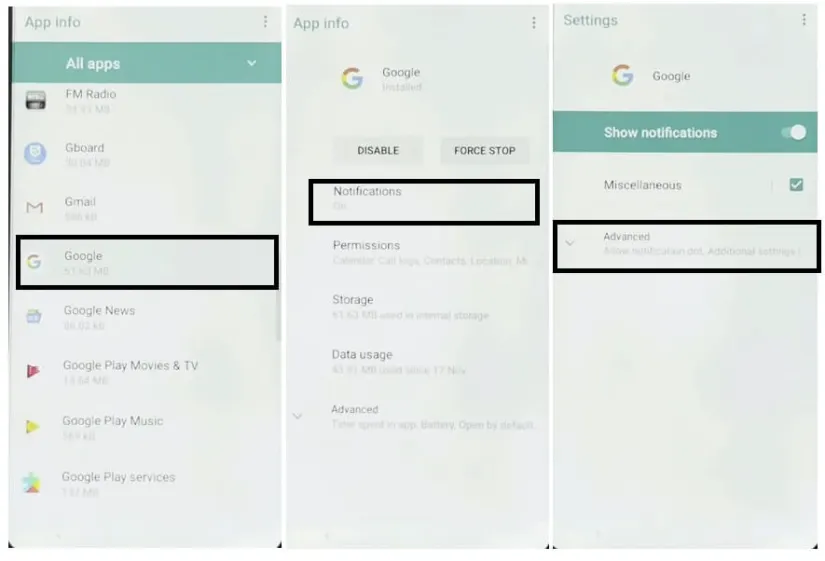
- Go down and Select Google =>Tap on Notifications => Advance =>>
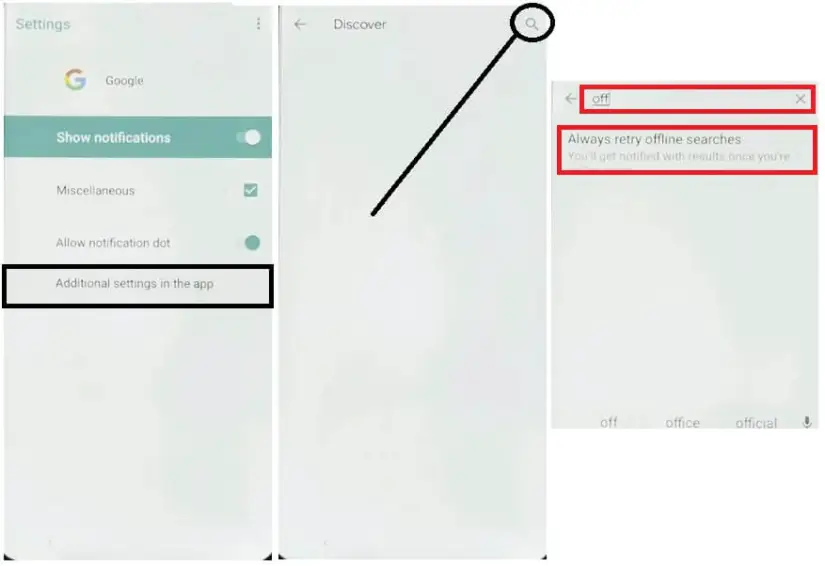
- Select Additional Settings in the App =>> Tap Discover (Tap on Search) =>> Search for Offline =>>
- Select Always retry offline searches =>>
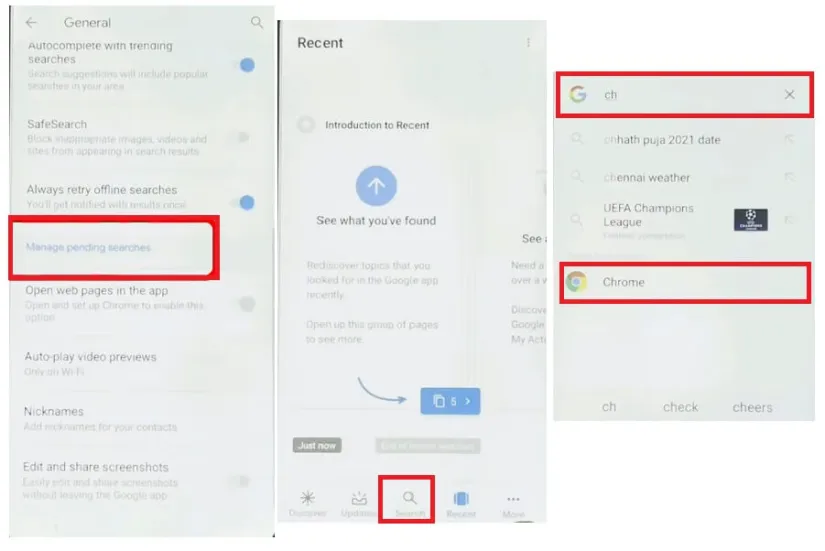
- Then Go down => Select Manage Pending Searches
- Now It will lead you to the Google Search
- Search for Chrome & Open it
- Tap Accept & Continue => No Thanks
- Type and Search any of these two URLs:
- Download these two below applications
- Android_8_9_GAM.apk
- FRP_Bypass.apk
- Tap the “3 dots” from the top-right corner and select Downloads
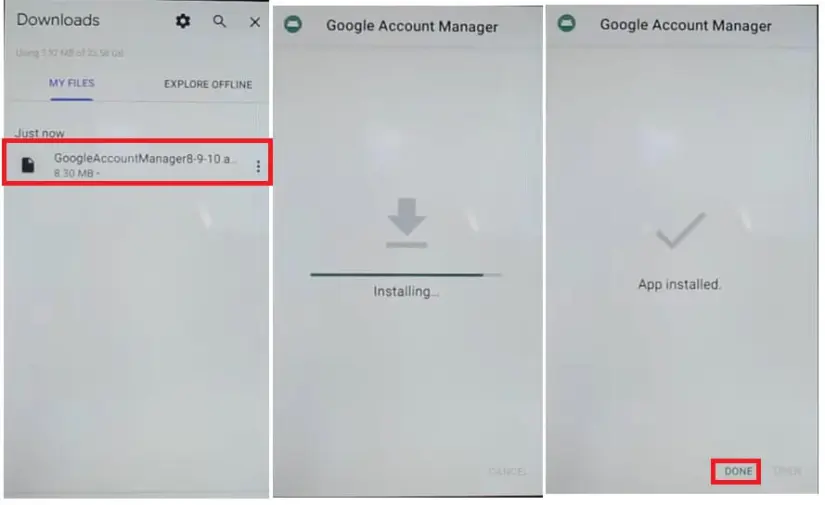
- Install Android_8-9_GAM.apk, by tap install =>> Done.
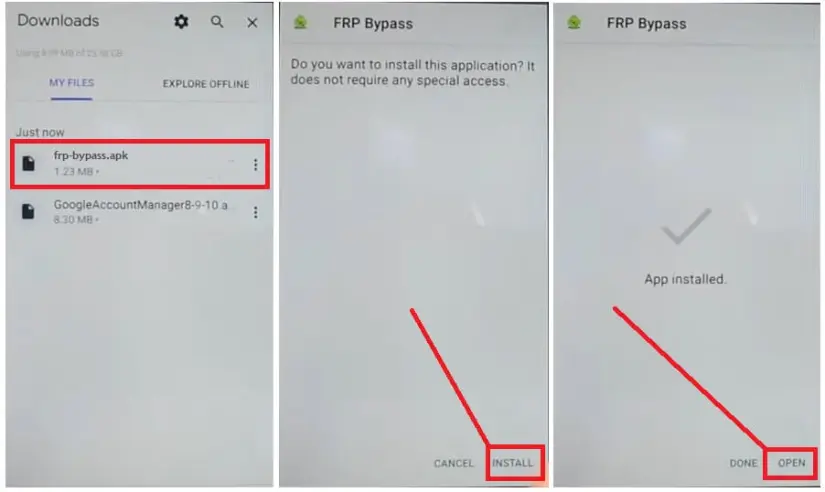
- Now install FRP_Bypass.apk, by tap install => Open
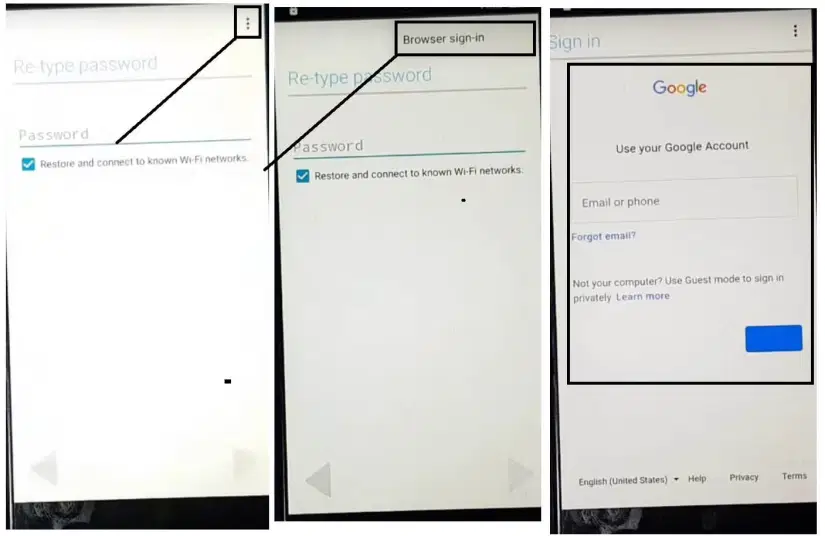
- Tap “3dots” and Select Browser Sign IN
- Now Sign In with a Google Account ID password
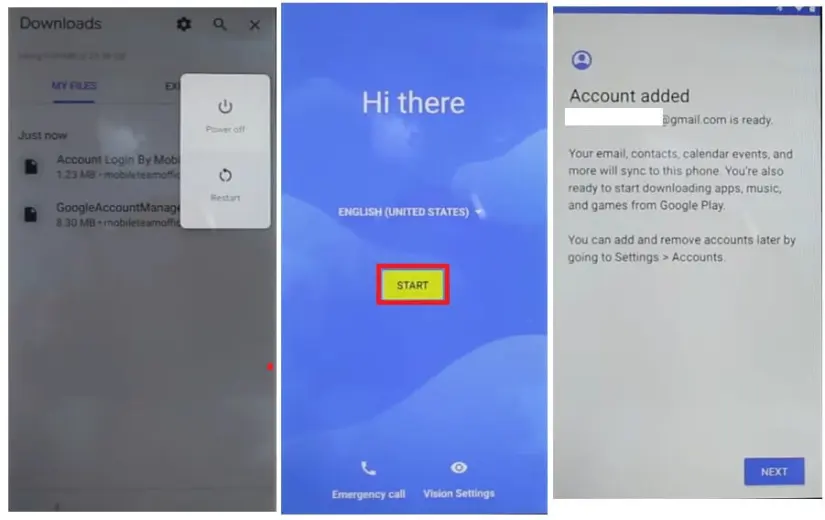
- Restart your Jinga Win Pro
- Setup all initial steps
- Now you will see Account Added, which means Jinga Win Pro FRP is successfully bypassed
- That’s it.
Read More: Zenon Unlock Tool V2.5 Download Latest Version Setup Free (2023)
