Now it’s too much annoying to facing FRP lock issue in our device, so that’s why we tasting too many processes to use our home screen once again, now we found another latest method to Bypass FRP Wiko View XL with the latest patch. if you also facing the same problem with your device then this is a great method to Bypass FRP Wiko View XL.
Note:- This method only for educational purpose and only for device owner.
Warning: This method we tried to Bypass Google Account Wiko View XL Android-7.1.2. please do not try this method on any other Wiko device.
Things Needed to Bypass FRP Wiko View XL
If you want to Bypass Google Account Wiko View XL then you need some files and a good PC and need a good internet connection to download some FRP and Firmware files Now Started to Bypass FRP Wiko View XL.
-Wiko View Xl Firmware and Flash tool.
-Wiko View XL USB Driver.
Note:- your device battery is fully charged.
-Follow this guide.
Now Bypass Google Account Wiko View XL
-Download all the required files for your PC.
-Once downloaded extract all the files to your PC.
-After that, Open the Wiko View XL USB Driver folder,
-Then there you will see “USB_Driver.exe” from there, and install the Wiko View XL USB Driver and install the USB driver from there.
-Then extract the “Stock Firmware” to your PC, then Open the extracted stock firmware folder to Bypass FRP Wiko View 10.
-After that, Run the “Installation file” from there.
-Then you will a “Security” popup select then click on the “Install Load Driver” to install Wiko USB Driver successfully on your PC.
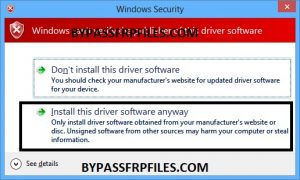
-Now installation window will open, wait for fully installed the wiko Flash tool.
-Once completed then you need to connect your device to PC to successfully Bypass Google Account Wiko View XL.
CONNECT YOUR WIKO VIEW XL TO PC
-Now power off your device first.
-Once Power off then connect your device to PC.
-Then go to the “Wiko View XL” Flash tool once again.
Now flash the Stock firmware to successfully Bypass Google Account Wiko VIew XL.
Now Flash to Bypass FRP Wiko View XL
-After that, on the “Flash tool” there you will see “Download” icon, click on that “Download Icon” to Start Flashing.
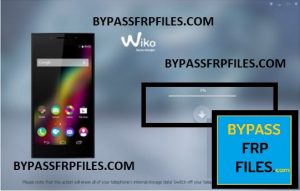
-Once the “Download” icon turns into green color.
-Now Flash tool will automatically detect your device,
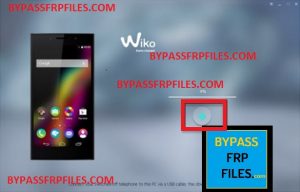
-Then wait few times to complete flashing your device.
-Just sit back and relax to Bypass Google Account Wiko View XL.
-Once the updating process is completed, once completed your device will automatically reboot.
-Now disconnect your device from PC.
-After that, complete the initial setup on your device.
-Done, Now you have successfully Bypass FRP Wiko View XL.
Download Wiko View XL FRP Files
Wiko View XL V.15.zip
File Size:-1.7GB
Check Out here Some Other Methods
–Samsung J6 FRP Odin Method
–Samsung J8 FRP Bypass Odin Method
Thanks for visiting us, if you facing any problem with this Bypass Google Account Wiko View XL Android-7.1.2, comment us below.
