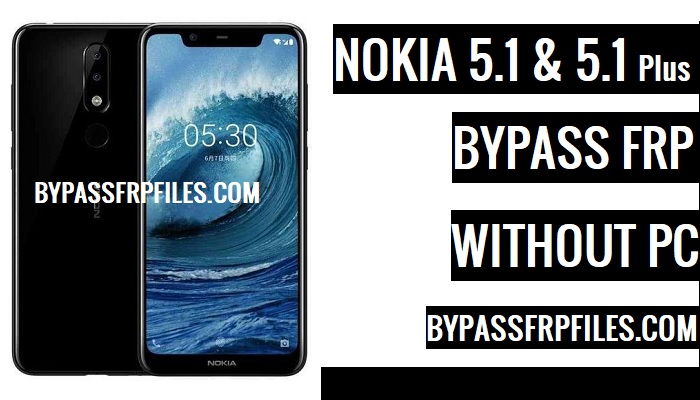
Did you face FRP lock in your Nokia 5.1 or 5.1 Plus devices? and looking for a solution to unlock your device? Nowadays too many users also facing the same issue, that’s why we are here to share with you a guide to Bypass FRP Nokia 5.1 and 5.1 Plus to use your device once again. follow this guide step by step if you need a solution to Bypass Google FRP Nokia 5.1 and 5.1 Plus lock from your device even without using any box, This is the latest method that we found while we try to Bypass FRP Nokia 5.1 and 5.1 Plus.
Make Sure:- This process only for the device owner,
Note:- Bypass FRP Files not responsible for any damage on your device please try this at your own risk.
This method we successfully worked on Nokia 5.1 and 5.1 Plus.
Nokia 5.1 Plus Specifications
First of all, Nokia 5.1 Plus release in July 2018, Its comes with 4/3GB of RAM and 64/32GB of ROM storage and its support up to 400GB of external memory support, Nokia 5.1 Plus comes with IPS LCD 5.86inch and the screen resolutions 720 x 1520pixels. This device is powered by Quad-core 1.8 GHz MediaTek MT6771, and 3060mah battery removable battery and this device come 8mp of front and 13mp and 5mp of the back camera, make sure both cameras are single.
Let’s Start to Unlock Nokia TA-1102 FRP
-First of all, Power on your device first.
-Then connect your device to any Wifi network.
-After that, tap on the language select option, then select the godown and select the 5th language from the last,
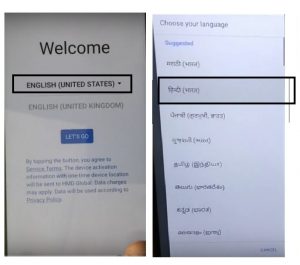
-Then continue to the “Sign UP” Option.
-After that, click on the “Mail input box” then the keyboard will open.
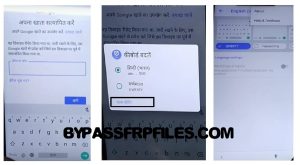
-Then long press on the “Space” button to see “keyboard setting” option to open it to FRP Bypass Nokia 5.1 Plus.
-On the “Keyboard setting” option there you will see the “Add Keyboard” option and then click on that.
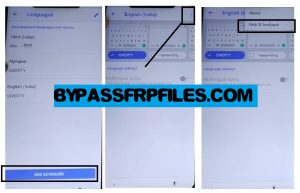
-Now from the “Keyboard theme page” click on the menu button and after that select “Help and Feedback” option from there.
-Then from the next page, Select “help With Voice assistance”.
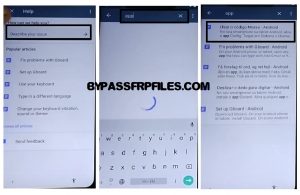
-Now there you will see “Youtube Video”, just play the video, then you will see video title just click on the video title to open Youtube application in your device to Unlock Nokia TA-1102 FRP.
DOWNLOAD FRP FILES
-Once you redirected to the Youtube Application, then drag down the video,
-After that, you will see a face or a “3” dots from the top right corner in youtube applications.
-Or download from here:- Download FRP Tools
-Then select “About” from there.
-After that, select “Google Privacy Policy” option from the About section.
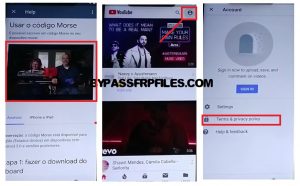
-Boom, Now you will be redirected to “Chrome” Browser.
-Tap on the “Accept & Continue” button, then tap “No Thanks” to open chrome browser successfully.
-Ok Now you can access chrome browser.
-To Successfully Bypass FRP Nokia 5.1 Plus, you need to download some FRP files and tools,
-First of all, tap on the search bar in chrome browser,
-Then type there “http://tiny.cc/frptools“.
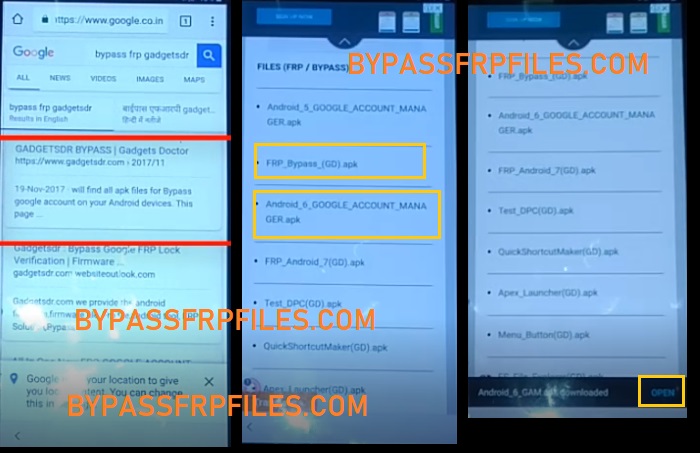
-Once the website is opened, then download this two application from there,
- Google Account Manager (6).apk
- FRP Bypass.apk
Notice:- You will find all latest and old FRP Bypass applications from there, so if you are a mobile technician or interested in Android then you can visit that page and download all the latest FRP Files and tools without wasting any time.
Final Step To FRP Bypass Nokia 5.1 Plus
-At first, we need to download only one application that helps you to FRP Bypass Nokia 5.1 Plus without PC easily.
- Google Account Manager (6).apk
Congrats, Now you have only a few steps away to Unlock Nokia TA-1102 FRP Without PC,
-Tap on the “Google Account Manager 6” from there and then download the app,
-Once you downloaded the app, then you will get a popup button on the button bar of your device, simply tap on the “open” button from there.
-Then you will get another pop box, just tap on the settings from there and enable the “Allow this Source” from there.
-Now go back by tapping on the back key and then install the “Google Account Manager (6)” apk by tapping Install-next-done,
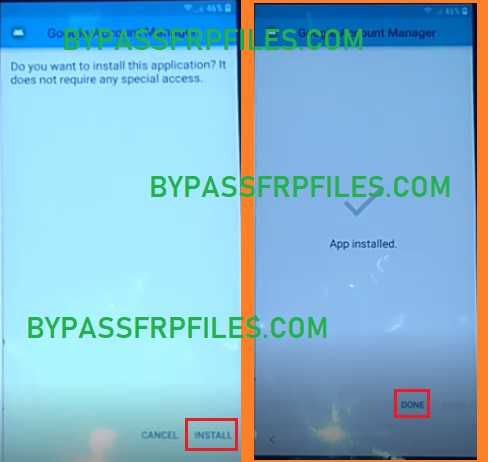
-Just click on the “Done” button to Unlock Nokia TA-1102 FRP Without PC easily.
-Then once again you will access the “Bypass FRP” page, now download our seconds apk.
-Now download the “FRP Bypass (GD).apk” by following the same process that you did before.
-Then install the downloaded apk by tap install-open.
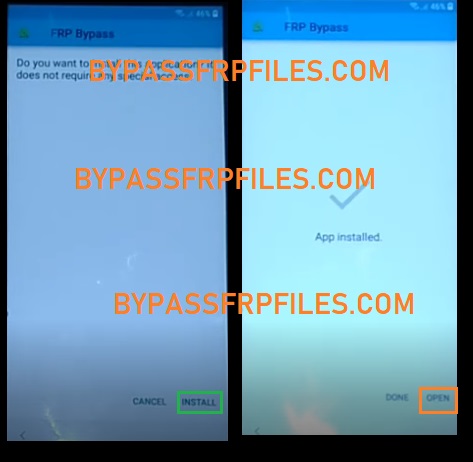
-After the application is opened, just tap on the “3” dots from the top right corner,
-Then tap on the “Browser Sign-in” option from there.
-After that, once again a popup box will appear, just tap on “Ok”,
-Then sign in there with your any valid Gmail id.
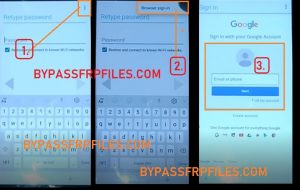
-Once you Sign in with your Gmail id then this applications will automatically be closed.
-Just Restart your device once again,
-Then complete all setup,
-Now you have successfully FRP Bypass Nokia 5.1 Plus without PC easily.
Check Out here Some Other Methods
–Samsung J6 FRP Odin Method
–Nokia 5.1 and 5.1 Plus Android 8.1 FRP
Thanks for visiting us, if you facing any problem with this TA-1102 FRP Bypass | FRP Bypass Nokia 5.1 Plus Without PC, the method then you can comment us on below.

