FRP is an inbuilt data protection feature for all present-day Android smartphones, It protects phones from unauthorized access. After performing a factory reset, If you forget the last active Gmail account which was used on your phone, then, you have to find a solution to unlock your phone. Here, more especially, I share a detailed process to Samsung J2 Core (SM-J260G) FRP Bypass | How to Unlock Google Verification – Android 8 (New Security Patch 2021) successfully. So, follow the below process carefully.
Google provides the new FRP feature on Android Lollipop, Marshmallow, Nougat, Pie, Oreo, and 10 Q versions. The summarization of factory reset protection is FRP and it basically protects Android users’ personal data and Privacy during thefts. The process of unlocking FRP security has different with every new Android version and phone. So, always remember the Gmail account information to avoid FRP protection lock.
The FRP turns On automatically when you have setup a Google Account on your Samsung J2 Core Phone. After Reset your phone without removing the Google Account, you have to log in with the same Google ID and password that you set up earlier on the device to bypass Google account verification lock on your Samsung J2 Core.
In case, your device stuck at the FRP lock verification screen and you have forgotten the account information, Then these simple step-by-step instructions will help you to bypass google account lock from your device.
The Samsung J2 Core (SM-J260G) FRP Unlock process has become very challenging, Also you can use any compatible FRP bypass tool apk according to your phone to unlock FRP, and here I share the latest FRP Bypass process to bypass FRP lock from your device.
How To Disable Factory Reset Protection
If you want to disable the FRP lock feature from your Samsung J2 Core then you need to delete the Gmail Account from the device Settings. follow the below process completely to disable the Factory Reset Protection successfully: go to the settings menu=>> Accounts=>> select the Gmail id =>> remove account =>> that’s it.
Bypass FRP Files not responsible for any damage on your device please try this at your own risk.
More: Download Vnrom FRP Bypass Apk 2021 | One-Click Google Unlock
Download Samsung J2 Core FRP Bypass File and Tool
- The following guide is only for Samsung J2 Core (SM-J260G), So, don’t try this with any other devices.
- Charge your device at least 80% or above.
- A stable wifi internet connection.
- Take a full backup of your Android device.
- Follow all the below steps very carefully, don’t skip any step.
| Samsung SM-J260G FRP File (U1) | Download |
| (U2) SM-J260G FRP File | Download |
| (U3) SM-J260G FRP File | Download |
| SM-J260G FRP File U4 | Download |
| SM-J260G FRP File U6 | Download |
| Odin Flash Tool | Download |
| Samsung USB driver | Download |
How to Bypass FRP Samsung J2 Core
- Power Off your Samsung J2 Core
- Press and hold (Volume Up and Power Keys) together, until you see the Android logo on your device screen.
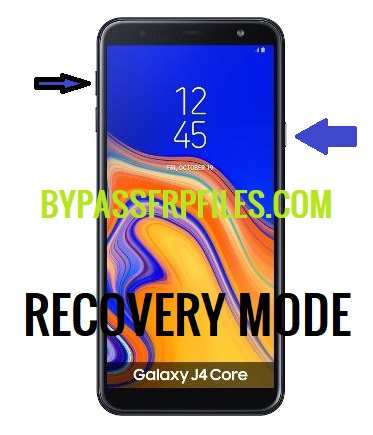
- Press (Volume UP and Power) key at the same time.
- Then you will see the Recovery Mode of your Samsung J2 Core.
- Note down the firmware version (J260GXXU2ARG5).
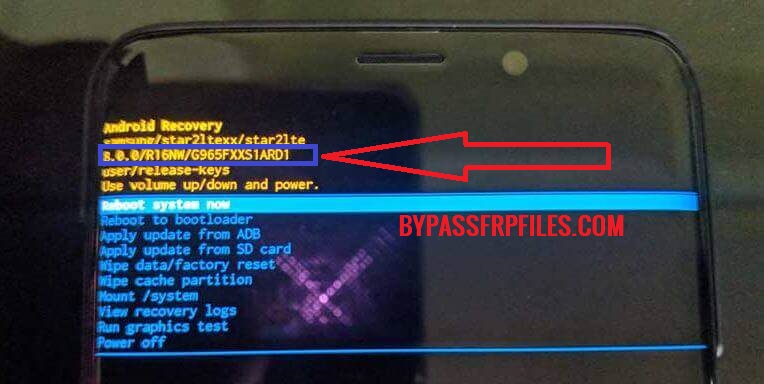
- Download the same firmware version SM-J260F FRP file.
Make Sure:- Download the same bootloader version of FRP File to successfully unlock the FRP Samsung J2 Core from your device.
Put J2 Core in Download Mode
- First, Power Off your Samsung J2 Core.
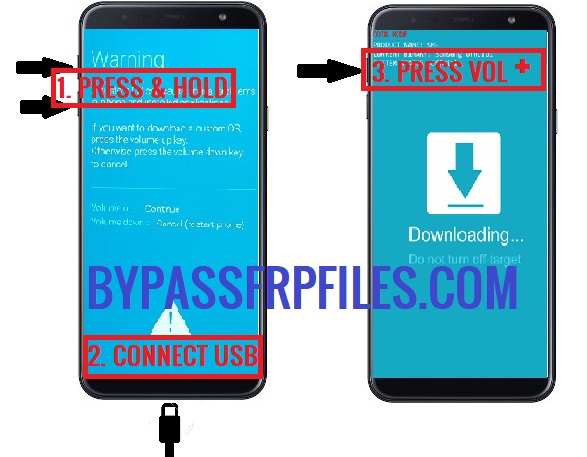
- Press and hold the Volume Up and Volume Down at the same time and Connect USB Cable.
- Warning Screen will appear, press the Volume Up key to confirm Download Mode.
- Download & extract Samsung SM-J260G FRP File and Odin Tool on your computer.
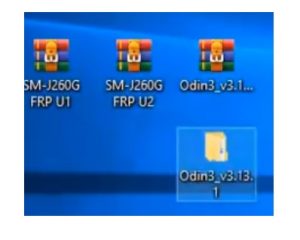
- Open the Odin Tool folder and Run Odin.exe.
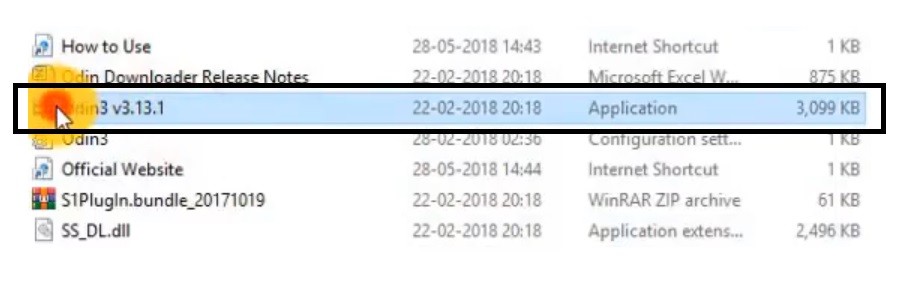
- Then there you will see the “AP/CP/CSC/BL” tabs.
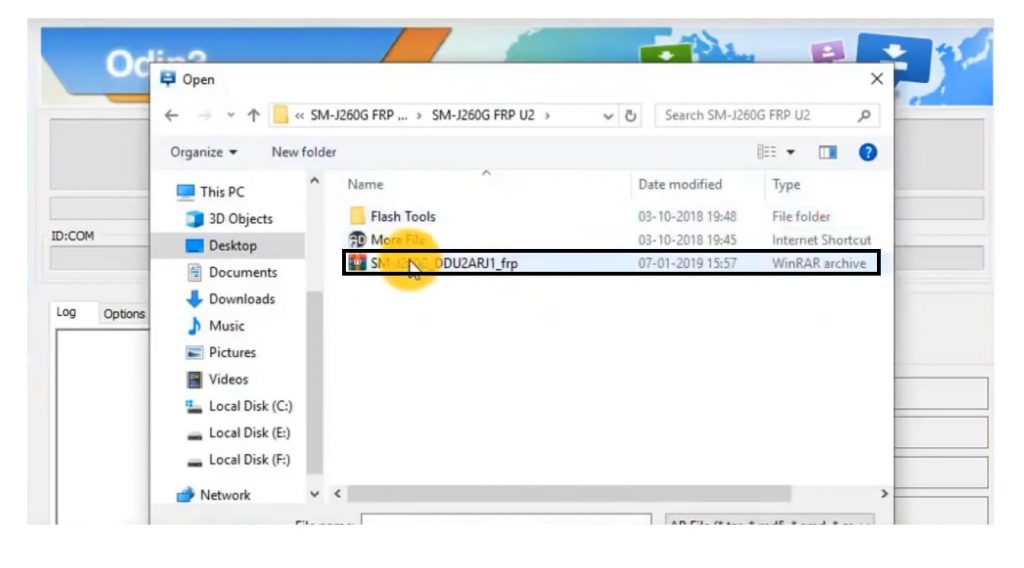
- Click on “AP” and choose the SM-J260G.tar file from the FRP file folder.
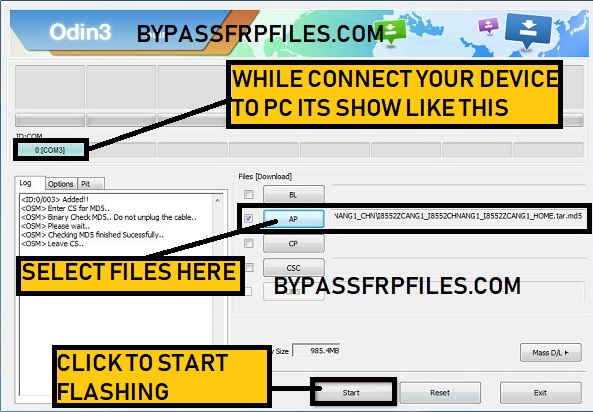
- Connect your device to PC,
- Now Check the “Log Box” you will see a “ADDED” message.
- Also, check “ID: COM” will turn into blue color.
- Hit the below “START” button to start flashing.
- It will take some time to finished.
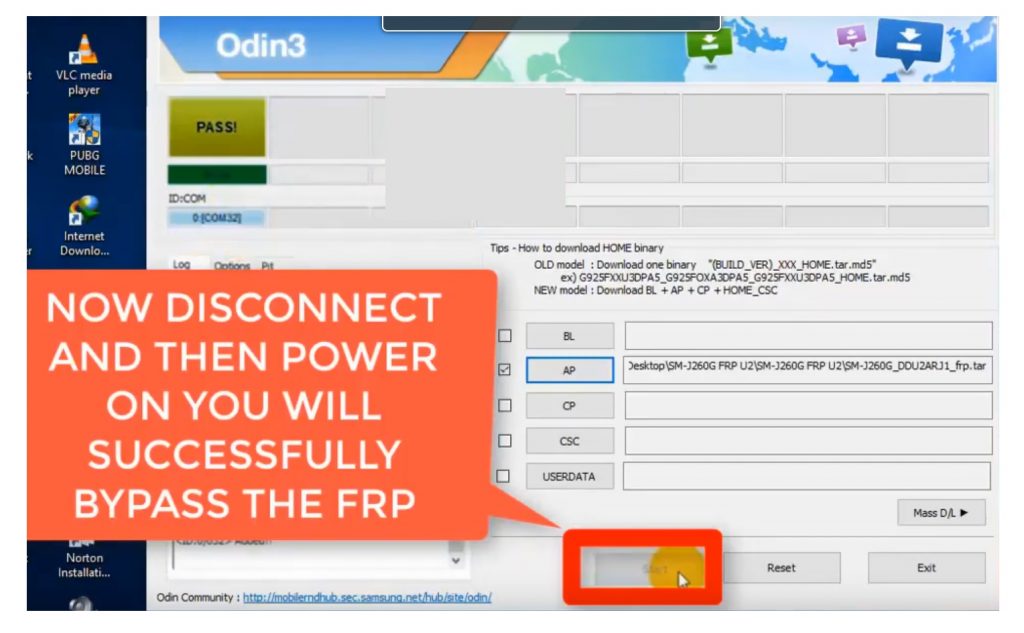
- Disconnect and Power On your Samsung J2 Core
- That’s it.

